logo-darklogo-darklogo-darklogo-dark
  • Tool Categories
    • ๐ŸŽจArt & Creative Design505
    • ๐ŸขBusiness Management644
    • ๐Ÿ’ปCoding & Development515
    • ๐Ÿ‘ฎDetection83
    • ๐Ÿง General Use727
    • ๐ŸฅHealth & Wellness55
    • ๐Ÿ“ทImage & Photo Analysis100
    • ๐Ÿ–ผ๏ธImage Generation & Editing618
    • ๐Ÿ“Interior & Architectural Design37
    • ๐ŸŽ“Learning & Education483
    • โš–๏ธLegal & Finance90
    • ๐ŸŽญLifestyle & Entertainment236
    • ๐Ÿ“ขMarketing & Advertising627
    • ๐ŸŽงMusic & Audio138
    • ๐Ÿ‘”Office & Workplace1,014
    • ๐Ÿ”ฌResearch & Data Analysis372
    • ๐Ÿ‘ฅSocial Media245
    • ๐ŸŽฅVideo Generation & Editing426
    • ๐Ÿ‘ง๐ŸปVirtual Companion135
    • ๐ŸŽคVoice Generation & Editing381
    • โœ๏ธWriting & Editing808
    • All Categories
    • AI Use Cases
  • News
  • Events
    • Academic Conferences
    • Developer Conferences
    • Expos / Trade Shows
    • Industry Summits
    • Workshops / Training
    • All Events
    • Past Events
  • Saved Tools
  • Suggest a Tool
โœ•
Home › Image Generation & Editing › Image Generation› SVG.io
SVG.io

SVG.io

Generate stunning SVG illustrations from text prompts using AI technology

SVG.io is an AI-powered tool that generates high-quality Scalable Vector Graphics (SVGs) from text prompts, offering styles like flat, outline, and silhouette for web and print projects. It processes prompts in about 20 seconds, producing vector graphics that scale without quality loss, ideal for responsive web design, logos, and marketing materials. Users input text descriptions, optionally upload images, and select styles to create custom SVGs. The tool supports real-time editing and color customization, ensuring designs align with specific needs.

Key features include “Text-to-SVG” for converting prompts into graphics, “Custom Color Palettes” for tailored hues, and real-time editing for instant adjustments. The free plan allows five daily generations, with premium options unlocking more. SVGs are XML-based, supporting CSS styling and JavaScript animations, making them versatile for developers. The tool’s privacy policies are clear, and generated SVGs are available for commercial use, provided third-party elements comply with licensing.

Compared to Canva, SVG.io focuses solely on SVGs, lacking Canva’s broad template library and export options like PNG or JPEG. Vectr offers free vector editing without daily limits but lacks AI generation. SVG.io’s strength is its speed and AI-driven customization, though it may not suit users needing diverse file formats.

Limitations include the SVG-only output, which restricts versatility, and the five-image daily cap on the free plan. Beginners may find the lack of templates or tutorials challenging. The tool’s reliance on clear prompts means vague inputs can produce suboptimal results.

For best results, use detailed prompts, experiment with styles, and leverage the color palette tool. Upgrade to premium for high-volume projects, and consider tools like Inkscape for additional editing or format conversion.

Visit SVG.io ↗
Categories
๐Ÿ–ผ๏ธ Image
๐Ÿ–ผ๏ธ Image Generation ๐Ÿช„ Text to Image
๐ŸŽจ Art
๐Ÿ”ฃ Icon Generation ๐Ÿ’  Logo Generation ๐ŸŒ… Illustration Generation ๐Ÿ–Œ๏ธ Graphic Design ๐Ÿ–ผ๏ธ Design Generation

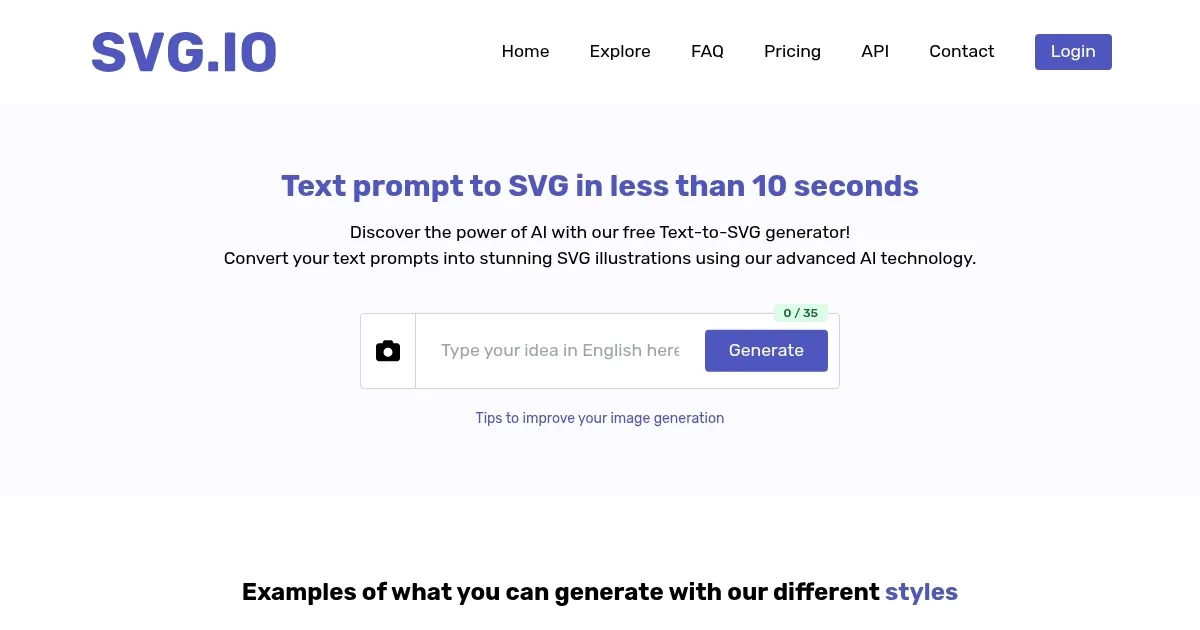
Homepage Screenshot 📸

SVG.io screenshot

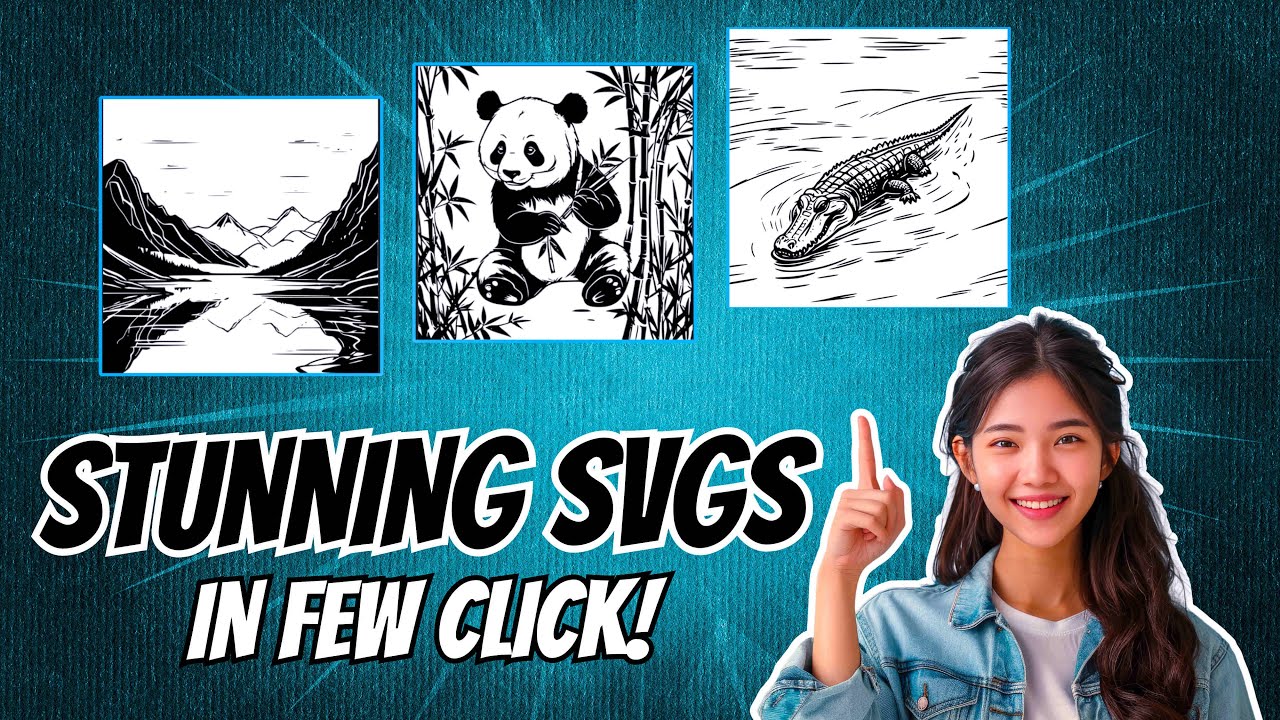
Video Overview 🎬

SVG.io - Video Overview

What are the key features? ✨

  • Text-to-SVG: Converts text prompts into diverse SVG illustrations using AI.
  • Custom Color Palettes: Allows users to personalize SVG designs with specific hues.
  • Real-Time Editing: Enables instant adjustments to SVG designs with live previews.
  • Scalable Vector Graphics: Produces SVGs that maintain quality at any size.
  • Commercial Use: Permits use of generated SVGs for commercial projects, with licensing caveats.

Who is it for? 🤔

SVG.io is ideal for web developers, graphic designers, and marketers who need quick, scalable vector graphics for websites, branding, or digital campaigns, particularly those comfortable with text prompts and seeking AI-driven customization without extensive design skills.

Examples of what you can use it for 💡

  • Web Developer: Creates responsive SVG icons for a websiteโ€™s user interface.
  • Graphic Designer: Designs a scalable logo using a text prompt and custom colors.
  • Marketer: Generates eye-catching SVG visuals for social media campaigns.
  • Small Business Owner: Produces branded vector graphics for business cards and flyers.
  • Blogger: Crafts unique SVG illustrations to enhance blog post visuals.

Pros & Cons ⚖️

  • Fast AI-driven SVG generation
  • Customizable color palettes
  • Free plan with commercial use
  • Five-image daily cap
  • No template library

FAQs 💬

What is SVG.io?
SVG.io is an AI tool that generates SVG illustrations from text prompts.
Is SVG.io free to use?
Yes, it offers a free plan with five daily image generations, with premium options for more.
Can I use SVG.io images commercially?
Yes, generated SVGs are available for commercial use, but check third-party element licensing.
What file formats does SVG.io support?
SVG.io outputs only SVG files, ideal for scalable vector graphics.
Do I need design skills to use SVG.io?
No, the tool is user-friendly and relies on text prompts, not design expertise.
How fast does SVG.io generate images?
It generates SVGs in about 20 seconds per prompt.
Can I edit SVGs after generating them?
Yes, the real-time editing feature allows instant adjustments.
What styles does SVG.io offer?
It offers flat, outline art, one-line art, and silhouette styles.
Is there a limit on free generations?
The free plan limits users to five image generations per day.

Ready to try SVG.io?

Generate stunning SVG illustrations from text prompts using AI technology

Visit SVG.io ↗

SVG.io alternatives 🔗

  1. ChatGPT ChatGPT All-round AI assistant generating human-like responses to user queries and tasks
  2. Grok Grok Delivers witty, real-time AI responses with advanced reasoning and image generation
  3. Imagen Imagen Generates photorealistic images from detailed text prompts
  4. Black Forest Labs Black Forest Labs Generates high-quality images from text prompts with precision and speed
  5. Kling AI Kling AI Generates cinematic videos from text or images with realistic motion
  6. Runway Runway Generates and edits AI-powered videos from text prompts
Share
SVG.io screenshot enlarged
Promote SVG.io
light badge
Copy Embed Code
dark badge
Copy Embed Code
neutral badge
Copy Embed Code
Best AI Tools

Discover the best AI tools for any use case

Explore
  • Tool Categories
  • AI Use Cases
  • AI Events
  • AI News
  • Saved Tools
Company
  • About Us
  • Contact Us
  • Media & Partnerships
  • Suggest a Tool
Legal
  • Privacy Policy
  • Terms of Service
Copyright © 2026 Best AI Tools 415 Mission Street, 37th Floor, San Francisco, CA 94105