logo-darklogo-darklogo-darklogo-dark
  • Tool Categories
    • ๐ŸŽจArt & Creative Design505
    • ๐ŸขBusiness Management644
    • ๐Ÿ’ปCoding & Development515
    • ๐Ÿ‘ฎDetection83
    • ๐Ÿง General Use727
    • ๐ŸฅHealth & Wellness55
    • ๐Ÿ“ทImage & Photo Analysis100
    • ๐Ÿ–ผ๏ธImage Generation & Editing618
    • ๐Ÿ“Interior & Architectural Design37
    • ๐ŸŽ“Learning & Education483
    • โš–๏ธLegal & Finance90
    • ๐ŸŽญLifestyle & Entertainment236
    • ๐Ÿ“ขMarketing & Advertising627
    • ๐ŸŽงMusic & Audio138
    • ๐Ÿ‘”Office & Workplace1,014
    • ๐Ÿ”ฌResearch & Data Analysis372
    • ๐Ÿ‘ฅSocial Media245
    • ๐ŸŽฅVideo Generation & Editing426
    • ๐Ÿ‘ง๐ŸปVirtual Companion135
    • ๐ŸŽคVoice Generation & Editing381
    • โœ๏ธWriting & Editing808
    • All Categories
    • AI Use Cases
  • News
  • Events
    • Academic Conferences
    • Developer Conferences
    • Expos / Trade Shows
    • Industry Summits
    • Workshops / Training
    • All Events
    • Past Events
  • Saved Tools
  • Suggest a Tool
โœ•
Home › Art & Creative Design › Graphic Design› Vectr
Vectr

Vectr

Creates and edits vector graphics with AI-powered tools for seamless design

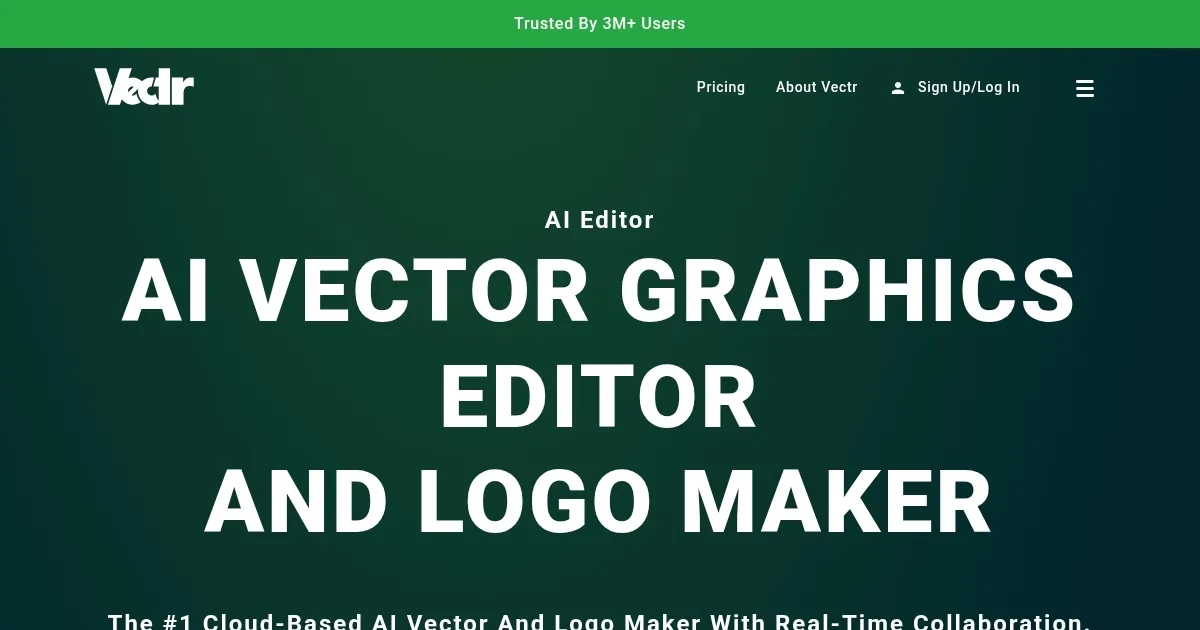
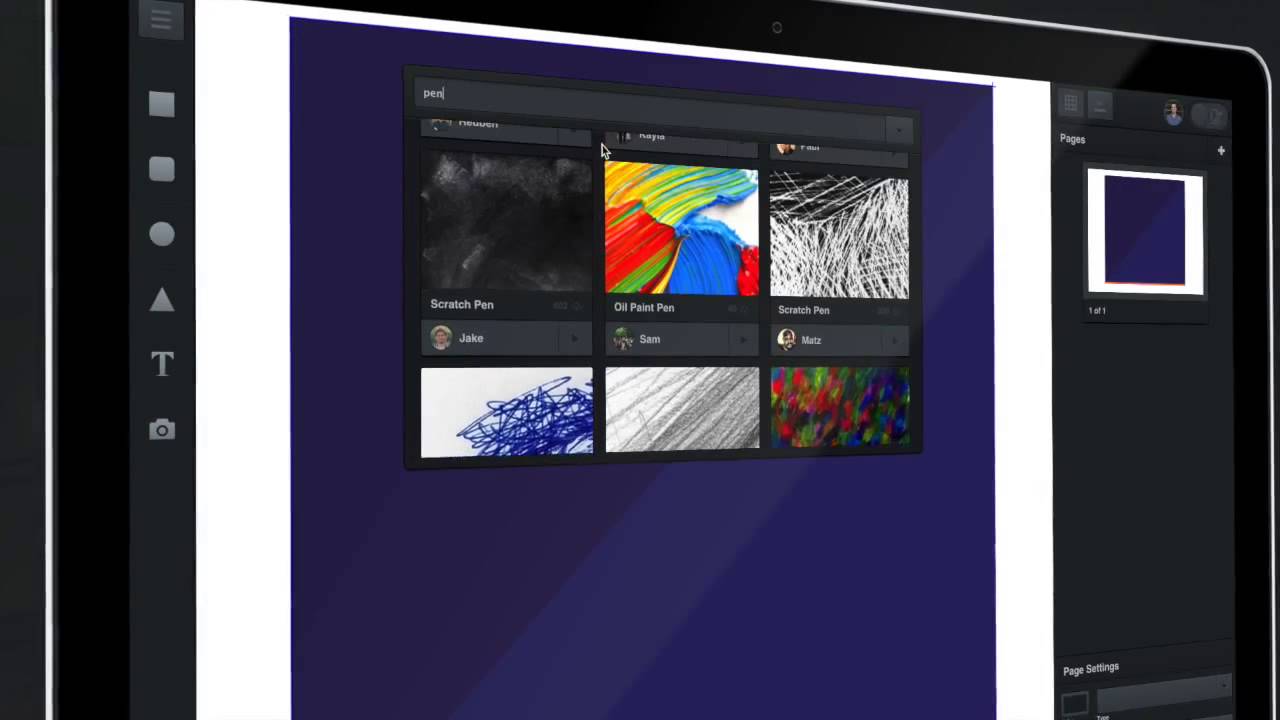
Vectr is a free vector graphics editor for web and desktop, designed for creating and editing scalable designs like logos and icons. Its interface is clean, with a dark theme and tools like the Pen Tool, Text Editor, and shape options laid out for easy access. Users can start with a blank canvas or upload images to edit, and the platform supports real-time collaboration via unique project URLs. Vectr’s AI tools, including Background Remover and JPG-to-SVG Converter, simplify tasks like isolating subjects or converting raster images to vectors. It’s cross-platform, syncing projects across devices, and supports exports in SVG, PNG, and JPG formats.

The AI-powered Background Remover quickly isolates subjects from photos, though complex images may require manual tweaks. The JPG-to-SVG Converter produces scalable vectors efficiently, ideal for print-ready designs. Collaboration is a strength, allowing multiple users to edit simultaneously, which suits remote teams. Vectr’s tutorials guide beginners through tasks like logo creation, making it accessible. File support includes SVG, PNG, and JPG for free, but EPS, AI, and PDF exports require credits.

Compared to Inkscape, Vectr is simpler but lacks advanced features for professional workflows. Canva offers more templates, while Vectr focuses on vector editing. Adobe Illustrator and Affinity Designer provide more robust tools but at a cost. Vectr’s free model is a key advantage, with no paywalls for core features, unlike Canva’s premium tiers.

Drawbacks include a limited shape and icon library, which restricts design options. The web version requires constant internet, and local saving isn’t supported. SVG exports can misalign text, requiring adjustments. Layer management becomes cumbersome with complex designs. Vectr suits beginners and small projects but may not meet advanced needs.

Start with Vectr’s tutorials to master basics. Use the AI tools for quick edits, and organize layers carefully for complex designs. Check SVG exports for accuracy, and leverage collaboration for team projects. It’s a solid free option for simple vector work.

Visit Vectr ↗
Categories
๐ŸŽจ Art
๐Ÿ–Œ๏ธ Graphic Design ๐Ÿ–ผ๏ธ Design Generation ๐ŸŒ… Illustration Generation ๐Ÿ’  Logo Generation ๐Ÿ”ฃ Icon Generation ๐Ÿง‘โ€๐ŸŽจ Design Assistant
๐Ÿ–ผ๏ธ Image
๐Ÿ–ผ๏ธ Image Generation

Homepage Screenshot 📸

Vectr screenshot

Video Overview 🎬

Vectr - Video Overview

What are the key features? ✨

  • Background Remover: AI tool isolates subjects from images quickly.
  • JPG-to-SVG Converter: Converts raster images to scalable vectors.
  • Real-Time Collaboration: Share project URLs for live team editing.
  • Cross-Platform Sync: Access projects across devices seamlessly.
  • Text Editor: Customize text with basic font and style options.

Who is it for? 🤔

Vectr is ideal for beginners, small business owners, and casual designers who need a free, accessible tool for creating scalable vector graphics like logos or icons, as well as students and educators learning design basics, and teams needing real-time collaboration on simple projects.

Examples of what you can use it for 💡

  • Graphic Designer: Creates logos using the Pen Tool and AI converter.
  • Marketing Specialist: Designs social media graphics with text and shapes.
  • Student: Learns vector design through guided tutorials.
  • Small Business Owner: Removes photo backgrounds for product images.
  • Web Developer: Collaborates on icons with team via shared URLs.

Pros & Cons ⚖️

  • Free with no paywalls for core features.
  • User-friendly for beginners.
  • AI tools save editing time.
  • SVG exports may misalign text.
  • Layer management can be clunky.

FAQs 💬

What is Vectr used for?
Vectr creates and edits vector graphics like logos and icons.
Is Vectr free to use?
Yes, core features are free; some file exports need credits.
Does Vectr work offline?
The web version requires internet; desktop allows offline work.
Can I collaborate with others?
Yes, share a unique URL for real-time team editing.
What file formats does Vectr support?
Free exports include SVG, PNG, JPG; others need credits.
Is Vectr good for beginners?
Yes, tutorials and a simple interface make it beginner-friendly.
How does Vectr compare to Canva?
Vectr focuses on vectors; Canva offers more templates.
Can I use Vectr on mobile?
Yes, itโ€™s web-based and works on tablets with internet.
Does Vectr have AI features?
Yes, tools like Background Remover use AI for efficiency.
Are there tutorials for Vectr?
Yes, interactive tutorials are available on the website.

Ready to try Vectr?

Creates and edits vector graphics with AI-powered tools for seamless design

Visit Vectr ↗

Vectr alternatives 🔗

  1. Canva Magic Design Canva Magic Design Generates custom, on-brand designs from text prompts or uploaded media in seconds.
  2. Adobe Express Adobe Express Creates on-brand content with AI-driven design and video tools
  3. Adobe Firefly Adobe Firefly Generates images, videos, audio, and vectors using AI.
  4. Shopify Logo Maker Shopify Logo Maker Creates custom, high-resolution logos for businesses quickly
  5. Remove.bg Remove.bg A free online tool that automatically removes backgrounds from images
  6. PhotoRoom PhotoRoom An AI-powered photo editing tool that removes backgrounds and enhances photos with user-friendly features.
Share
Vectr screenshot enlarged
Promote Vectr
light badge
Copy Embed Code
dark badge
Copy Embed Code
neutral badge
Copy Embed Code
Best AI Tools

Discover the best AI tools for any use case

Explore
  • Tool Categories
  • AI Use Cases
  • AI Events
  • AI News
  • Saved Tools
Company
  • About Us
  • Contact Us
  • Media & Partnerships
  • Suggest a Tool
Legal
  • Privacy Policy
  • Terms of Service
Copyright © 2026 Best AI Tools 415 Mission Street, 37th Floor, San Francisco, CA 94105