logo-darklogo-darklogo-darklogo-dark
  • Tool Categories
    • 🎨 Art
    • 🏢 Business
    • 💻 Coding
    • 👮 Detection
    • 🧠 General
    • 🏥 Health
    • 📷 Image Analysis
    • 🖼️ Image
    • 📐 Architecture
    • 🎓 Education
    • ⚖️ Legal/Finance
    • 🎭 Lifestyle
    • 📢 Advertising
    • 🎧 Music
    • 👔 Work
    • 🔬 Research
    • 👥 Social
    • 🎥 Video
    • 👧🏻 Companion
    • 🎤 Voice
    • ✍️ Writing
    • All Categories
    • AI Use Cases
  • News
  • Events
    • Academic Conferences
    • Developer Conferences
    • Expos / Trade Shows
    • Industry Summits
    • Online Events
    • Workshops / Training
    • All Events
    • Past Events
  • Saved Tools
  • Suggest a Tool
✕
Home › Voice Generation & Editing › Voice Generation› The AI Voice Generator
The AI Voice Generator

The AI Voice Generator

Converts text to realistic speech in 120+ languages with 800+ voices

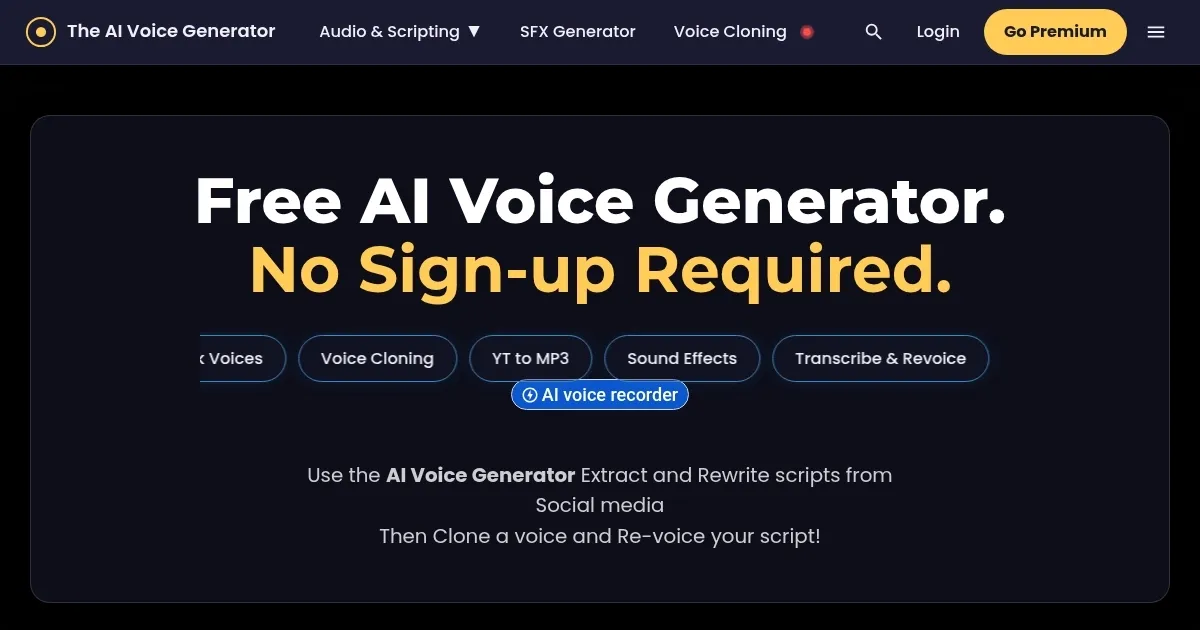
The AI Voice Generator is a free online text-to-speech tool that converts text into realistic audio in over 120 languages with 800+ voices, requiring no sign-up. Users input text, select a voice and language, and generate an MP3 file instantly. The platform uses neural networks to analyze text context and punctuation, producing natural-sounding speech with human-like intonation. It supports a wide range of applications, from voiceovers for videos to accessibility features.

The tool offers a library of over 800 voices, including male, female, celebrity impersonations, and cartoon characters, across 120 languages like English, Spanish, and Hindi. The free version limits text input to 200 characters, suitable for short clips but restrictive for longer narrations. Audio output is studio-quality with no background noise, and files download as MP3s. The interface is user-friendly, requiring only a few clicks to generate speech, making it accessible for beginners.

Compared to competitors, The AI Voice Generator stands out for its no-sign-up requirement. Deepgram offers faster processing and an API for developers but requires an account. Speaktor provides similar accessibility features but has a less extensive voice library. Listnr supports more languages but ties some features to paid plans. TheAIVoiceGenerator’s character limit is a drawback, as competitors often allow longer free inputs.

The platform’s voice variety is a strength, with options like British male or cartoonish tones adding versatility for creative projects. However, the 200-character cap limits its use for podcasts or audiobooks. Pricing for extended features isn’t clearly detailed on the site, unlike competitors who provide transparent plans. The tool performs well for short, quick audio needs but may not scale for larger projects.

For best results, use TheAIVoiceGenerator for brief voiceovers or social media content. Test multiple voices to match your project’s tone. If you need longer audio, consider Deepgram or Listnr for more generous free tiers or clearer premium options.

Visit The AI Voice Generator ↗

Categories

🎤 Voice

🗨️ Voice Generation 📢 Text-to-Speech 👯 Voice Cloning 📣 Voice Over 🔊 Speech Synthesis 🌟 Celebrity Voice Generation

Screenshot 📸

The AI Voice Generator screenshot

What are the key features? ✨

  • Voice Library: Offers over 800 voices, including male, female, celebrity, and cartoon styles.
  • Language Support: Supports text-to-speech in over 120 languages, such as English and Spanish.
  • No Sign-Up: Generates audio without requiring user registration or account creation.
  • Studio-Quality Audio: Produces clean, noise-free MP3 files for professional use.
  • Fast Conversion: Converts text to speech in seconds using neural network technology.

Who is it for? 🤔

The AI Voice Generator is made for content creators, educators, and small business owners who need quick, high-quality voiceovers without committing to a subscription or complex setup. It suits YouTubers crafting short video narrations, teachers creating accessible e-learning audio, or marketers producing TikTok clips. Its no-sign-up policy and vast voice library make it perfect for beginners or those experimenting with AI audio for social media, animations, or basic accessibility features, though heavy users may need more robust options.

Examples of what you can use it for 💡

  • YouTuber: Creates voiceovers for video intros using a British male voice.
  • Educator: Generates audio for e-learning modules in multiple languages.
  • Marketer: Produces TikTok ad voiceovers with a lively cartoon character voice.
  • Game Developer: Adds character dialogue with celebrity-style voices for immersive games.
  • Blogger: Converts blog posts to podcasts using a clear American female voice.

Pros & Cons ⚖️

  • Free with no sign-up needed
  • 800+ voices for variety
  • Supports 120+ languages
  • Fast text-to-speech conversion
  • 200-character limit for free use
  • Fewer features than competitors

FAQs 💬

Is The AI Voice Generator free to use?
Yes, it's free for up to 200 characters with no sign-up required, though premium options may exist.
Do I need to create an account to use it?
No, you can generate audio instantly without an account.
What languages does it support?
It supports over 120 languages, including English, Spanish, and Hindi.
Can I download the generated audio?
Yes, audio files download as MP3s for easy use.
What types of voices are available?
Options include male, female, celebrity impersonations, and cartoon characters.
Is the audio quality professional?
Yes, it produces studio-quality audio with no background noise.
Can I use it for commercial projects?
Yes, but check the terms to ensure compliance with usage rights.
How does it compare to Deepgram?
It's simpler with no sign-up but has a tighter character limit than Deepgram's free tier.
Is it suitable for long narrations?
The 200-character limit makes it less ideal for long-form content.
Does it work on mobile devices?
Yes, it runs smoothly in mobile browsers without needing an app.

Ready to try The AI Voice Generator?

Converts text to realistic speech in 120+ languages with 800+ voices

Visit The AI Voice Generator ↗

The AI Voice Generator alternatives 🔗
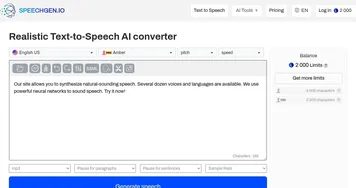
  1. ElevenLabs ElevenLabs Generates lifelike, expressive AI voices for diverse applications
  2. Speechify Speechify Transforms text into natural-sounding speech for effortless listening
  3. NaturalReader NaturalReader Transforms text into natural AI voices for accessibility and content creation
  4. Voicemod Voicemod Transforms your voice in real time with AI effects for gaming and streaming.
  5. TTSMaker TTSMaker Transforms text into natural-sounding audio in multiple languages
  6. Vozard Vozard Transforms voices in real time for gaming and streaming
Share
The AI Voice Generator screenshot enlarged
Promote The AI Voice Generator
light badge
Copy Embed Code
dark badge
Copy Embed Code
neutral badge
Copy Embed Code
Best AI Tools

Discover the best AI tools for any use case

About Us | Contact Us | Suggest an AI Tool
Privacy Policy | Terms of Service
Copyright © 2026 Best AI Tools 415 Mission Street, 37th Floor, San Francisco, CA 94105