Aider
An AI-powered coding assistant designed that streamline developers' workflow from the terminal
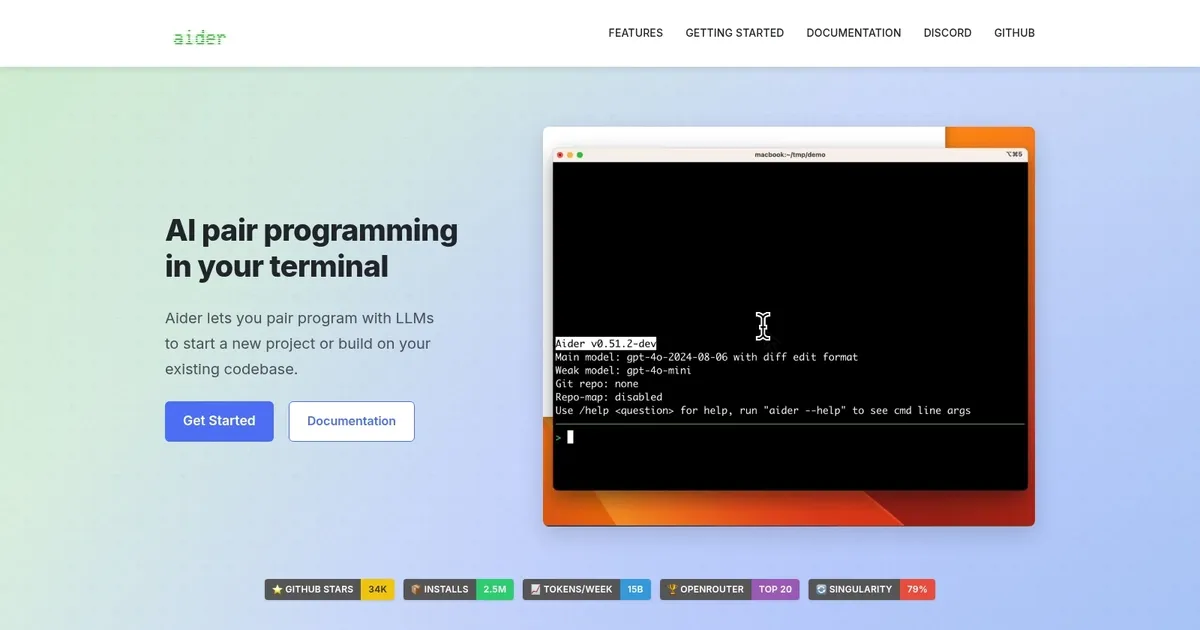
Aider is an AI-powered coding assistant designed to help developers streamline their workflow directly from the terminal. It integrates with popular large language models (LLMs) like GPT and Claude, enabling developers to manage, edit, and refactor code within their local Git repositories. The tool excels in pair programming by allowing users to easily make complex code changes, fix bugs, and even handle multi-file projects.
Developers can interact with Aider by typing prompts to request new features, debug issues, or refactor code across multiple files. The tool uses a map of the entire Git repository, ensuring it works efficiently with large codebases. Moreover, it allows for voice commands and can handle tasks like reading content from URLs or adding images to the chat for enhanced coding support.
Aider’s key benefit is that it reduces the manual effort involved in coding, automates repetitive tasks, and ultimately – boosts productivity. By integrating with Git, it ensures that all code changes are meticulously tracked, making the tool valuable for maintaining project integrity and efficiency.
The bottom line is – Aider’s intuitive design and powerful AI capabilities make it a solid option for developers looking to enhance their coding process. Whether working on new projects or iterating on existing ones, it significantly improves coding productivity.
Homepage Screenshot 📸
Video Overview 🎬

What are the key features? ✨
- Pair programming: Aider offers AI pair programming in your terminal that integrates with local Git repositories.
- Automated coding: It automates coding tasks such as bug fixes, feature additions, and refactoring with AI.
- Support for popular programming languages: The tool works with popular languages like Python, JavaScript, HTML, and more.
- Auto-commits: Aider can auto-commit changes with detailed commit messages.
- Multi-model support: It integrates with GPT and Claude models for advanced coding assistance.
Who is it for? 🤔
Examples of what you can use it for 💡
- Debug complex code by integrating AI suggestions
- Automate Git-based workflows in large projects
- Rapidly prototype features with AI-generated code
- Refactor code across multiple files simultaneously
- Collaborate with AI on software testing and documentation updates
Pros & Cons ⚖️
- AI-powered assistance with code generation
- Can be set up quickly in certain environments like Replit
- Voice mode offers a more human-like interaction experience
- Perhaps not the best for junior developers
FAQs 💬
Ready to try Aider?
An AI-powered coding assistant designed that streamline developers' workflow from the terminal
Visit Aider