logo-darklogo-darklogo-darklogo-dark
  • Tool Categories
    • 🎨Art & Creative Design505
    • 🏢Business Management644
    • 💻Coding & Development515
    • 👮Detection83
    • 🧠General Use727
    • 🏥Health & Wellness55
    • 📷Image & Photo Analysis100
    • 🖼️Image Generation & Editing618
    • 📐Interior & Architectural Design37
    • 🎓Learning & Education483
    • ⚖️Legal & Finance90
    • 🎭Lifestyle & Entertainment236
    • 📢Marketing & Advertising627
    • 🎧Music & Audio138
    • 👔Office & Workplace1,014
    • 🔬Research & Data Analysis372
    • 👥Social Media245
    • 🎥Video Generation & Editing426
    • 👧🏻Virtual Companion135
    • 🎤Voice Generation & Editing381
    • ✍️Writing & Editing808
    • All Categories
    • AI Use Cases
  • News
  • Events
    • Academic Conferences
    • Developer Conferences
    • Expos / Trade Shows
    • Industry Summits
    • Workshops / Training
    • All Events
    • Past Events
  • Saved Tools
  • Suggest a Tool
✕
Home › Coding & Development › Development› Composio
Composio

Composio

An AI integration platform designed to speed up building of smart agent systems

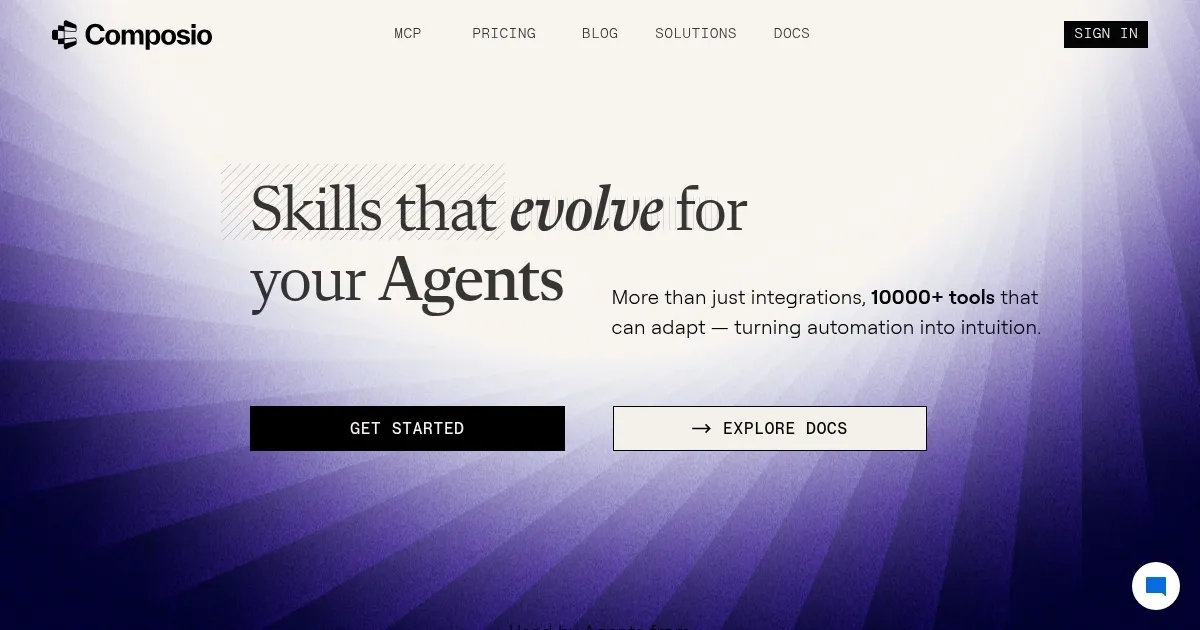
Composio is an AI integration platform designed to speed up building of smart agent systems. To that end, it lets users connect over 250 apps with a single line of code.

Furthermore, Composio supports all the tools you already use — Gmail, GitHub, Slack — acting as a bridge that makes building of AI agents faster. In fact, it lets LLM agents talk with these services via function calls. You can think of it like handing your AI a toolbox and saying – “Go build.” Cause that’s how it works, with engineers reporting 30-40 percent fewer errors when using Composio to structure calls to third-party services.

As noted above, Composio is made primarily for developers. That means you install an SDK, type a command, and boom — a Gmail tool, a GitHub tool, even custom APIs you wrote. It can sing along popular frameworks like LangChain, CrewAI, Autogen, and others . So instead of wrestling with OAuth tokens or messing up JSON, you spin up agents in minutes — not days.

Composio also cares about trust and it’s SOC II compliant. It logs every action and lets teams set role-based access for safety. For what it’s worth, big companies like 11x AI and UC Berkeley’s Gorilla vouch for it — reportedly saving hundreds of engineering hours and landing multimillion-dollar deals .

Now, we should add that Composio is not the only game in town, with its competitors including Arcade.dev and OpenAI Swarm, as well as self-rolled frameworks. But Composio’s edge is its huge out-of-the-box library that includes more than 250 ready-made tools. That’s bigger than many rivals. Plus, it supports custom tool import via OpenAPI specs, so you’re never boxed in.

So the bottom line is – if you’re a developer looking to build AI agents, this may be the tool you need.

Visit Composio ↗
Categories
💻 Coding
👨‍💻 Development 🤖 Code Assistant
👔 Work
🔗 Agent
🏢 Business
🔄 Workflow

Homepage Screenshot 📸

Composio screenshot

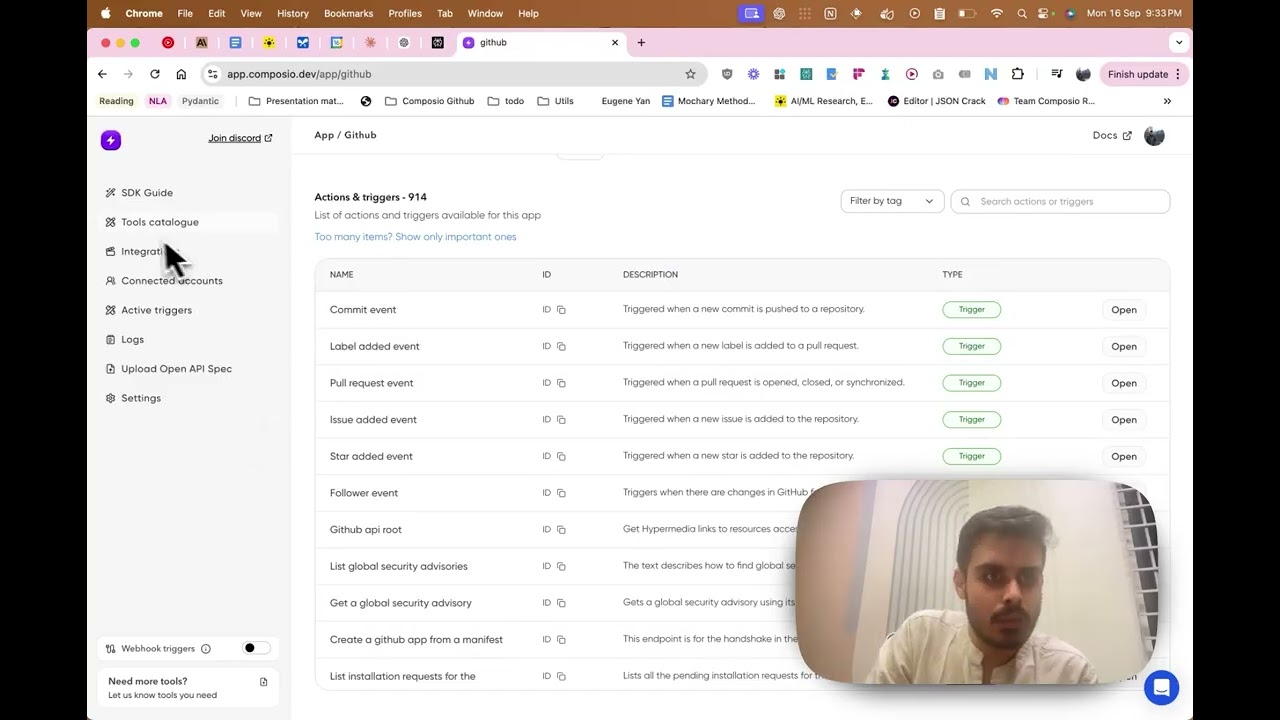
Video Overview 🎬

Composio - Video Overview

What are the key features? ✨

  • 250+ prebuilt tool integrations: You don't have to manually wrap every API, with Composio offering instant plug-ins for apps like Jira, Trello, and Salesforce, among others.
  • Function‑calling SDK for LLM frameworks: Works smoothly with OpenAI, Claude, Gemini, Greotape, Autogen, and more out of box.
  • Managed authentication & security: It can handle OAuth, API‑key and Basic login flows centrally. No headaches or secret sprawl, with SOC II, RBAC, audit logs.
  • Custom‑tool support via OpenAPI specs: You can define your own tools - upload a spec, and agents can use your private APIs just like standard ones.
  • Robust reliability at scale: Built‑in concurrency control, monitoring, retries. Teams report 30-40 percent fewer tool‑call failures compared to homemade solutions.

Who is it for? 🤔

Composio is made for engineers, AI teams, and startups trying to build production agents without reinventing wheels. It is perfect for devs who want clean, secure pipelines. Moreover, agencies and enterprises benefit too as they get audit trails and compliance. In short, anyone building AI‑driven workflows across apps stands to gain big.

Examples of what you can use it for 💡

  • Build a sales‑agent that scrubs HubSpot, drops leads into Google Sheets, sends personalized emails, and logs chats in Slack
  • Automate dev workflows with AI agent that can read GitHub issues, assign them in Jira, and post status in Slack
  • Create code‑assistant bots that generate and run scripts via Python or JavaScript tooling
  • Develop research assistants that monitor Discord or Slack and jot notes into Notion or Google Docs
  • Set up screen‑monitoring reminders with AI watching your screen and nudging you when it's time to focus

Pros & Cons ⚖️

  • Massive catalog of ready‑made tools
  • Works with every major LLM and agent framework
  • Enterprise‑grade security
  • Pricing may scale steeply for heavy enterprise usage

FAQs 💬

What is Composio mainly used for?
Composio connects AI agents and LLMs to external tools and APIs so they can perform real actions, like creating issues or sending messages, without developers handling low-level integration details.
Which frameworks does Composio support?
It works with over 25 agentic frameworks, including LangChain, CrewAI, AutoGen, LangGraph, and more, making it easy to add tools to existing agent setups.
What kinds of tools and apps can I connect with Composio?
You get access to hundreds of tools across categories like communication (Slack, Discord), project management (GitHub, Notion), CRM, and productivity apps, with over 850 toolkits available.
How does Composio handle authentication for tools?
It manages OAuth flows, API keys, and permissions securely, so users can connect their accounts once and let agents use them reliably.
Is Composio suitable for production AI agents?
Yes, it's designed for production with features like observability, scalability for millions of calls, and SOC 2 compliance, helping agents move beyond demos.
Can Composio help with event-triggered workflows?
Absolutely. It supports triggers, so agents can react to events like new Slack messages or GitHub issues and take coordinated actions automatically.
Does Composio work with multiple LLMs?
Yes, it integrates smoothly with major models like OpenAI, Claude, Gemini, and Grok, listening to their function calls.
How does Composio compare to building tools directly in LangChain?
Composio provides pre-built, managed integrations with better auth and reliability, while direct LangChain tools often require more custom work and maintenance.
Who is Composio best for?
It's ideal for developers and teams building autonomous AI agents, especially those needing fast, secure connections to real-world apps without deep API expertise.
Can I add custom tools to Composio?
Yes, it supports custom API connections and proprietary tools alongside its large pre-built library.

Ready to try Composio?

An AI integration platform designed to speed up building of smart agent systems

Visit Composio ↗

Composio alternatives 🔗

  1. Black Forest Labs Black Forest Labs Generates high-quality images from text prompts with precision and speed
  2. Cursor Cursor Supercharges coding with AI agents that build, edit, and review code autonomously.
  3. Windsurf Windsurf Empowers developers with AI-driven code generation and real-time collaboration.
  4. Lovable Lovable Builds apps and websites via AI chat prompts.
  5. Replit AI Replit AI Transforms natural language prompts into fully deployable apps using AI agents
  6. GitHub Copilot GitHub Copilot Enhances coding with AI-driven completions and chat assistance
Share
Composio screenshot enlarged
Promote Composio
light badge
Copy Embed Code
dark badge
Copy Embed Code
neutral badge
Copy Embed Code
Best AI Tools

Discover the best AI tools for any use case

Explore
  • Tool Categories
  • AI Use Cases
  • AI Events
  • AI News
  • Saved Tools
Company
  • About Us
  • Contact Us
  • Media & Partnerships
  • Suggest a Tool
Legal
  • Privacy Policy
  • Terms of Service
Copyright © 2026 Best AI Tools 415 Mission Street, 37th Floor, San Francisco, CA 94105