Feynman AI
Creates notes, mind maps, and flashcards from audio and PDFs using AI
Feynman AI is like a clever friend who takes your messy lecture recordings or dense PDFs and spins them into tidy notes, mind maps, and flashcards. It’s built around the Feynman technique, a learning method where you explain complex ideas simply, as if teaching a child. I think this approach makes it stand out in a crowded field of note-taking apps. You upload an audio file from a lecture, a podcast, or even a YouTube video, and the app churns out summaries, quizzes, or visual mind maps to help you retain information. It’s like having a study buddy who never sleeps, and it’s especially handy for students or professionals juggling dense material.
The app’s interface is clean, almost minimalist, which I appreciate in a world where apps often overwhelm with cluttered menus. You can sync notes across devices, a feature that’s a lifesaver when you’re bouncing between your phone and laptop. The chatbot feature, tied to each note, is a neat touch, it answers questions about your content, almost like a built-in tutor. I tested it with a podcast audio, and the summary was concise, capturing key points without fluff. The mind map feature, though, is where it shines, visually connecting ideas in a way that makes complex topics feel approachable. It’s not perfect, the transcription can stumble on heavy accents or noisy audio, which might frustrate some users. Also, while the app supports multiple formats like PDFs and videos, it doesn’t yet handle handwritten notes, a gap competitors like Goodnotes fill nicely.
Compared to Notion, which is more of a jack-of-all-trades workspace, Feynman AI focuses tightly on learning and retention. Evernote offers robust organization but lacks the AI-driven study tools that make Feynman unique. The pricing seems reasonable for a subscription-based model, though it’s not the cheapest option out there, especially compared to free-tier plans from Evernote. One surprise was how intuitive the flashcard creation is, you can tweak them for spaced repetition, a technique proven to boost memory. But the app’s still in its early stages, and some features, like web access, feel a bit underdeveloped compared to Notion’s polished ecosystem.
For those who learn best by breaking things down into simple explanations, Feynman AI is a gem. It’s not trying to be everything to everyone, which is refreshing. But if your workflow involves heavy collaboration or real-time editing, Notion or Microsoft OneNote might suit you better. The app’s strength is its focus on learning, but it’s not a one-size-fits-all solution. If you’re a student cramming for exams or a professional mastering new material, it’s worth a try.
Try uploading a single lecture or PDF to test the waters. Play with the mind map feature to see how it organizes your thoughts. If you’re juggling multiple devices, check the sync functionality to ensure it meets your needs. Start small, and you’ll quickly see if it fits your study routine.
Homepage Screenshot 📸
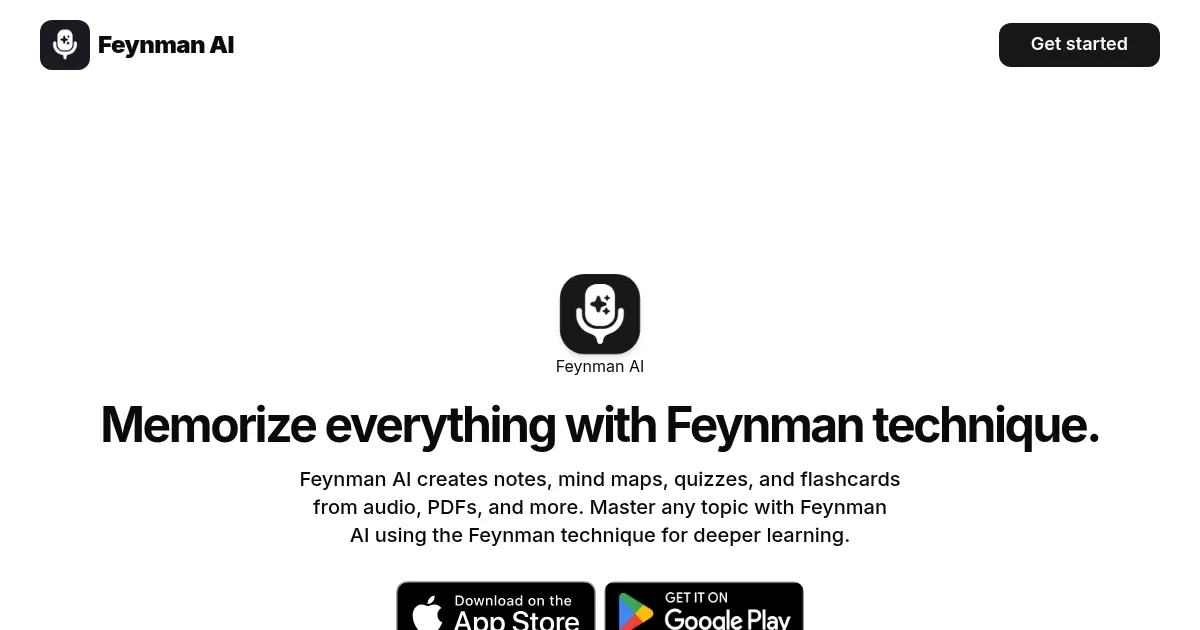
What are the key features? ✨
- Feynman Technique: Simplifies complex ideas for better retention.
- Automatic Summaries: Condenses audio, PDFs, and videos into concise notes.
- Mind Mapping: Visualizes connections between ideas for clarity.
- Flashcard Creation: Generates customizable flashcards with spaced repetition.
- Chatbot Assistance: Answers questions about notes for interactive learning.
Who is it for? 🤔
Examples of what you can use it for 💡
- College Student: Converts lecture recordings into summaries and flashcards for exam prep.
- Professional: Turns meeting audio into concise notes for quick reference.
- Educator: Creates mind maps from PDFs to teach complex topics visually.
- Self-Learner: Generates quizzes from podcasts to reinforce new concepts.
- Researcher: Summarizes academic papers into key points for faster review.
Pros & Cons ⚖️
- Simplifies complex ideas fast
- Visual mind maps aid clarity
- Flashcards boost retention
- Syncs across devices
- No real-time collaboration
- Limited export options
FAQs 💬
Ready to try Feynman AI?
Creates notes, mind maps, and flashcards from audio and PDFs using AI
Visit Feynman AI