Skip to content
logo-darklogo-darklogo-darklogo-dark
  • Tool Categories
    • 🎨Art & Creative Design505
    • 🏢Business Management644
    • 💻Coding & Development514
    • 👮Detection83
    • 🧠General Use728
    • 🏥Health & Wellness55
    • 📷Image & Photo Analysis100
    • 🖼️Image Generation & Editing618
    • 📐Interior & Architectural Design37
    • 🎓Learning & Education483
    • ⚖️Legal & Finance90
    • 🎭Lifestyle & Entertainment236
    • 📢Marketing & Advertising627
    • 🎧Music & Audio138
    • 👔Office & Workplace1,014
    • 🔬Research & Data Analysis373
    • 👥Social Media245
    • 🎥Video Generation & Editing426
    • 👧🏻Virtual Companion135
    • 🎤Voice Generation & Editing381
    • ✍️Writing & Editing808
    • All Categories
    • AI Use Cases
  • News
  • Events
    • Academic Conferences
    • Developer Conferences
    • Expos / Trade Shows
    • Industry Summits
    • Workshops / Training
    • All Events
    • Past Events
  • Saved Tools
  • Suggest a Tool
    ✕
    Home › Coding & Development › Code Generation› Magic Loops
    Magic Loops

    Magic Loops

    Automates tasks using AI and code for simple workflows

    Magic Loops is a platform that combines large language models and code to create automated workflows for tasks like API creation, data summarization, and web scraping. Users describe their needs, review an AI-generated outline, and activate the loop. It supports inputs like webhooks, emails, and time triggers, with code executed in secure AWS Docker containers.

    The Loop Creator is the core feature, guiding users through a three-step process to build automations. Pre-built templates, sourced from the team and community, cover tasks like eCommerce notifications and news summaries. The free plan offers 100 loops per month, while paid plans use a credit system ($1 per 1,000 credits). The platform integrates GPT-4 for natural language processing, making it accessible for non-coders. Community-driven templates add practical value.

    Drawbacks include unclear credit usage details, which can confuse users planning budgets. Competitors like Zapier and Make offer more transparent pricing and broader integrations. Some technical knowledge is needed for complex tasks, despite the no-code branding. The platform’s focus on simplicity makes it less suited for enterprise-scale workflows.

    Recent updates show active development, with fixes for mobile usability and dependency issues. The platform’s security measures, like sandboxed code execution, ensure safe operation. Community templates are regularly updated, enhancing functionality.

    To get started, use the free plan to test simple automations like email summaries or text alerts. Explore templates to understand the platform’s capabilities before upgrading to a paid plan.

    Visit Magic Loops ↗
    Categories
    💻 Coding
    ⌨️ Code Generation 👨‍💻 Development 📱 App Building
    🏢 Business
    🔄 Workflow
    👔 Work
    🔗 Agent

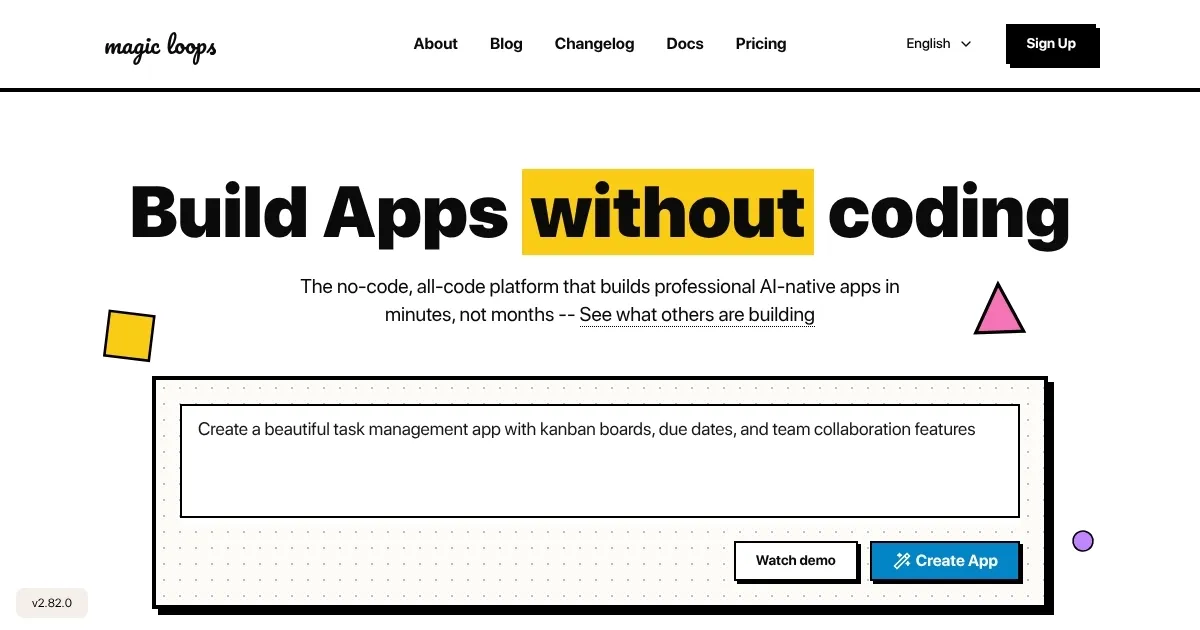
    Homepage Screenshot 📸

    Magic Loops screenshot

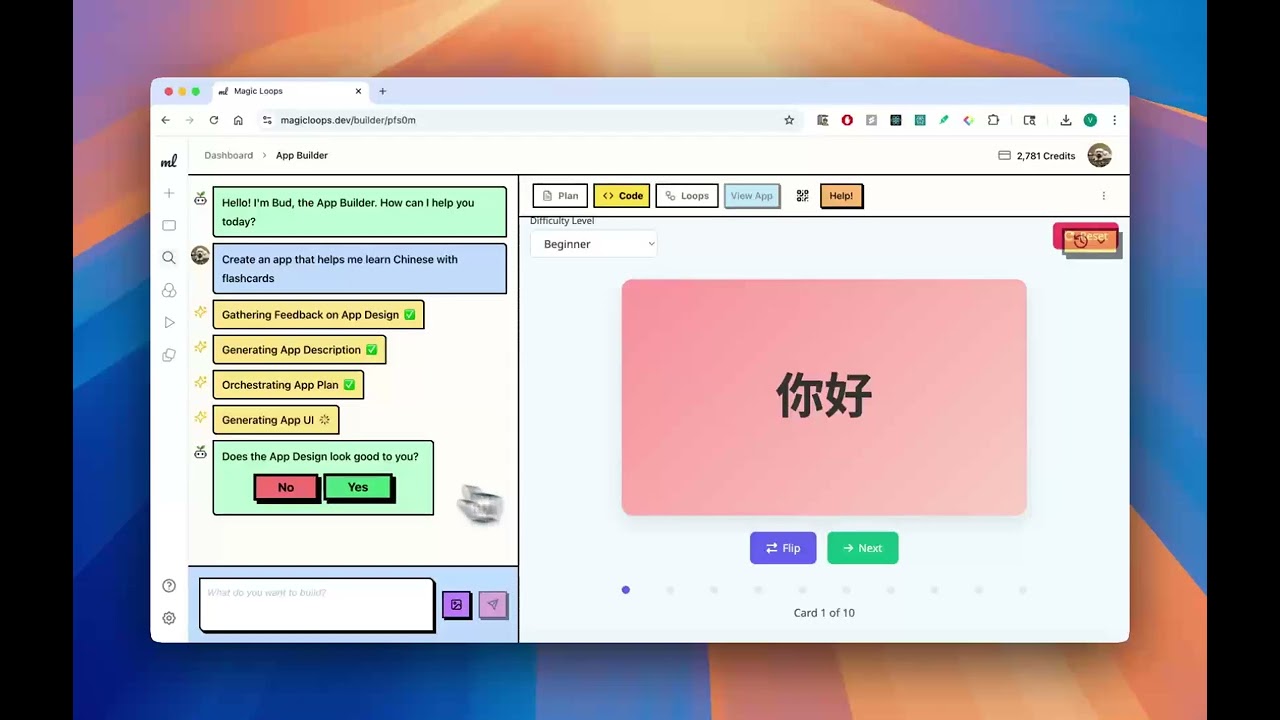
    Video Overview 🎬

    Magic Loops - Video Overview

    What are the key features? ✨

    • Loop Creator: Guides users to build automations in three steps.
    • Pre-built Templates: Offers community and team-crafted solutions.
    • Natural Language Processing: Uses GPT-4 for plain English inputs.
    • Secure Code Execution: Runs code in AWS Docker containers.
    • Flexible Inputs: Supports webhooks, emails, and time triggers.

    Who is it for? 🤔

    Magic Loops is designed for small business owners, freelancers, and hobbyist developers who want to automate repetitive tasks without deep coding expertise. It suits those needing quick solutions for API creation, data summarization, or web scraping, especially if they value simplicity and community-driven templates over enterprise-grade complexity.

    Examples of what you can use it for 💡

    • Small Business Owner: Automates Shopify order alerts via text.
    • Marketing Professional: Summarizes daily news for email campaigns.
    • Data Analyst: Scrapes websites for market research data.
    • Freelancer: Sends automated reminders for client follow-ups.
    • Hobbyist Developer: Builds a Discord bot for haiku generation.

    Pros & Cons ⚖️

    • Easy-to-use Loop Creator
    • Community-driven templates
    • Free plan with 100 loops
    • Fewer integrations than rivals

    FAQs 💬

    What is Magic Loops?
    Magic Loops combines AI and code to create automated workflows.
    Do I need coding skills?
    No, but basic tech knowledge helps for complex tasks.
    What’s the free plan limit?
    The free plan allows 100 loops per month.
    How does pricing work?
    Paid plans cost $1 per 1,000 credits, but credit usage isn’t clear.
    What are Loop templates?
    Pre-built solutions for tasks like notifications or data scraping.
    Is the platform secure?
    Code runs in sandboxed AWS Docker containers for safety.
    Can I integrate APIs?
    Yes, it supports API creation and integration.
    Who created Magic Loops?
    Founded by Adam Williams in 2023, based in San Francisco.
    What inputs are supported?
    Webhooks, emails, and time triggers are supported.
    How does it compare to Zapier?
    Simpler but less feature-rich than Zapier.

    Ready to try Magic Loops?

    Automates tasks using AI and code for simple workflows

    Visit Magic Loops ↗

    Magic Loops alternatives 🔗

    1. Gumloop Gumloop A no-code platform that empowers users to automate workflows using AI
    2. String String Builds AI agents from natural language prompts
    3. Latenode Latenode Streamlines business processes with no-code and low-code automation
    4. Cheat Layer Cheat Layer Automates complex business tasks and workflows using natural language and no-code AI agents
    5. Octoparse AI Octoparse AI Automates workflows with AI agents and no-code bots for busywork
    6. Lutra Lutra Automates workflows using natural language to connect apps and streamline tasks
    Share
    Magic Loops screenshot enlarged
    Best AI Tools

    Discover the best AI tools for any use case

    Explore
    • Tool Categories
    • AI Use Cases
    • AI Events
    • AI News
    • Saved Tools
    Company
    • About Us
    • Contact Us
    • Media & Partnerships
    • Suggest a Tool
    Legal
    • Privacy Policy
    • Terms of Service
    Copyright © 2026 Best AI Tools 415 Mission Street, 37th Floor, San Francisco, CA 94105