Notis
Converts voice notes into organized text, tasks, and documents in Notion via messaging apps
Notis.ai feels like a clever sidekick for anyone glued to Notion but frustrated by its clunky mobile app. This AI-powered tool, built by Mind the Flo S.à.r.l, lets you capture ideas, tasks, and notes using voice commands through WhatsApp, Telegram, or email, instantly syncing them to your Notion workspace. It’s like having a personal assistant who lives in your phone, ready to transcribe, organize, and even draft documents while you’re stuck in traffic or jogging through the park. I think it’s a game-changer for busy folks who need to stay productive on the go.
What makes Notis.ai stand out is its Contextual Engine, which doesn’t just transcribe your ramblings but organizes them into your existing Notion databases. You can dictate a vague idea, like “new marketing strategy thoughts,” and Notis will summarize it, format it into bullet points, and slot it into the right Notion page. It also supports 56 languages, which is a boon for global teams, and its image processing lets you snap a photo of, say, a receipt, and have it categorized into an expense report. The tool even generates images using DALL-E 3 for blog posts or presentations, which is a neat trick. Compared to competitors like Notion AI or VoiceNotes, Notis.ai feels more autonomous, acting like an intern who knows your Notion setup inside out.
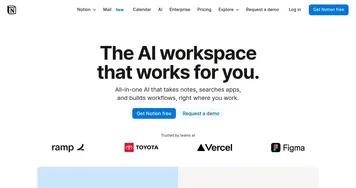
Users rave about its ease of use. On Trustpilot, one reviewer called it a “game-changer” for adding notes on the fly, while another praised its ability to handle tasks like drafting emails or updating project statuses via voice. The integration with messaging apps is a stroke of genius, since you’re already living in WhatsApp or Telegram. No need to fumble with another app. Plus, Notis can query your Notion databases to answer questions like, “What did we discuss in last week’s meeting?” — something even Notion AI struggles with.
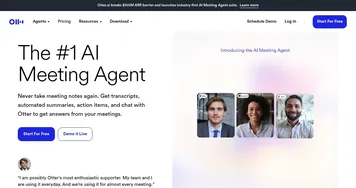
That said, it’s not flawless. Some users report occasional downtime, with one Trustpilot review mentioning a weeks-long outage and unresponsive support. The tool’s reliance on WhatsApp or Telegram for input might feel limiting if you prefer a standalone interface, and it’s still a relatively new product, so expect some growing pains. Pricing is another consideration: there’s no free tier, though a 7-day trial exists. Compared to Notion AI, which is bundled into Notion’s plans, or Otter, which offers a free tier, Notis.ai’s cost might raise eyebrows for casual users. Still, the lifetime plan, which includes a 30-minute call with the CEO, is a unique touch.
The surprise element? Notis.ai can turn your knowledge base into a chatbot, pulling insights from your Notion workspace to answer questions or assist clients. It’s like giving your brain a digital double. For those new to Notion, the learning curve might be steep, but if you’re already a Notion devotee, this tool feels tailor-made. My advice: start with the trial, test it with simple tasks like note-taking or expense tracking, and see how it fits your workflow before committing.
Homepage Screenshot 📸
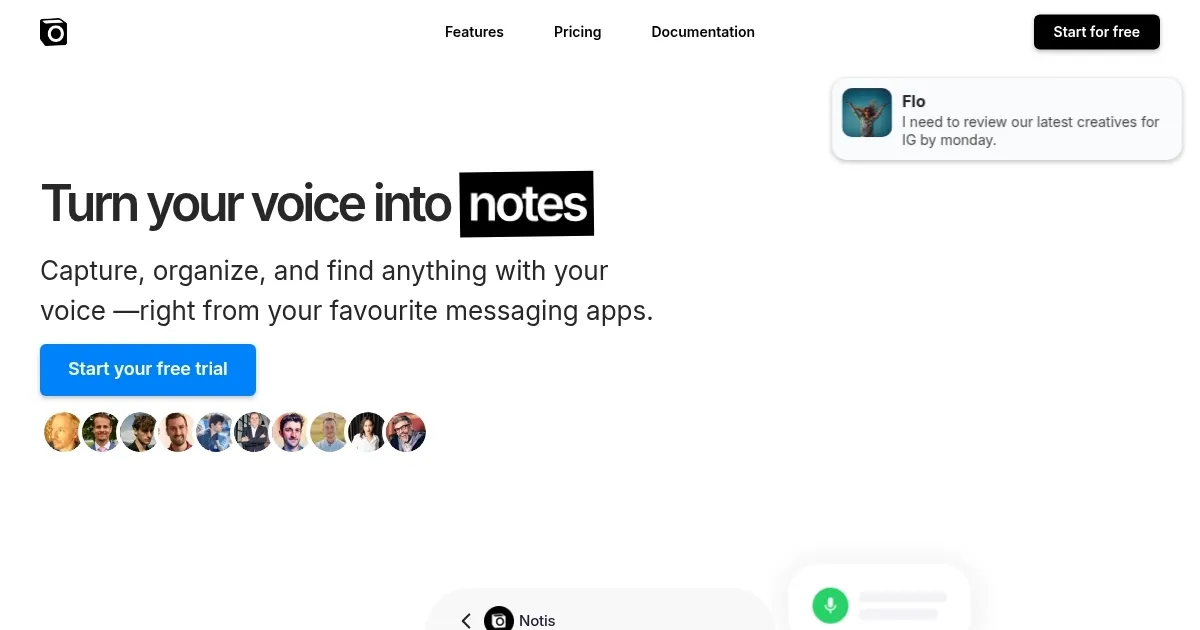
What are the key features? ✨
- Voice Transcription: Converts voice notes into 99% accurate text for Notion.
- Contextual Engine: Organizes notes and tasks into existing Notion databases.
- Multilingual Support: Transcribes and translates in 56 languages for global use.
- Image Processing: Categorizes photos, like receipts, into Notion expense reports.
- Chatbot Creation: Turns Notion databases into AI chatbots for quick queries.
Who is it for? 🤔
Examples of what you can use it for 💡
- Freelancer: Dictates client meeting notes via WhatsApp for instant Notion organization.
- Entrepreneur: Records business ideas on the go, with Notis creating structured Notion tasks.
- Team Manager: Forwards emails to Notis to summarize and store project updates in Notion.
- Content Creator: Uses voice notes to draft blog posts, with Notis generating hero images.
- Accountant: Snaps receipt photos for Notis to compile into Notion expense reports.
Pros & Cons ⚖️
- Fast, accurate voice transcription.
- Seamless Notion integration.
- Supports 56 languages.
- No free tier available.
- Relies on messaging apps.
FAQs 💬
Ready to try Notis?
Converts voice notes into organized text, tasks, and documents in Notion via messaging apps
Visit NotisNotis alternatives 🔗