Papers
Organizes, reads, annotates, and cites academic papers with AI-powered tools
Imagine a world where your research papers don’t bury you in a digital avalanche. Papers, the reference management software, swoops in like a trusty librarian, blending intuitive design with AI smarts to make your academic life smoother. I think it’s fair to say this tool is a game-changer for anyone juggling PDFs, citations, and collaborative projects. Its clean interface, available on macOS, Windows, iOS, and Android, feels like iTunes for your research library — a nod to its 2007 Apple Design Award win. You can drag and drop PDFs, and Papers automatically pulls metadata, citations, and supplemental data, saving you from the chaos of cryptic file names. Its AI Assistant, especially in the Pro version, lets you chat with PDFs or query multiple articles to uncover themes, which is a bit like having a research buddy who never sleeps.
The search functionality, powered by Dimensions, taps into over 150 million publications. You can craft complex queries using natural language, and the AI transforms them into precise searches. It’s a breeze to find related papers or save searches for later. Annotation tools are a highlight: highlight, underline, add sticky notes, or draw directly on PDFs. These sync across devices, so your notes are always at hand, whether you’re on a laptop or phone. Collaboration shines with shared libraries for up to 25 users, perfect for lab teams or journal clubs. You can assign roles, share annotations, and keep everyone aligned, though managing permissions might feel clunky for larger teams.
Competitors like Zotero and Mendeley offer similar reference management but lack Papers’ polished AI integration. Zotero’s open-source appeal is strong for budget-conscious users, but its interface feels dated. Mendeley’s cloud storage is handy, yet its AI tools don’t match Papers’ depth. Papers’ pricing, with Essential and Pro tiers, leans toward the premium side, which might sting for solo researchers compared to Zotero’s free model. Some users on Reddit grumble about the shift from Mekentosj’s original Papers to ReadCube’s version, citing occasional bugs or a learning curve post-transition.
A surprise delight? The AI Assistant’s ability to simplify jargon-heavy papers or translate concepts across disciplines. It’s not perfect — sometimes the AI overgeneralizes — but it’s a lifeline for diving into unfamiliar fields. The downside? The web app can lag on slower connections, and the Pro features, like full-text search, aren’t available in the Essential plan. If you’re a student or researcher, start with the 30-day Pro trial to test the AI tools. Import your existing library from EndNote or Zotero, play with the AI Assistant, and see if the collaborative features fit your workflow. You’ll likely find Papers saves you hours, but don’t expect it to write your thesis.
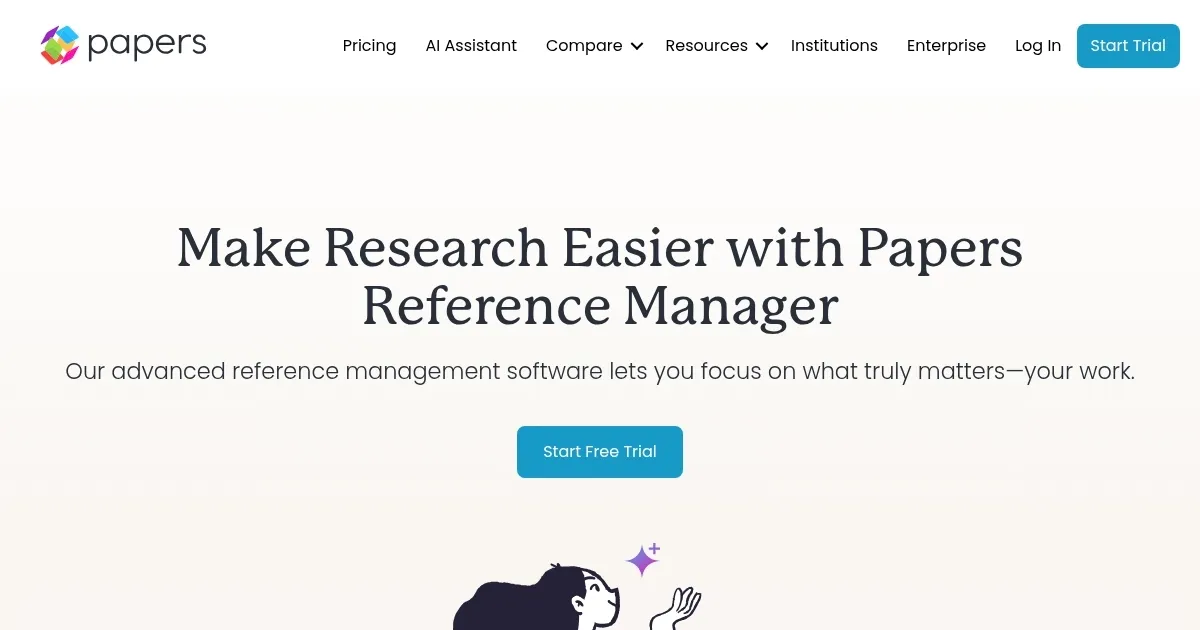
Homepage Screenshot 📸
Video Overview 🎬
What are the key features? ✨
- AI Assistant: Queries PDFs or multiple articles for summaries and themes.
- Advanced Search: Accesses 150 million publications with natural language queries.
- Smart Lists: Auto-updates library based on saved search criteria.
- Shared Libraries: Supports collaboration for up to 25 users across 15 libraries.
- Annotation Tools: Allows highlighting, sticky notes, and drawing on PDFs.
Who is it for? 🤔
Examples of what you can use it for 💡
- Graduate Student: Organizes thesis references and annotates PDFs on the go.
- Lab Researcher: Shares annotated papers with a team for collaborative projects.
- Professor: Uses AI Assistant to summarize papers for lecture preparation.
- Librarian: Manages institutional research libraries with Smart Lists.
- Postdoctoral Fellow: Queries multiple articles to identify research trends.
Pros & Cons ⚖️
- Powerful AI simplifies complex papers.
- Auto-matches PDF metadata.
- Access to 150M+ publications.
- Pro plan required for AI tools.
- Learning curve for advanced features.
FAQs 💬
Ready to try Papers?
Organizes, reads, annotates, and cites academic papers with AI-powered tools
Visit PapersPapers alternatives 🔗