logo-darklogo-darklogo-darklogo-dark
  • Tool Categories
    • 🎨 Art
    • 🏢 Business
    • 💻 Coding
    • 👮 Detection
    • 🧠 General
    • 🏥 Health
    • 📷 Image Analysis
    • 🖼️ Image
    • 📐 Architecture
    • 🎓 Education
    • ⚖️ Legal/Finance
    • 🎭 Lifestyle
    • 📢 Advertising
    • 🎧 Music
    • 👔 Work
    • 🔬 Research
    • 👥 Social
    • 🎥 Video
    • 👧🏻 Companion
    • 🎤 Voice
    • ✍️ Writing
    • All Categories
    • AI Use Cases
  • News
  • Events
    • Academic Conferences
    • Developer Conferences
    • Expos / Trade Shows
    • Industry Summits
    • Online Events
    • Workshops / Training
    • All Events
    • Past Events
  • Saved Tools
  • Suggest a Tool
✕
Home › Video Generation & Editing › Long To Short Video Generation› Qlip AI
Qlip AI

Qlip AI

Extract viral clips from your long videos in a flash

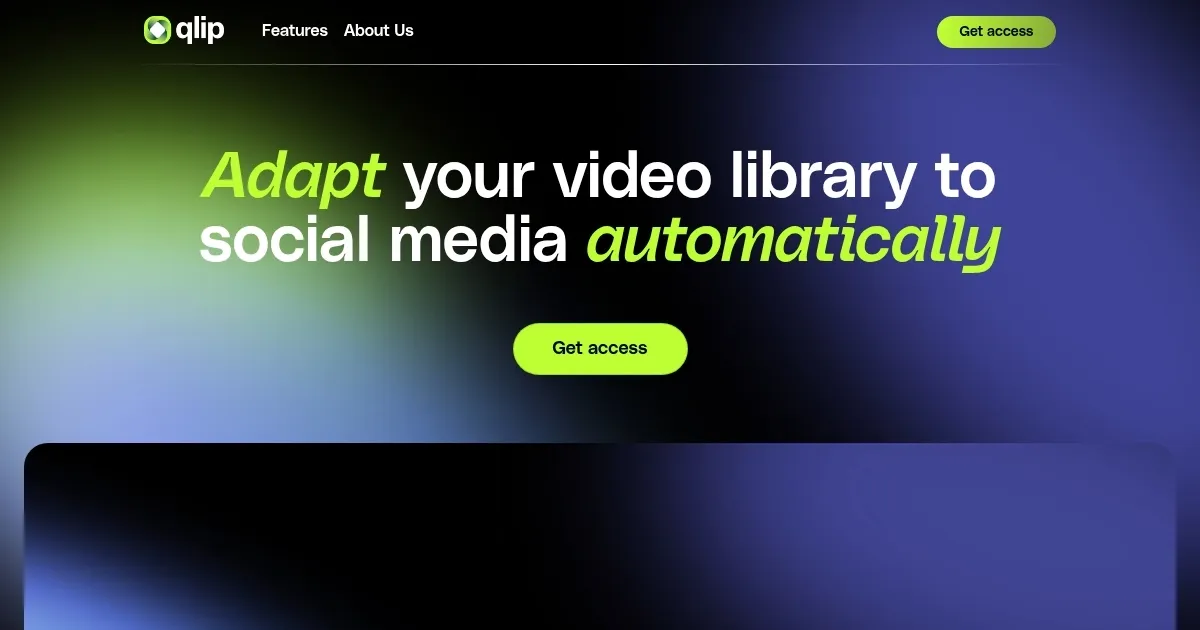
Qlip AI is a video edition automation platform designed to streamline the process of generating viral video clips at scale through the power of AI.

Using advanced Natural Language Processing and Computer Vision algorithms, Qlip simplifies content creation and editing without requiring users to have machine learning expertise or training data. It offers a comprehensive API that allows developers to automate various aspects of video editing, including generating impactful clips and teasers, transcribing speech to text, adding subtitles, and transforming horizontal videos into vertical or square formats focused on the main point of attention. All this makes Qlip particularly useful for conversation-driven content, such as podcasts, interviews, and talk shows.

Qlip’s AI models are trained on hundreds of thousands of hours of video and audio content to identify and extract the most engaging and meaningful segments, providing users with text snippets, audio/video clips, and custom-branded subtitles. The tool supports multiple languages — including English, Spanish, and French — and is designed to work well with content rich in dialogue. Customers can expect a range of benefits, such as improved content discoverability, enhanced engagement metrics, and the ability to seamlessly integrate a powerful clipping feature into their workflows.

With transparent, volume-based pricing and a promise of rapid integration, Qlip offers an attractive solution for content creators and media companies looking to reduce bounce rates, boost time on site, and increase their presence on social media platforms with minimal effort.

Visit Qlip AI ↗

Categories

🎥 Video

✂️ Long To Short Video Generation 📲 Short Video Generation ✏️ Video Editing 📋 Video Summarizer 🎶 Tiktok Video Generation 📱 Reel Generation

👥 Social

🎵 TikTok ▶️ YouTube 📷 Instagram

✍️ Writing

♻️ Content Repurposing 💬 Subtitle Generation

Screenshot 📸

Qlip AI screenshot

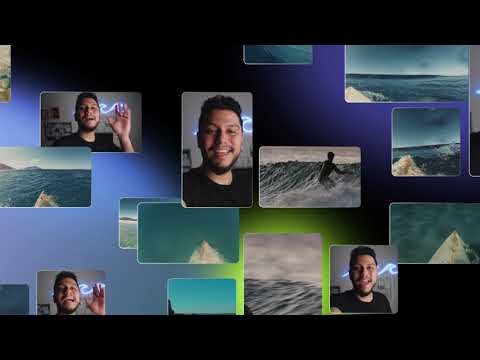
Video Overview 🎬

Qlip AI - Video Overview

What are the key features? ✨

  • Impactful Highlight Extraction: Proprietary AI identifies the most engaging moments in conversational videos based on models trained on vast video data.
  • Auto Reframing: Converts horizontal footage to vertical or square formats while keeping the speaker or action centered using computer vision.
  • Branded Subtitles and Templates: Applies custom fonts, colors, logos, and animations consistently across clips for professional branding.
  • Speech-to-Text Transcription: Generates accurate transcripts with speaker labels and timestamps, ready for subtitles or captions.
  • Team Workspace and Direct Share: Enables collaboration on projects and one-click posting to YouTube and TikTok.

Who is it for? 🤔

Qlip.ai suits content creators, marketers, podcasters, educators, and teams who produce long-form conversational videos such as podcasts, interviews, webinars, panels, or talk shows and want to repurpose that material into short, engaging clips for TikTok, Instagram Reels, and YouTube Shorts without spending hours on manual editing. It particularly helps those who need consistent branding, team collaboration, or API integration and who work with dialogue-rich content in supported languages.

Examples of what you can use it for 💡

  • Podcasters: Turn full episodes into teaser clips highlighting key stories or funny moments to drive traffic back to the main show.
  • Marketers: Create branded short videos from webinars or product demos to boost social engagement and lead generation.
  • Educators: Extract standout explanations or Q&A segments from lectures for quick sharing on educational social channels.
  • Interviewers: Pull compelling guest answers or debates from long recordings to promote upcoming episodes or build audience interest.
  • Content Teams: Collaborate on clip selection and branding for consistent posting across company social accounts from event footage or talk shows.

Pros & Cons ⚖️

  • Saves hours on editing
  • Strong conversational analysis
  • Consistent brand application
  • Team collaboration tools
  • Custom pricing only
  • Best for dialogue content

FAQs 💬

What kind of videos works best with Qlip.ai?
Qlip.ai performs best on conversational content rich in dialogue, such as podcasts, interviews, webinars, panels, debates, talk shows, and educational videos. It is less suited for non-verbal content like music videos or gameplay without speech.
Which languages does Qlip.ai support?
The platform currently supports English, Spanish, French, German, and Dutch for transcription and highlight detection.
How do I get started with Qlip.ai?
Request access through the form on the website. You then receive API documentation and a token, or use the web app studio to manage clips after approval.
Is there a free trial available?
Yes, a trial offers 14 days and includes 2 hours of content processing so you can test the tool before committing.
Can I customize the clips after AI generation?
Yes, manual overrides let you extend, trim, move, or reframe segments while keeping control over the final output.
Does Qlip.ai offer team features?
It includes team workspaces for collaboration, allowing multiple users to review, edit, and approve clips together.
What social platforms can I post to directly?
Direct one-click posting is available to YouTube and TikTok, with more platforms planned for future updates.
Is there an API for developers?
Yes, an API allows automated clip generation, transcription, subtitle burning, and aspect ratio reframing for integration into custom workflows.

Ready to try Qlip AI?

Extract viral clips from your long videos in a flash

Visit Qlip AI ↗

Qlip AI alternatives 🔗

  1. Opus Clip Opus Clip A generative AI video creation tool that repurposes long videos into shorts
  2. Vizard Vizard Turn long videos into shorter, social-ready clips with AI
  3. Pictory Pictory An AI text to professional video creation tool
  4. Submagic Submagic Adds video captions with perfect emojis and highlighted keywords, all generated by AI
  5. Short AI Short AI Generates viral short videos from long content or ideas in minutes
  6. Goldcast Goldcast An AI-powered video campaign platform for marketers for creating engaging videos
Share
Qlip AI screenshot enlarged
Promote Qlip AI
light badge
Copy Embed Code
dark badge
Copy Embed Code
neutral badge
Copy Embed Code
Best AI Tools

Discover the best AI tools for any use case

About Us | Contact Us | Suggest an AI Tool
Privacy Policy | Terms of Service
Copyright © 2026 Best AI Tools 415 Mission Street, 37th Floor, San Francisco, CA 94105