logo-darklogo-darklogo-darklogo-dark
  • Home
  • Browse
    • Assistant
    • Coding
    • Image
    • Productivity
    • Video
    • Voice
    • Writing
    • All Categories
    • AI Use Cases
  • Events
  • My Favorites
  • Suggest a Tool
✕
Home › Productivity›
Published by Dusan Belic on September 9, 2024

Recap

Recap
Recap Homepage
Categories Productivity
Summarizes selected webpage text portions using ChatGPT with smart splitting

Recap

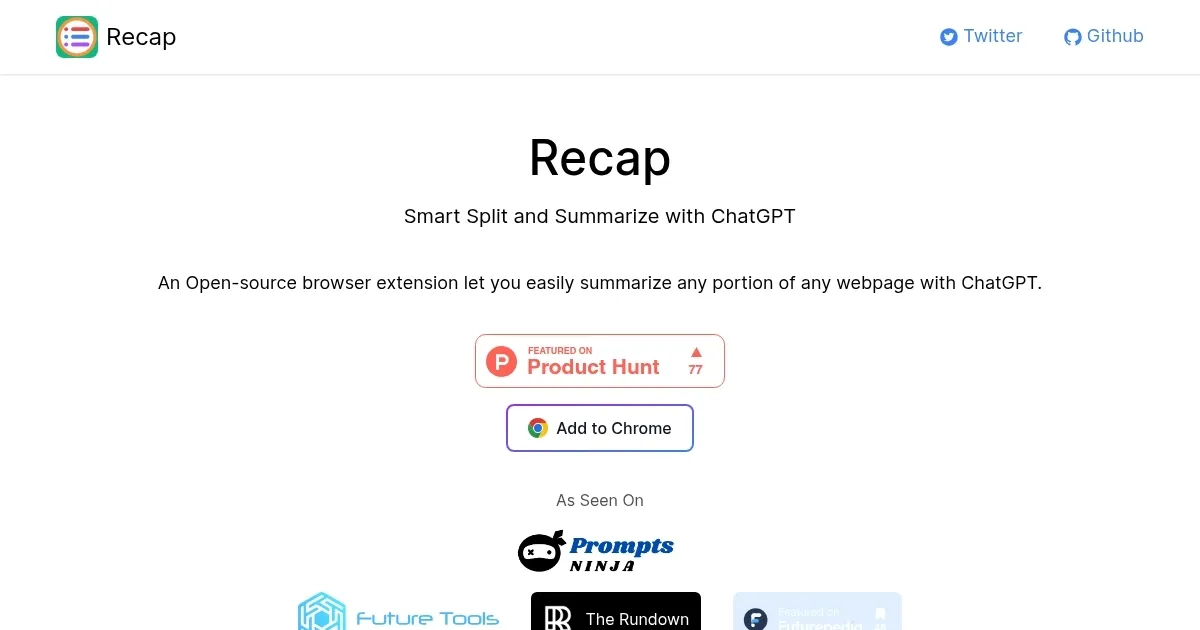
Recap is an open-source browser extension that enhances productivity by summarizing web content using ChatGPT. It allows users to highlight specific portions of a webpage or select entire articles, and the extension generates concise summaries in seconds. This makes it useful for students, professionals, and researchers who need to quickly grasp the main points of long documents or articles.

Recap integrates with many popular web browsers, and it leverages the latest in AI technology to provide accurate and context-aware summaries — ensuring that users get the most relevant information without sifting through unnecessary details. The tool also allows for customization, so you can adjust the level of detail in the summaries according to your needs.

As an open-source project, Recap invites contributions from the developer community. This translates into regular updates and improvements that cater to user feedback. In addition, open source also involves user trust, as anyone can look under the hood to check out what Recap is doing.

In summary, Recap is a neat solution for turning lengthy articles into easy-to-digest summaries. It saves time and boosts productivity, making it a useful tool for anyone who frequently consumes large amounts of text-based content online.

Recap Homepage
Categories Productivity

Video Overview ▶️

Recap - Video Overview

What are the key features? ⭐

  • Smart Splitting: Automatically divides long webpage content into logical passages for targeted summarization.
  • Selected Text Summary: Lets users highlight and summarize any specific portion of a page using ChatGPT.
  • Open-Source Code: Full source available on GitHub for transparency, customization, and community contributions.
  • ChatGPT Integration: Directly calls OpenAI models via user-provided API key for high-quality summaries.
  • Minimal Interface: Simple popup with copy button and basic length/prompt options, no bloat.

Who is it for? 🤔

Recap helps students, researchers, professionals, and heavy web readers who face long articles, reports, or documentation daily and want quick, focused summaries of chosen sections without manually copying text into ChatGPT. It suits people comfortable with an OpenAI API key and who value open-source tools that stay lightweight and privacy-conscious.

Examples of what you can use it for 💭

  • Student: Quickly summarizes research paper sections or textbook chapters for faster note-taking and study prep.
  • Researcher: Condenses lengthy journal articles or technical docs into key points without losing critical details.
  • Professional: Extracts main ideas from industry reports, whitepapers, or news analyses during busy workdays.
  • Content Reader: Skims long blog posts, opinion pieces, or forum threads to decide if full reading is worthwhile.
  • Non-Native Speaker: Gets clear, concise versions of complex English articles to improve comprehension.

Pros & Cons ⚖️

  • Free & open-source
  • Precise user-selected summaries
  • Smart passage splitting
  • Lightweight & fast
  • Requires OpenAI key
  • No auto full-page mode

FAQs 💬

What is Recap?
Recap is a free, open-source Chrome extension that summarizes any selected portion of a webpage using ChatGPT.
Is Recap free to use?
Yes, the extension itself is completely free with no subscription from Recap, though OpenAI API usage may incur costs depending on your plan.
Do I need a ChatGPT or OpenAI account?
You need an OpenAI API key to power the summaries. A ChatGPT Plus account works since it includes API access, or you can get a free/limited API key separately.
Can Recap summarize entire webpages automatically?
No, it focuses on user-selected text portions only. It does not auto-summarize full pages.
Does Recap work on YouTube or video content?
No, it is designed for text on webpages, not video transcripts or multimedia.
Is my data private when using Recap?
Selected text is sent to OpenAI for processing, just like using ChatGPT directly. As open-source software, you can review the code to confirm no extra tracking occurs.
What browsers does Recap support?
It is built for Chrome and should work on other Chromium-based browsers like Edge, Brave, or Opera.
How does smart splitting work?
The extension automatically breaks long selected content into smaller, logical passages so summaries stay focused and fit within token limits.
Can I customize the summary style?
Yes, basic options let you adjust length and prompt tone in the popup before generating.
Where can I install Recap?
Visit recapext.xyz and click 'Add to Chrome,' or search for it directly in the Chrome Web Store.
Visit Recap

Related tools ↙️

  1. Pineify Pineify Generates error-free Pine Script indicators and strategies without coding
  2. Fina Money Fina Money Builds customizable AI-driven systems to track and optimize personal finances effortlessly
  3. ResuFit ResuFit Generates AI-tailored resumes, cover letters, and interview prep for job applications
  4. Oliv Oliv Automates sales workflows with AI agents for deal tracking and coaching
  5. Upwork Uma Upwork Uma Streamlines freelance hiring with AI-powered skill assessments and job creation
  6. Pine Script Wizard Pine Script Wizard Generates custom Pine Script code for TradingView indicators and strategies from text descriptions
Last update: February 23, 2026
Share
Promote Recap
light badge
Copy Embed Code
dark badge
Copy Embed Code
neutral badge
Copy Embed Code
About Us | Contact Us | Suggest an AI Tool | Privacy Policy | Terms of Service

Copyright © 2026 Best AI Tools
415 Mission Street, 37th Floor, San Francisco, CA 94105