Roam
Streamlines remote team collaboration with a virtual HQ for seamless communication
Roam is a fancy tool that feels like the office you never knew you needed, but now can’t live without. Built for the remote work era, it’s a cloud-based virtual headquarters that brings distributed teams together in a way that’s intuitive, efficient, and dare I say, fun. Imagine a digital space where you can pop into a colleague’s virtual office, see who’s in what meeting, and jump between conversations without the endless Zoom fatigue. That’s Roam’s promise, and it delivers with a polish that makes you wonder why no one thought of this sooner. The platform, accessible via web and mobile apps, integrates video calls, group chats, and AI-powered tools to keep teams aligned, whether they’re across the hall or across the globe.
The interface is a standout. Roam’s “bird’s-eye view” lets you see all active meetings at once, a feature that solves the problem of remote work’s lack of spontaneity. You can hop into a discussion, contribute, and move on without scheduling a 30-minute slot. The Dirty Rectangles upgrade, for instance, sharpens screensharing with crisp text and images, making presentations feel less like a pixelated chore. Slack Import with Message History is another gem, letting teams transition from Slack with up to five years of chat data intact. It’s thoughtful touches like these that make Roam feel like a natural extension of your workflow. Plus, the mobile app’s Pinch & Zoom Screenshare feature turns your phone into a surprisingly capable workstation.
That said, Roam isn’t flawless. Some users report occasional bugs, like issues with Android 16 beta on certain devices, which can disrupt the flow. The platform’s focus on companies with up to 50 employees might also limit its appeal for larger enterprises, though it’s perfect for startups and small teams. Compared to competitors like Slack or Microsoft Teams, Roam’s strength lies in its simplicity and visual approach, but it lacks the deep integrations some power users crave from those giants. Still, its pricing feels reasonable for what you get, especially when you consider the time saved on unnecessary meetings.
What surprises most is how Roam fosters a sense of presence. The virtual office layout mimics physical interactions, making remote work feel less isolating. You might find yourself lingering in a virtual hallway chat, just like you would in a real office. It’s not perfect, but it’s close. For teams new to remote work, the learning curve is gentle, and the support team seems responsive, often patching issues quickly based on user feedback.
If you’re diving into Roam, start small. Set up a few group chats and experiment with the virtual office layout before going all-in. Test the mobile app for on-the-go access, and don’t skip the Slack Import if you’re transitioning. It’s a tool that rewards experimentation, so play around to find what works for your team.
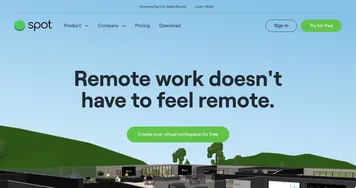
Homepage Screenshot 📸

Video Overview 🎬

What are the key features? ✨
- Bird’s-Eye View: Displays all active meetings for easy navigation and joining.
- Dirty Rectangles: Enhances screensharing with sharper text and image clarity.
- Slack Import with Message History: Migrates up to five years of Slack data, including files and emojis.
- Pinch & Zoom Screenshare: Allows iOS users to zoom into details during mobile screensharing.
- Virtual Office Layout: Mimics physical workspaces with avatars and meeting rooms for better team presence.
Who is it for? 🤔
Examples of what you can use it for 💡
- Startup Founder: Uses Roam to manage a remote team, joining meetings via the bird’s-eye view for quick updates.
- Project Manager: Leverages the virtual office layout to monitor team discussions and ensure alignment.
- UX Designer: Relies on Dirty Rectangles for clear screensharing during design reviews.
- Team Lead: Imports Slack data to maintain chat history and streamline team onboarding.
- Remote Worker: Uses the mobile app’s Pinch & Zoom to review presentations on the go.
Pros & Cons ⚖️
- Intuitive virtual office layout.
- Sharp screensharing with Dirty Rectangles.
- Seamless Slack data import.
- Mobile-friendly with Pinch & Zoom.
- Limited to 50-employee teams.
- Fewer integrations than competitors.
FAQs 💬
Ready to try Roam?
Streamlines remote team collaboration with a virtual HQ for seamless communication
Visit Roam