logo-darklogo-darklogo-darklogo-dark
  • Tool Categories
    • 🎨Art & Creative Design505
    • 🏢Business Management644
    • 💻Coding & Development515
    • 👮Detection83
    • 🧠General Use727
    • 🏥Health & Wellness55
    • 📷Image & Photo Analysis100
    • 🖼️Image Generation & Editing618
    • 📐Interior & Architectural Design37
    • 🎓Learning & Education483
    • ⚖️Legal & Finance90
    • 🎭Lifestyle & Entertainment236
    • 📢Marketing & Advertising627
    • 🎧Music & Audio138
    • 👔Office & Workplace1,014
    • 🔬Research & Data Analysis372
    • 👥Social Media245
    • 🎥Video Generation & Editing426
    • 👧🏻Virtual Companion135
    • 🎤Voice Generation & Editing381
    • ✍️Writing & Editing808
    • All Categories
    • AI Use Cases
  • News
  • Events
    • Academic Conferences
    • Developer Conferences
    • Expos / Trade Shows
    • Industry Summits
    • Workshops / Training
    • All Events
    • Past Events
  • Saved Tools
  • Suggest a Tool
✕
Home › Business Management › Workflow› Spot
Spot

Spot

Creates virtual workspaces for remote team collaboration

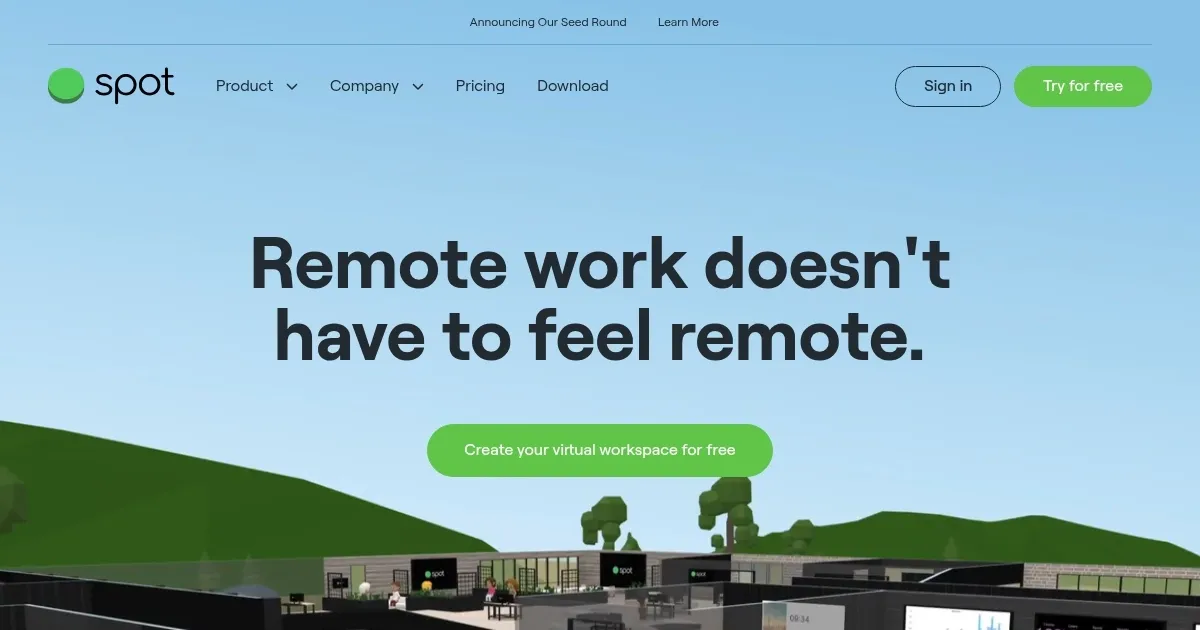
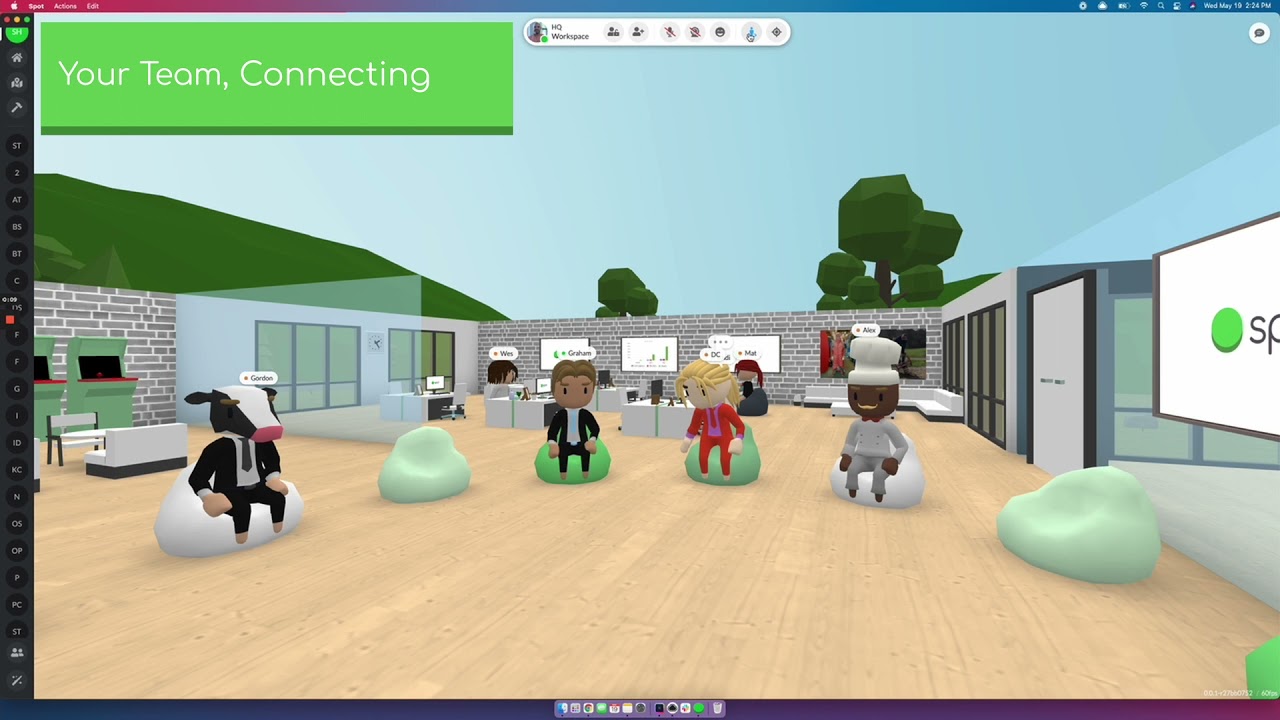
Spot, or Spot Virtual, is a web-based platform that creates customizable virtual offices for remote and hybrid teams, combining video conferencing, team chat, and interactive features to mimic in-person collaboration. It supports over 20,000 teams with tools for spontaneous interactions and productivity.

The platform offers a 3D interface powered by Babylon.js, allowing users to navigate virtual rooms, approach colleagues’ desks, and start conversations with a click. Key features include simultaneous screensharing for PDFs or shared browsers, a quick poll tool for team feedback, and native calendar integration with Google Calendar for seamless meeting scheduling. Users can customize floorplans, furniture, and branding, even on the free plan. Security is addressed with TLS encryption for voice and video, and role-based permissions support teams of all sizes. The “Knock to Enter” feature adds control for public URLs.

Compared to competitors, Spot Virtual stands out for its balance of work and social features. Zoom and Microsoft Teams focus on traditional video calls and chat but lack the spatial office feel. Gather offers a gamified virtual office but may feel less professional, while Remo prioritizes events over daily collaboration. Spot’s free plan is accessible, though advanced features like custom roles require paid tiers, which may align with enterprise needs.

Drawbacks include a learning curve for the 3D interface, which may overwhelm smaller teams. Performance can lag on slower internet or older devices. Some users report the platform feels feature-heavy for basic needs, and paid plans are required for full functionality.

For teams seeking a virtual office that blends productivity and connection, Spot Virtual is worth exploring. Start with the free plan to test its fit. Ensure your team’s hardware and internet can handle the 3D interface before committing to a paid plan.

Visit Spot ↗
Categories
🏢 Business
🔄 Workflow 📋 Project Management
👔 Work
🤝 Meeting Assistant ⚡ Work Productivity 💼 Workplace Assistant

Homepage Screenshot 📸

Spot screenshot

Video Overview 🎬

Spot - Video Overview

What are the key features? ✨

  • Simultaneous Screensharing: Share PDFs or browsers for collaborative work.
  • Quick Poll Tool: Gather team feedback instantly with easy polls.
  • Native Calendar Integration: Schedule meetings directly via Google Calendar.
  • Customizable Workspaces: Edit floorplans, furniture, and branding to fit your team.
  • Knock to Enter: Control access to public URLs for secure interactions.

Who is it for? 🤔

Spot Virtual is ideal for remote and hybrid teams, particularly those with 50 or more members, who want to recreate the spontaneous interactions of an in-person office. It suits businesses aiming to boost team connection, from startups to enterprises, especially those frustrated by the limitations of traditional tools like Slack or Zoom. Managers seeking to foster a sense of community or host engaging virtual events will find it valuable, though smaller teams may prefer simpler alternatives.

Examples of what you can use it for 💡

  • Remote Team Manager: Uses Spot Virtual to create a virtual office for daily check-ins and team bonding.
  • HR Professional: Hosts secure performance reviews in lockable virtual rooms.
  • Event Organizer: Sets up virtual holiday parties with shared playlists and YouTube videos.
  • Project Lead: Shares screens and documents for collaborative brainstorming sessions.
  • Startup Founder: Customizes a branded virtual office to align with company culture.

Pros & Cons ⚖️

  • Intuitive 3D office interface
  • Free plan with customization
  • Seamless Google Calendar integration
  • Steep learning curve for 3D
  • Advanced features need paid plans

FAQs 💬

What is Spot Virtual?
A virtual office platform for remote team collaboration.
Is there a free plan?
Yes, it includes customizable workspaces and basic features.
Does it work on mobile?
Yes, via iOS and Android apps or web browsers.
How secure is it?
Uses TLS encryption for voice and video communications.
Can I host events?
Yes, free for occasional events, paid for regular ones.
What devices are supported?
Works on Windows, Mac, and web browsers.
How does it compare to Zoom?
Offers spatial office features Zoom lacks.
Can I customize the office?
Yes, floorplans and branding are fully editable.
Is it good for small teams?
Best for teams of 50+, smaller teams may find it complex.
Does it integrate with calendars?
Yes, integrates with Google Calendar for scheduling.

Ready to try Spot?

Creates virtual workspaces for remote team collaboration

Visit Spot ↗

Spot alternatives 🔗

  1. Salesforce Einstein Salesforce Einstein Generative AI for CRM, designed to supercharge your productivity
  2. Zendesk AI Zendesk AI An AI tool built on billions of real customer service interactions that understands customer experience
  3. Zia Zia AI-powered business assistant from Zoho
  4. Asana AI Asana AI An AI helper built into the Asana platform to make managing projects and tasks easier
  5. ClickUp Brain ClickUp Brain Automates workflows with contextual AI for tasks, meetings, and content creation
  6. Manus Manus An AI agent designed to handle complex tasks all by itself
Share
Spot screenshot enlarged
Promote Spot
light badge
Copy Embed Code
dark badge
Copy Embed Code
neutral badge
Copy Embed Code
Best AI Tools

Discover the best AI tools for any use case

Explore
  • Tool Categories
  • AI Use Cases
  • AI Events
  • AI News
  • Saved Tools
Company
  • About Us
  • Contact Us
  • Media & Partnerships
  • Suggest a Tool
Legal
  • Privacy Policy
  • Terms of Service
Copyright © 2026 Best AI Tools 415 Mission Street, 37th Floor, San Francisco, CA 94105