Trinity Audio
Converts text to audio, enhancing content accessibility
I spent some time tinkering with Trinity Audio, and I kinda like it as it feels like discovering a new toy that’s equal parts fun and functional. This AI tool, which I accessed through its clean, user-friendly site, takes your written content and transforms it into audio that sounds surprisingly human. I uploaded a blog post, embedded the Trinity Player code, and within minutes, my words were being read aloud in a crisp, natural voice. It’s the kind of thing that makes you feel like you’ve just added a podcast studio to your website without the hefty price tag.
The Trinity Player is where the magic happens. It’s a small widget that blends into your site, letting visitors listen to your content with a single click. I tried a female voice in English, then switched to a Spanish male voice, and the transition was seamless, with 125 languages to choose from. The Trinity Octopus feature, which I poked at briefly, lets you edit audio down to specific pronunciations, which is great if your brand name gets mangled by AI. I was also intrigued by Trinity Pulse, a content discovery unit that curates trending audio clips, giving your site a Netflix-like vibe for audio. Monetization options, like programmatic ads, caught my eye too, though I didn’t dive deep enough to test them.
On the downside, I hit a snag trying to configure shortcodes in the WordPress plugin. The settings felt a bit clunky, and I wished for clearer instructions. Compared to Murf AI, which I’ve heard boasts smoother voice editing, Trinity Audio’s interface could use a bit more polish. Also, some Reddit users mentioned occasional glitches with third-party caches, which could be a headache for tech novices. The free plan, while generous for small creators, caps you at five articles a month, so scaling up means shelling out for a paid plan.
What surprised me was how fast the player loaded. I expected some lag, but it was snappy, even on my not-so-speedy internet. The accessibility angle is a big win — think visually impaired users or folks who just prefer audio while multitasking. I also liked how it integrates with platforms like Spotify, though I didn’t get to test that fully.
My advice? If you’re a blogger or small publisher, give Trinity Audio a spin. Start with the free plan, play with the voices, and see how your audience responds. If you’re running a larger site, weigh the monetization potential against the setup effort. It’s a tool that sparks creativity, but you’ll need a bit of patience to master it.
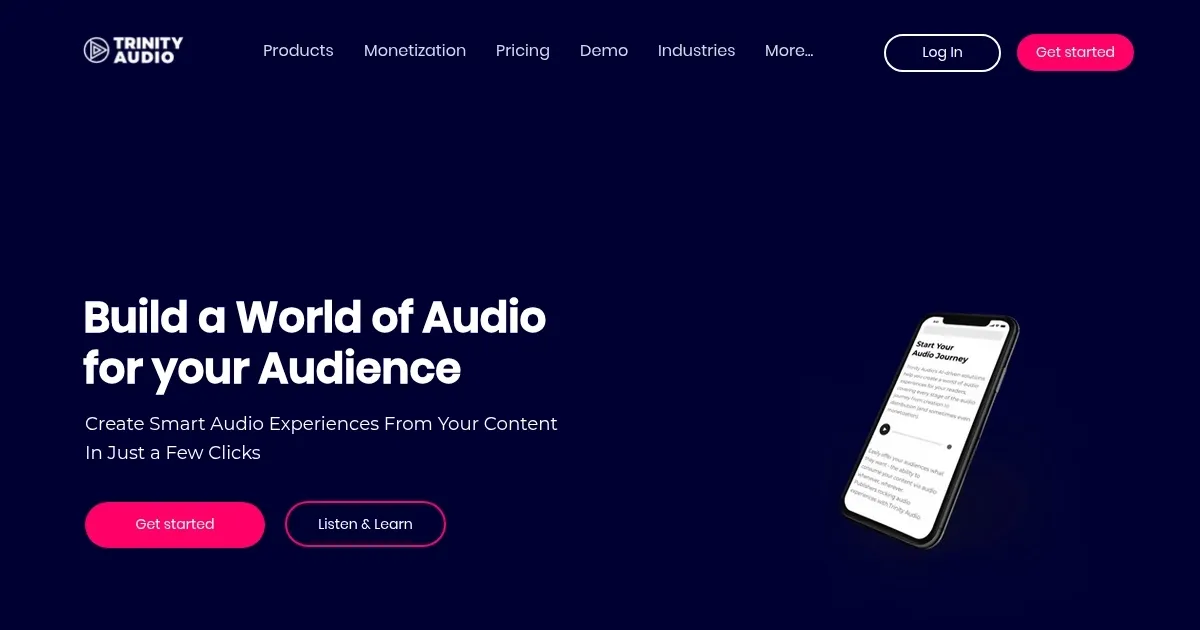
Homepage Screenshot 📸
Video Overview 🎬
What are the key features? ✨
- Trinity Player: Converts text to audio with a lightweight widget for fast website integration.
- Trinity Octopus: Edits audio details like pronunciations and distributes to platforms like Spotify.
- Trinity Pulse: Curates trending audio content to boost user engagement on websites.
- Multi-Language Support: Offers narration in 125 languages with 250 voice options.
- Monetization Options: Enables programmatic and native audio ads for revenue generation.
Who is it for? 🤔
Examples of what you can use it for 💡
- Blogger: Converts blog posts into audio to reach multitasking or visually impaired readers.
- News Publisher: Distributes audio articles to Spotify for broader audience engagement.
- Content Marketer: Uses Trinity Pulse to curate trending audio for website visitors.
- Global Brand: Translates content into 125 languages for international accessibility.
- Ad-Driven Site: Integrates programmatic audio ads to monetize content effectively.
Pros & Cons ⚖️
- Easy text-to-audio conversion
- Supports 125 languages
- Monetization via audio ads
- Limited free plan (5 articles)
FAQs 💬
Ready to try Trinity Audio?
Converts text to audio, enhancing content accessibility
Visit Trinity AudioTrinity Audio alternatives 🔗