Voxify
Converts text to lifelike speech with customizable voices in multiple languages
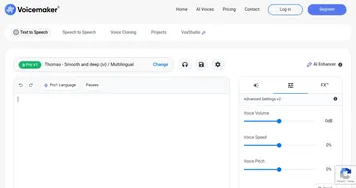
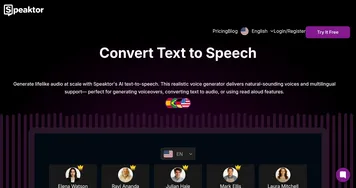
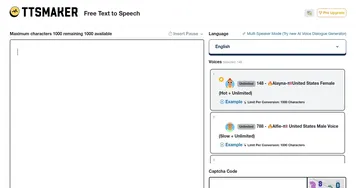
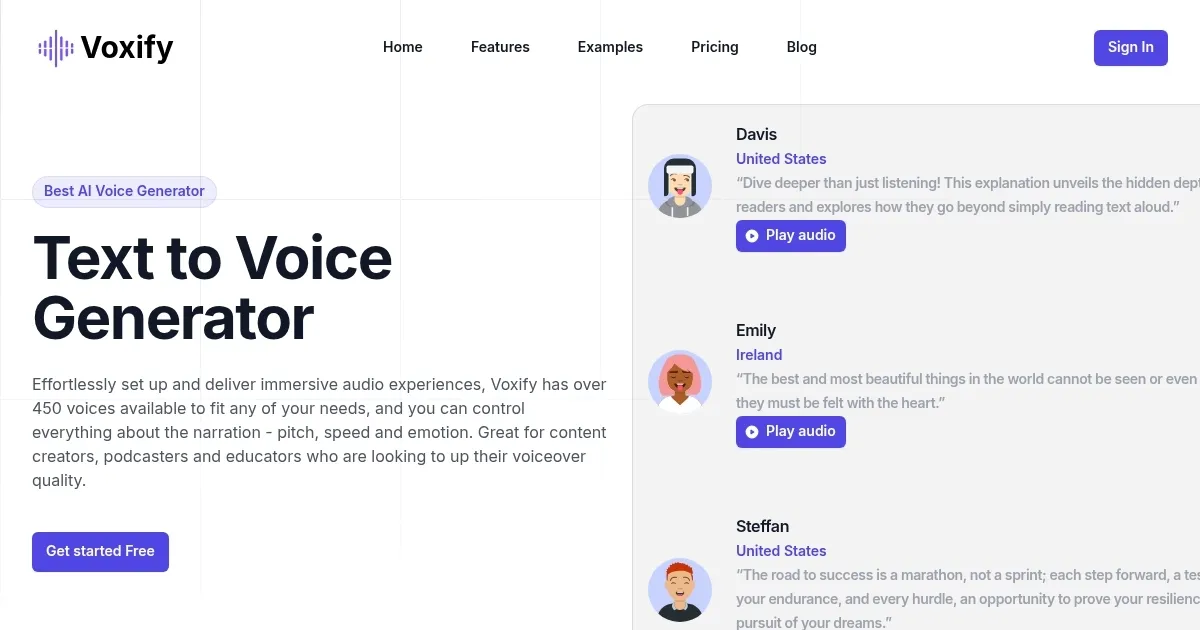
Voxify is a text-to-speech marvel that turns plain text into vibrant, human-like audio in a snap. I think it’s the kind of tool that makes you wonder how we ever got by without it. You type in your script, pick from a staggering array of over 450 voices across 140 languages, tweak the tone, speed, or even emotional vibe, and boom — professional-grade audio pours out. It’s not just about reading text aloud. It’s about crafting an experience, whether you’re narrating a podcast, voicing an e-learning module, or spicing up a YouTube video. The interface is so intuitive, you’ll feel like a sound engineer in minutes, even if your tech skills are more “enthusiastic beginner” than “pro.”
What’s particularly impressive is the emotional depth Voxify brings. Want your narration to sound excited, soothing, or even a touch melancholic? You can dial in those nuances with a few clicks, a feature that sets it apart from competitors like Speechelo or Synthesia. The voice library is a standout, offering everything from youthful, energetic tones to gravitas-filled elderly voices. It’s a global tool too, with support for languages from Spanish to Swahili, making it a go-to for creators targeting diverse audiences. The audio quality is crisp, with MP3 and WAV export options that fit seamlessly into most editing software.
But it’s not all smooth sailing. Some users might find the sheer number of voice options overwhelming at first. It’s a bit like walking into a candy store with 450 flavors — exciting, but where do you start? The free tier, while generous for testing, limits access to premium voices and advanced features, which could nudge budget-conscious users toward a subscription sooner than they’d like. Compared to Murf, which offers similar customization but a slightly more streamlined interface, Voxify’s learning curve might feel steep for absolute beginners. And while the platform is web-based and compatible across devices, some integrations with other software can feel clunky, requiring workarounds for complex workflows.
A surprise element? The child voice generator. It’s unexpectedly versatile, perfect for ads, animations, or educational content aiming for a playful vibe. I didn’t expect to be so charmed by how authentic these voices sound — nothing robotic here. Pricing-wise, Voxify is competitive, offering a free tier and paid plans that don’t break the bank compared to heavyweights like Descript. You get a lot of bang for your buck, especially with the emotion-rich voiceovers.
For those diving into Voxify, start with the free version to test the waters. Play with a few voices, experiment with emotional tones, and export a sample MP3. If you’re creating content regularly, consider the paid plans for access to the full voice library. It’s a tool that grows with you, so take your time exploring the customization options to make your audio truly shine.
Homepage Screenshot 📸
What are the key features? ✨
- Multilingual Support: Offers over 140 languages and accents for global reach.
- Emotion-Rich Voiceovers: Allows adding emotions like happiness or sadness to enhance audio.
- Customizable Voice Options: Adjusts tone, pitch, and speed to fit project needs.
- High-Quality Audio Output: Produces clear, professional-grade audio in MP3 or WAV formats.
- Fast Voice Synthesis: Generates voiceovers in seconds for efficient production.
Who is it for? 🤔
Examples of what you can use it for 💡
- Content Creator: Uses Voxify to add professional voiceovers to YouTube videos for better engagement.
- Educator: Creates multilingual e-learning modules with emotive narration to connect with students.
- Marketer: Produces tailored voiceovers for ads to reach diverse global audiences.
- Podcaster: Generates intros and outros with customized tones for a polished podcast.
- Non-Profit: Crafts accessible audio content in multiple languages for community outreach.
Pros & Cons ⚖️
- Supports over 140 languages
- Emotion-rich voice customization
- Fast voice synthesis process
- Free tier limits premium voices
- Integration can be manual
FAQs 💬
Ready to try Voxify?
Converts text to lifelike speech with customizable voices in multiple languages
Visit VoxifyVoxify alternatives 🔗