logo-darklogo-darklogo-darklogo-dark
  • Tool Categories
    • 🎨Art & Creative Design505
    • 🏢Business Management644
    • 💻Coding & Development514
    • 👮Detection83
    • 🧠General Use728
    • 🏥Health & Wellness55
    • 📷Image & Photo Analysis100
    • 🖼️Image Generation & Editing618
    • 📐Interior & Architectural Design37
    • 🎓Learning & Education483
    • ⚖️Legal & Finance90
    • 🎭Lifestyle & Entertainment236
    • 📢Marketing & Advertising627
    • 🎧Music & Audio138
    • 👔Office & Workplace1,014
    • 🔬Research & Data Analysis373
    • 👥Social Media245
    • 🎥Video Generation & Editing426
    • 👧🏻Virtual Companion135
    • 🎤Voice Generation & Editing381
    • ✍️Writing & Editing808
    • All Categories
    • AI Use Cases
  • News
  • Events
    • Academic Conferences
    • Developer Conferences
    • Expos / Trade Shows
    • Industry Summits
    • Workshops / Training
    • All Events
    • Past Events
  • Saved Tools
  • Suggest a Tool
✕
Home › Art & Creative Design › UX Design› UX Pilot
UX Pilot

UX Pilot

Creates wireframes and UI designs from text prompts in seconds

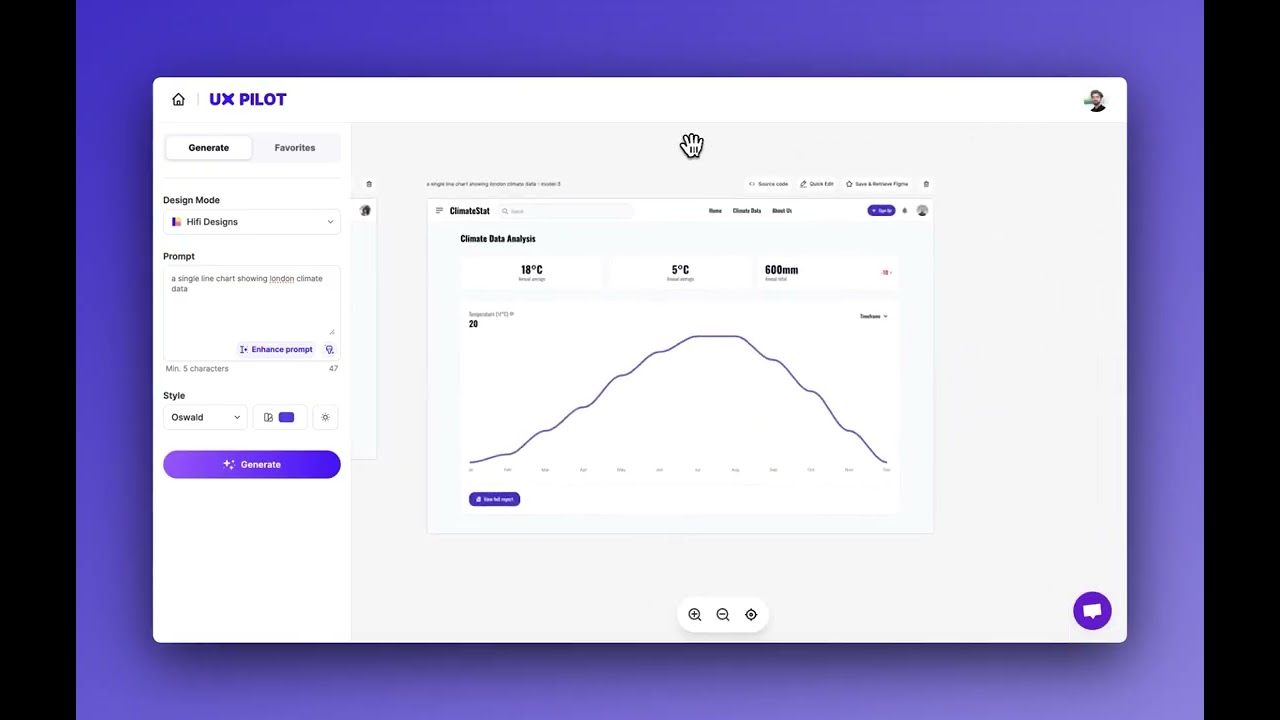
UX Pilot is an AI-powered platform that generates wireframes, high-fidelity UI designs, and user flows from text prompts, integrating with Figma to streamline UX design. It offers tools for designers and product teams to create, refine, and analyze designs efficiently.

The AI Wireframe Generator creates structured layouts for mobile or desktop based on text inputs, producing editable designs in seconds. The HiFi UI Design feature generates pixel-perfect interfaces with customizable fonts and color schemes, exportable to Figma with intact layers. Predictive heatmaps analyze designs for user attention, identifying potential usability issues. The workshop generator creates tailored templates for research or ideation sessions, while the chat-based editing interface allows users to refine designs using natural language commands. Over 70,000 users trust the platform, which supports both free and paid plans.

Compared to v0.dev, UX Pilot offers more UX-specific tools, like heatmaps and workshop templates, but its code export quality is less robust for developers. Relume focuses on landing page wireframes, lacking UX Pilot’s research features. Galileo AI excels in UI concepts but offers fewer interactive tools.

Limitations include occasional inconsistent outputs, where the AI may include irrelevant elements. The free plan restricts access to advanced features, and the Figma plugin requires a paid plan for full functionality. Users report the platform saves time but needs specific prompts for optimal results.

To maximize UX Pilot, use detailed prompts, leverage heatmaps for usability checks, and export designs to Figma for final tweaks. Test the free plan to explore core features before committing to a paid subscription.

Visit UX Pilot ↗
Categories
🎨 Art
📱 UX Design 🖼️ Design Generation 🧑‍🎨 Design Assistant 📐 Mockup Generation
💻 Coding
🏗️ Website Building ⌨️ Code Generation

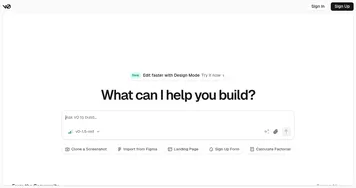
Homepage Screenshot 📸

UX Pilot screenshot

Video Overview 🎬

UX Pilot - Video Overview

What are the key features? ✨

  • AI Wireframe Generator: Creates structured layouts from text prompts in seconds.
  • HiFi UI Design: Generates pixel-perfect UI designs with customizable styles.
  • Predictive Heatmaps: Analyzes designs to highlight user attention areas.
  • Figma Integration: Exports designs to Figma with layers intact for editing.
  • Workshop Generator: Produces tailored templates for UX research sessions.

Who is it for? 🤔

UX Pilot is made for UX designers, product managers, and developers who need to quickly turn ideas into wireframes or high-fidelity designs, especially those already using Figma. It suits startups and small teams aiming to streamline workflows without hiring extensive design staff, as well as non-designers who want to prototype ideas without deep technical skills. The tool’s research and analysis features also make it valuable for teams conducting user testing or workshops.

Examples of what you can use it for 💡

  • UX Designer: Generates wireframes to kickstart a mobile app project.
  • Product Manager: Creates user flows to visualize product journeys.
  • Developer: Exports UI designs with code for faster implementation.
  • Startup Founder: Prototypes app ideas without hiring a designer.
  • Marketing Team: Analyzes checkout flows using heatmaps to boost conversions.

Pros & Cons ⚖️

  • Fast wireframe and UI generation
  • Seamless Figma integration
  • Custom workshop templates
  • Free plan with credits
  • Inconsistent AI outputs
  • Basic code export quality

FAQs 💬

Can I try UX Pilot for free?
Yes, UX Pilot offers a free plan with credits to test wireframes and UI designs.
Does UX Pilot integrate with Figma?
Yes, it exports designs to Figma with layers intact via a plugin.
What types of designs can UX Pilot create?
It generates wireframes, high-fidelity UIs, and user flows for mobile and desktop.
Is UX Pilot suitable for non-designers?
Yes, its text-to-design feature is accessible to non-technical users.
Can I edit AI-generated designs?
Yes, use the chat-based interface to refine designs with natural language.
Does UX Pilot offer code exports?
Yes, it provides basic HTML and React code for designs.
What are predictive heatmaps?
They analyze designs to show where users are likely to focus.
Can UX Pilot create user research templates?
Yes, the workshop generator creates tailored templates for research.
How does UX Pilot compare to v0.dev?
UX Pilot offers more UX tools, while v0.dev excels in code output.
Is a paid plan required for full features?
Yes, advanced features like HiFi UI Design require a paid plan.

Ready to try UX Pilot?

Creates wireframes and UI designs from text prompts in seconds

Visit UX Pilot ↗

UX Pilot alternatives 🔗

  1. v0.dev v0.dev Generates React UI components from text prompts using AI
  2. FigJam AI FigJam AI Instantly visualize ideas, suggest best practices, and automate tedious tasks
  3. Framer Framer An AI-powered, zero-code website builder with a built-in copywriter
  4. UserTesting AI UserTesting AI An online platform that leverages AI to streamline user experience research
  5. FlutterFlow FlutterFlow An online application development platform for native mobile + web apps
  6. Hotjar AI Hotjar AI Create surveys for any goal in seconds and generate summary reports automatically
Share
UX Pilot screenshot enlarged
Best AI Tools

Discover the best AI tools for any use case

Explore
  • Tool Categories
  • AI Use Cases
  • AI Events
  • AI News
  • Saved Tools
Company
  • About Us
  • Contact Us
  • Media & Partnerships
  • Suggest a Tool
Legal
  • Privacy Policy
  • Terms of Service
Copyright © 2026 Best AI Tools 415 Mission Street, 37th Floor, San Francisco, CA 94105