Wan by Alibaba
Generates videos from text prompts or images up to 1080p resolution
Wan is an open-source AI video generation platform developed by Alibaba Cloud that creates videos from text prompts, images, or audio inputs using models like Wan 2.1 and Wan 2.2. It supports resolutions up to 1080p and clip lengths of 5 to 120 seconds, with features including text-to-video, image-to-video, video-to-video editing, and audio-driven animation. The platform runs on consumer GPUs requiring 8GB to 24GB VRAM, using architectures such as causal 3D VAE and diffusion transformers for motion accuracy scoring 84.7% on VBench benchmarks. Users access it via the wan.video website or local installations like ComfyUI, with models available on Hugging Face under Apache 2.0 license.
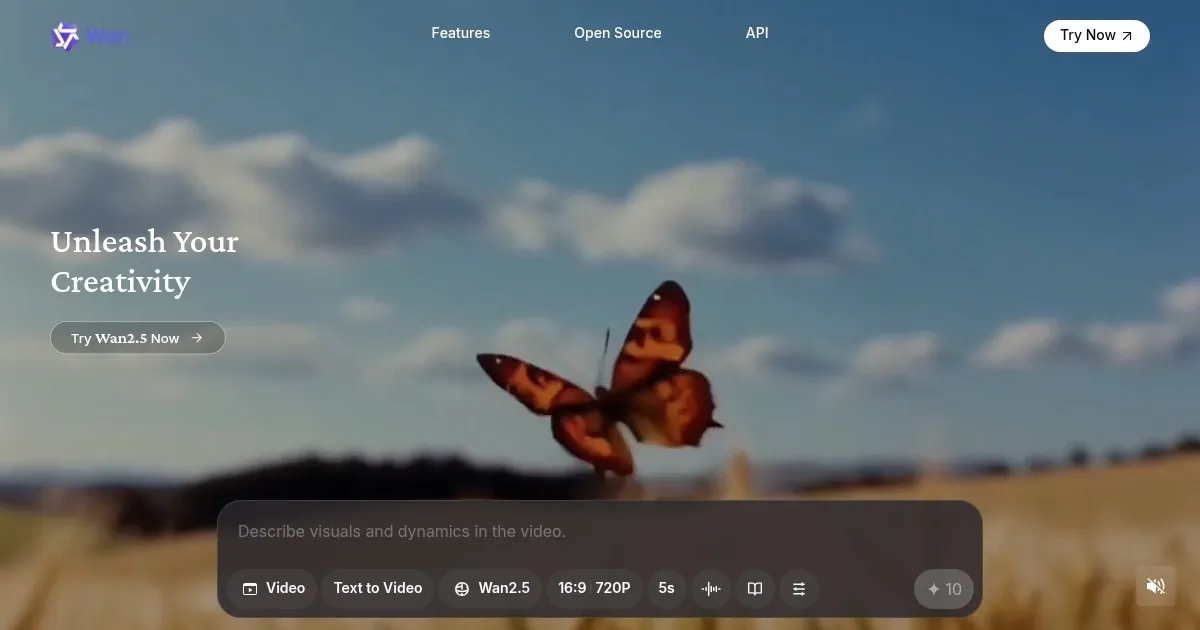
Key functionalities include the Wan 2.1 14B model for high-quality 720p generations and the 1.3B lightweight version for faster 480p outputs on lower hardware. The Wan 2.2-S2V variant adds audio synchronization for lip movements and environmental effects, processing 5-second clips in 4 minutes on an RTX 4090. Interface elements cover Explore for browsing examples like NeonFury and ShadowPact projects, Create for prompt inputs, Generate for queuing tasks, Project for workflows, Library for storage, Assets for uploads, and Favorites for quick access. It handles bilingual text rendering in English and Chinese, supporting styles from cyberpunk to realistic without additional training.
Competitors include Kling AI, which provides similar text-to-video but relies on cloud processing with credit-based pricing higher than Wan’s local free option. Runway ML offers advanced editing tools but limits free access and charges more for extended clips compared to Wan’s open-source scalability. Users appreciate the local control and lack of content filters, enabling diverse outputs, though setup requires technical knowledge. Generation times vary from 4 to 10 minutes per clip depending on hardware, with occasional prompt inconsistencies in complex motions.
The platform supports extensions like LoRAs for custom styles and start-end frame control for narrative continuity. It processes multimodal inputs for tasks such as reference-to-video and masked editing, maintaining temporal consistency in long-form videos. External reviews from Reddit in 2025 confirm its efficiency on 12GB VRAM setups, outperforming older open models in motion diversity. Hosted versions on fal.ai cost $0.20 per 480p video, lower than competitors’ rates. Drawbacks involve VRAM demands for 720p and variable prompt adherence, requiring multiple iterations.
For implementation, download models from Hugging Face, install ComfyUI, load a workflow, input prompts or images, and adjust parameters like frame rate to 16fps for smooth results; test on short clips before scaling to full projects.
Homepage Screenshot 📸
Video Overview 🎬

What are the key features? ✨
- Text-to-Video: Converts descriptive prompts into dynamic video clips up to 1080p, capturing complex motions and scenes with high accuracy.
- Image-to-Video: Animates static images into fluid videos, supporting resolutions like 480p and 720p while preserving original details.
- Audio-Driven Animation: Syncs video movements to audio inputs using Wan 2.2-S2V, enabling lip-sync and environmental reactions for realistic outputs.
- Video Editing: Allows reference-to-video, video-to-video, and masked edits in a unified model, facilitating extensions and style transfers.
- Open-Source Models: Provides 1.3B and 14B parameter versions under Apache 2.0, runnable on consumer GPUs for local, customizable generation.
Who is it for? 🤔
Examples of what you can use it for 💡
- Content Creator: Uses text-to-video to generate short social media clips from prompts, adding dynamic effects for engaging posts.
- Educator: Animates images into explanatory videos for lessons, incorporating audio sync to illustrate concepts visually.
- Marketer: Edits product images into promotional videos with motion, leveraging start-end frames for branded storytelling.
- Filmmaker: Extends reference clips into longer scenes using video-to-video, maintaining consistency for narrative projects.
- Developer: Integrates open-source models into apps for custom video tools, testing on local hardware for efficient prototyping.
Pros & Cons ⚖️
- Open-source access
- Runs on consumer GPUs
- High motion accuracy
- Setup requires tech skills
- VRAM intensive for HD
FAQs 💬
Wan alternatives 🔗