logo-darklogo-darklogo-darklogo-dark
  • Tool Categories
    • 🎨Art & Creative Design505
    • 🏢Business Management644
    • 💻Coding & Development514
    • 👮Detection83
    • 🧠General Use728
    • 🏥Health & Wellness55
    • 📷Image & Photo Analysis100
    • 🖼️Image Generation & Editing618
    • 📐Interior & Architectural Design37
    • 🎓Learning & Education483
    • ⚖️Legal & Finance90
    • 🎭Lifestyle & Entertainment236
    • 📢Marketing & Advertising627
    • 🎧Music & Audio138
    • 👔Office & Workplace1,014
    • 🔬Research & Data Analysis373
    • 👥Social Media245
    • 🎥Video Generation & Editing426
    • 👧🏻Virtual Companion135
    • 🎤Voice Generation & Editing381
    • ✍️Writing & Editing808
    • All Categories
    • AI Use Cases
  • News
  • Events
    • Academic Conferences
    • Developer Conferences
    • Expos / Trade Shows
    • Industry Summits
    • Workshops / Training
    • All Events
    • Past Events
  • Saved Tools
  • Suggest a Tool
✕
Home › Social Media › Social Media Post Generation› aiCarousels
aiCarousels

aiCarousels

Craft stunning social media carousels effortlessly with AI-driven design tools

I’ll admit, I’m no design guru. So when I stumbled across aiCarousels, I was curious but skeptical — could a tool really make me look like I know what I’m doing on LinkedIn? After a couple of hours tinkering, I’m hooked, though not without a few quibbles. Picture this: you’re a small business owner, juggling a million tasks, and you need a slick Instagram carousel to promote your latest product. aiCarousels is like that friend who shows up with coffee and gets the job done while you’re still figuring out where to start.

The interface is clean, almost too clean, like a minimalist coffee shop you’re afraid to spill in. I started by selecting a template for a TikTok carousel, and the AI Writing Assistant churned out a draft about ‘sustainable living’ in seconds. It wasn’t perfect — kinda generic, if I’m honest — but a quick edit made it pop. The auto-resize feature is a quiet hero, ensuring my text didn’t spill over the edges like an overfilled taco. I also loved the ability to add my logo under the Branding tab, giving my slides a personal touch without hours of tweaking.

Compared to Fotor, which feels a bit clunky for quick carousel creation, aiCarousels is snappier, though it doesn’t match Canva‘s vast template library. The predefined color palettes and fonts are a lifesaver for someone like me who’d pair neon green with Comic Sans and call it ‘creative.’ But here’s the rub: the free plan caps you at three carousels a month, which felt like hitting a wall mid-sprint. Also, the AI-generated images, while cool, sometimes looked a bit too ‘AI-ish’ — you know, that slightly uncanny vibe. I ended up using stock photos from Pexels instead, which integrated seamlessly.

The surprise? The PDF-to-Carousel feature. I uploaded a short marketing brochure, and poof, it turned into a sleek LinkedIn carousel in a single click. Mind blown. Users on X echo this excitement, with one calling it a ‘huge time-saver’ for coding guides. Pricing-wise, the PRO plan feels reasonable for the extra features, like the AI Post Ideas Generator, but it’s not a must-have for casual users.

My advice? Dive in, experiment with the free version, and use the AI as a starting point, not gospel. You’ll be posting carousels that turn heads in no time.

Visit aiCarousels ↗
Categories
👥 Social
📝 Social Media Post Generation 📷 Instagram 📱 Social Media Management
🎨 Art
🖼️ Design Generation 🖌️ Graphic Design
📢 Advertising
🚀 Marketing

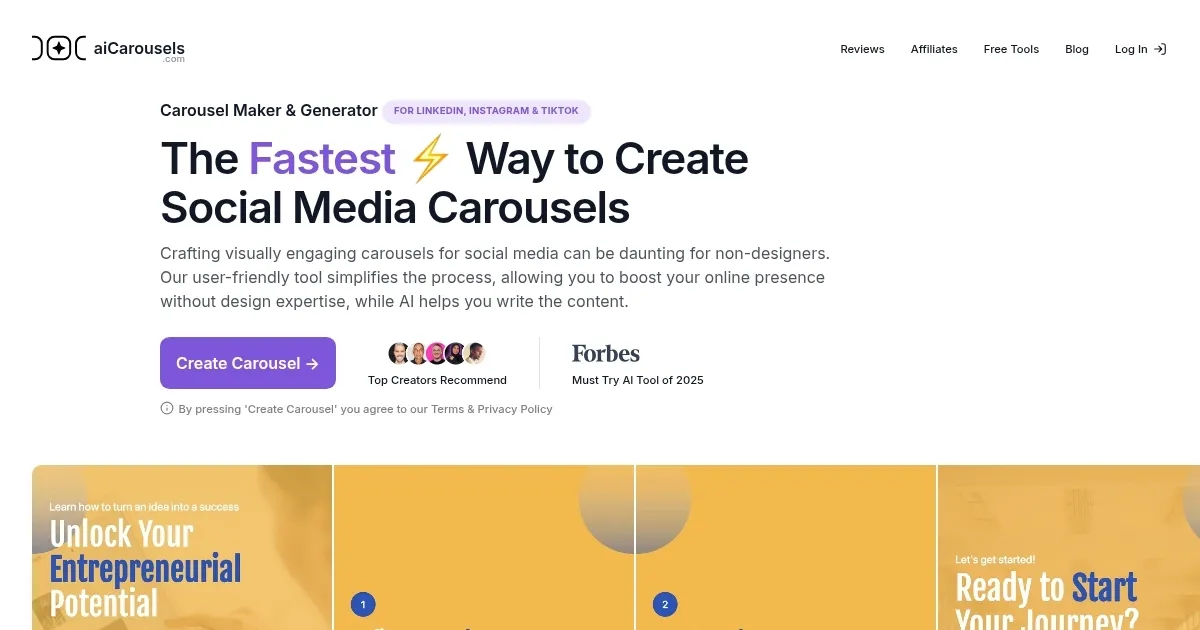
Homepage Screenshot 📸

aiCarousels screenshot

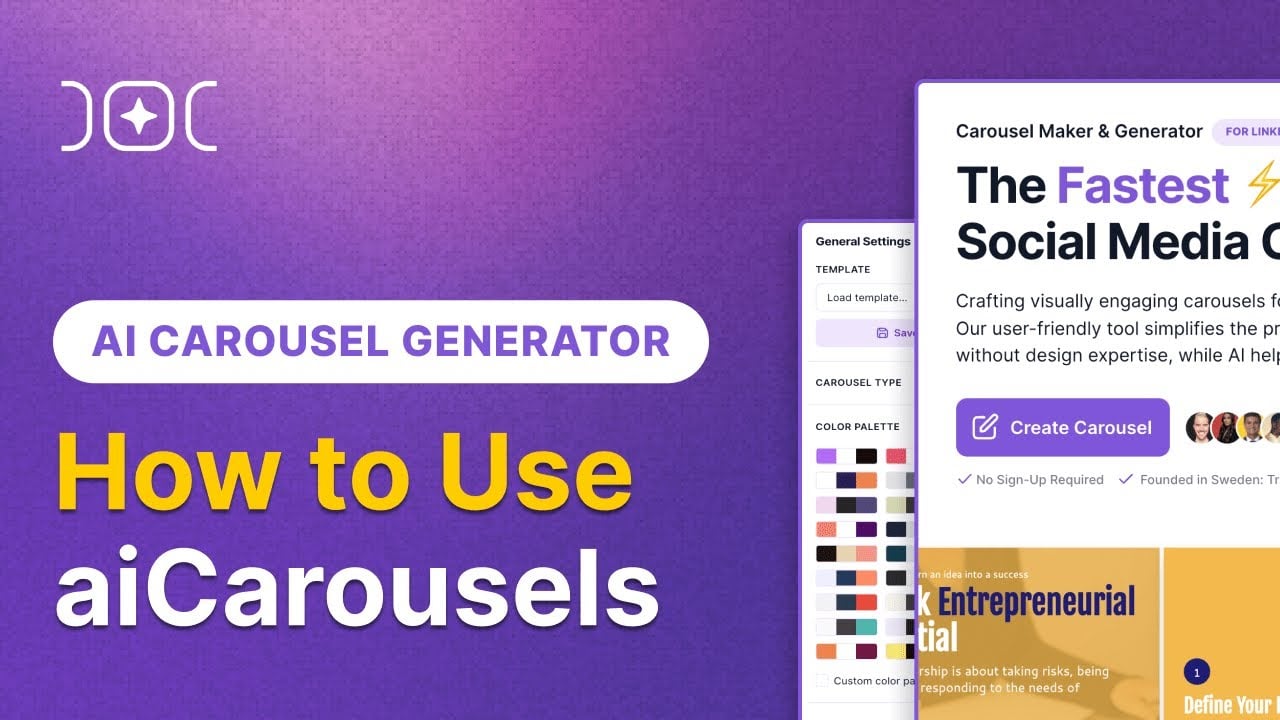
Video Overview 🎬

aiCarousels - Video Overview

What are the key features? ✨

  • AI Writing Assistant: Generates engaging carousel content from topics or uploaded files.
  • Auto-Resize Functionality: Automatically adjusts text and images for perfect slide fit.
  • Predefined Colors & Fonts: Offers curated palettes and fonts for cohesive designs.
  • Customizable Templates: Allows saving and loading branded templates for efficiency.
  • Screenshot Mode: Frames website screenshots for professional carousel slides.

Who is it for? 🤔

aiCarousels is ideal for small business owners, social media managers, content creators, and educators who need quick, professional carousels for LinkedIn, Instagram, or TikTok without design skills. It suits busy professionals aiming to boost their online presence with minimal effort, as well as marketers crafting branded campaigns. The tool’s simplicity and AI-driven features make it perfect for non-designers seeking to create engaging, platform-optimized content efficiently.

Examples of what you can use it for 💡

  • Small Business Owner: Creates product promotion carousels for Instagram to attract customers.
  • Social Media Manager: Designs LinkedIn carousels to share industry insights with followers.
  • Educator: Builds TikTok carousels to present bite-sized educational content.
  • Freelance Marketer: Converts client PDFs into engaging LinkedIn carousels for campaigns.
  • Content Creator: Uses AI-generated ideas to craft motivational Instagram carousels.

Pros & Cons ⚖️

  • High-quality export options.
  • Saves custom templates.
  • Free plan available.
  • Limited customization vs. pro tools.

FAQs 💬

Is aiCarousels free to use?
Yes, aiCarousels offers a free plan with up to three carousels per month, each with a maximum of 10 slides.
Do I need design skills to use aiCarousels?
No, the platform is designed for non-designers with an intuitive interface and automated features.
Which platforms does aiCarousels support?
It supports carousels for LinkedIn, Instagram, and TikTok, optimized for each platform.
Can I customize templates to match my brand?
Yes, you can adjust colors, fonts, and add logos to align with your brand identity.
What file formats can I export carousels in?
Carousels can be exported in high-quality PDF or JPG sequence formats.
Is there a limit to how many carousels I can create?
The free plan limits you to three carousels monthly, but the PRO plan has no such limit.
Can I use my own images in carousels?
Yes, you can upload custom images or choose from Pexels stock photos.
Does aiCarousels work on mobile devices?
Yes, the platform offers a seamless mobile experience for creating and editing carousels.
Can I create carousel ads with aiCarousels?
Yes, it supports carousel ad creation, but you must review platform-specific ad guidelines.
How does the AI Writing Assistant work?
It generates content based on topics, websites, or uploaded files, with options to edit or adjust tone.

Ready to try aiCarousels?

Craft stunning social media carousels effortlessly with AI-driven design tools

Visit aiCarousels ↗

aiCarousels alternatives 🔗

  1. Canva Magic Design Canva Magic Design Generates custom, on-brand designs from text prompts or uploaded media in seconds.
  2. Adobe Express Adobe Express Creates on-brand content with AI-driven design and video tools
  3. CapCut Creative Suite CapCut Creative Suite Online creative suite for everyone to create stunning images and videos
  4. Picsart Picsart A platform for creating, customizing, and sharing images and videos
  5. MiriCanvas MiriCanvas Creates stunning designs with AI-powered templates and editing tools
  6. Kapwing Kapwing Transforms text or images into edited videos with AI-driven features
Share
aiCarousels screenshot enlarged
Best AI Tools

Discover the best AI tools for any use case

Explore
  • Tool Categories
  • AI Use Cases
  • AI Events
  • AI News
  • Saved Tools
Company
  • About Us
  • Contact Us
  • Media & Partnerships
  • Suggest a Tool
Legal
  • Privacy Policy
  • Terms of Service
Copyright © 2026 Best AI Tools 415 Mission Street, 37th Floor, San Francisco, CA 94105