logo-darklogo-darklogo-darklogo-dark
  • Tool Categories
    • ๐ŸŽจArt & Creative Design505
    • ๐ŸขBusiness Management644
    • ๐Ÿ’ปCoding & Development515
    • ๐Ÿ‘ฎDetection83
    • ๐Ÿง General Use727
    • ๐ŸฅHealth & Wellness55
    • ๐Ÿ“ทImage & Photo Analysis100
    • ๐Ÿ–ผ๏ธImage Generation & Editing618
    • ๐Ÿ“Interior & Architectural Design37
    • ๐ŸŽ“Learning & Education483
    • โš–๏ธLegal & Finance90
    • ๐ŸŽญLifestyle & Entertainment236
    • ๐Ÿ“ขMarketing & Advertising627
    • ๐ŸŽงMusic & Audio138
    • ๐Ÿ‘”Office & Workplace1,014
    • ๐Ÿ”ฌResearch & Data Analysis372
    • ๐Ÿ‘ฅSocial Media245
    • ๐ŸŽฅVideo Generation & Editing426
    • ๐Ÿ‘ง๐ŸปVirtual Companion135
    • ๐ŸŽคVoice Generation & Editing381
    • โœ๏ธWriting & Editing808
    • All Categories
    • AI Use Cases
  • News
  • Events
    • Academic Conferences
    • Developer Conferences
    • Expos / Trade Shows
    • Industry Summits
    • Workshops / Training
    • All Events
    • Past Events
  • Saved Tools
  • Suggest a Tool
โœ•
Home › Image Generation & Editing › Image Generation› ArtSmart AI
ArtSmart AI

ArtSmart AI

Transforms text prompts into high-quality, customizable AI-generated images

ArtSmart AI is a neat service that feels like handing a paintbrush to a genie who’s mostly good at following directions. As someone who’s more comfortable with words than pixels, I was skeptical about creating anything worth posting. But ArtSmart’s interface, clean as a freshly printed magazine, made me feel like I could pull off a masterpiece. I typed “a steampunk robot sipping coffee in a cozy cafรฉ” into the Playground, hit generate, and — poof! — there it was, gears and all, looking like it belonged on a book cover.

The tool’s strength is its simplicity. The Text-to-Image feature lets you start with a sentence or two, and dropdowns for styles (think “impressionist” or “cyberpunk”) keep things accessible. I loved tinkering with PoseCopycat, which let me mimic a pose from a stock photo — handy for getting that exact stance without sweating over details. The Hyper Realistic mode churned out images so crisp I almost forgot they weren’t photos. But here’s the rub: my first attempt at “a dog in a spacesuit” looked more like a blurry furball in a tin can. Lesson learned — specificity is king. Add details like “golden retriever, sleek silver spacesuit, starry background,” and you’re golden.

Compared to MidJourney, ArtSmart feels less artsy-fartsy and more practical, perfect for quick marketing visuals or e-commerce shots. DALLยทE might edge it out for surreal creativity, but ArtSmart’s pricing — starting low with flexible plans — makes it a budget-friendly pick. The lack of a free trial stung a bit, and I noticed some Reddit users complaining about occasional slow generation times. Still, the Background Removal tool saved me from hours of Photoshop drudgery, and the API integration hints at big potential for developers.

The surprise? The community vibe. Sharing my robot cafรฉ image to the Explorer tab felt like posting to a niche art forum — other users’ creations inspired me to try bolder prompts. If you’re dipping your toes into AI art, play with the settings, use negative keywords to avoid weird artifacts, and lean on the community for prompt ideas. You’ll be churning out visuals that make your brand look like it hired a pro.

Visit ArtSmart AI ↗
Categories
๐Ÿ–ผ๏ธ Image
๐Ÿ–ผ๏ธ Image Generation ๐Ÿช„ Text to Image ๐Ÿง‘โ€๐ŸŽค Avatar Generation ๐ŸŒŸ Photo Enhancing โฌ†๏ธ Image Upscaling ๐Ÿž๏ธ Background Generation
๐ŸŽจ Art
๐ŸŽจ Art Generation ๐Ÿ–ผ๏ธ Design Generation ๐ŸŒ… Illustration Generation
โœ๏ธ Writing
๐Ÿ’ก Prompt Generation

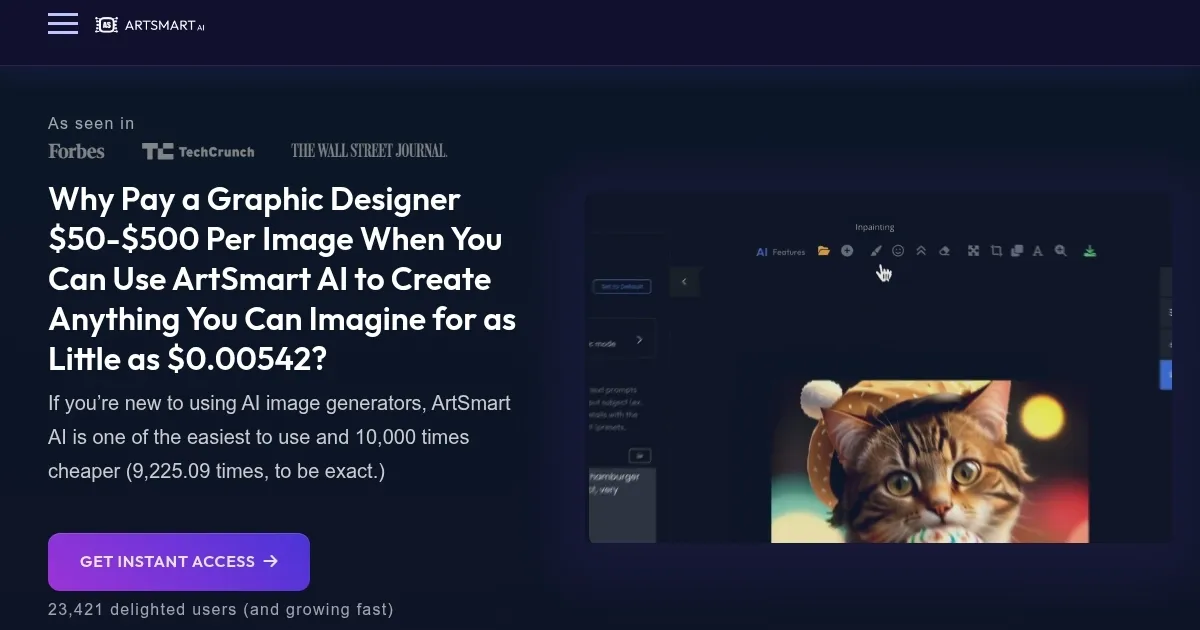
Homepage Screenshot 📸

ArtSmart AI screenshot

Video Overview 🎬

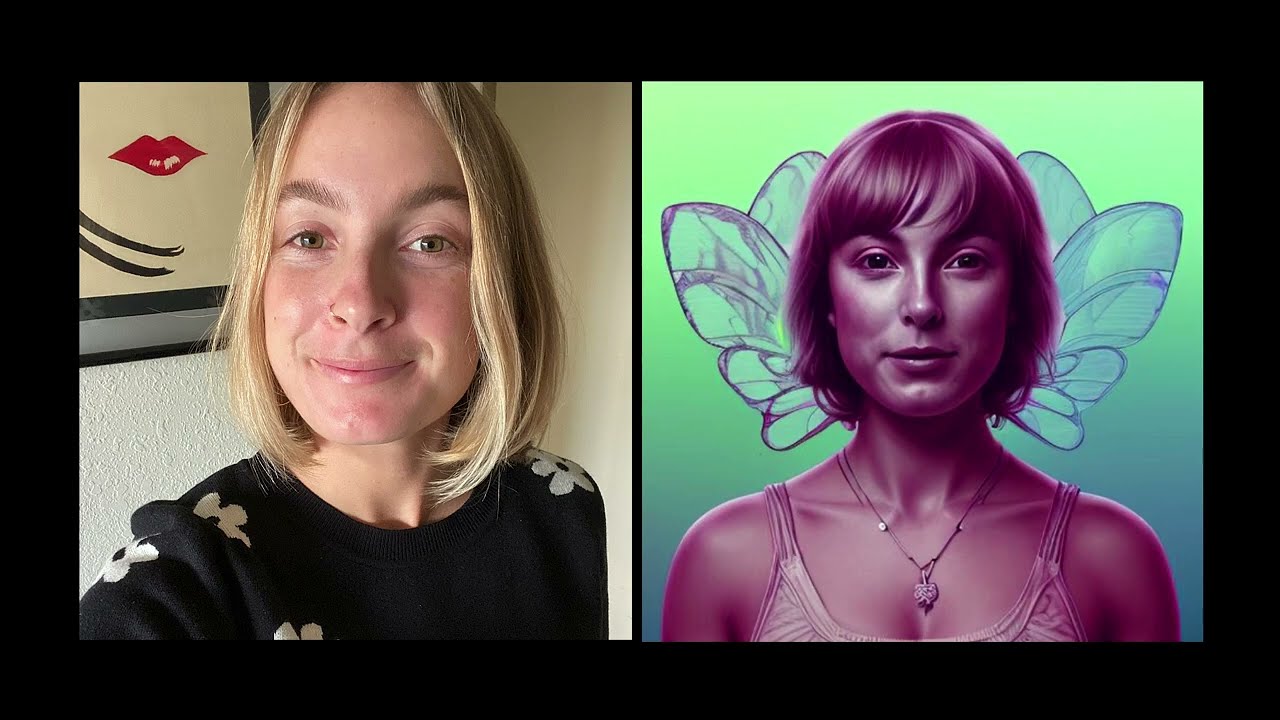
ArtSmart AI - Video Overview

What are the key features? ✨

  • Text-to-Image: Generates images from descriptive text prompts in seconds.
  • Inpainting: Edits specific image areas by adding, removing, or replacing objects.
  • PosePerfect: Controls character poses for precise visual compositions.
  • Background Removal: Removes image backgrounds for clean, professional edits.
  • Hyper Realistic Mode: Produces lifelike images with high detail and realism.

Who is it for? 🤔

ArtSmart AI is ideal for bloggers, marketers, small business owners, and print-on-demand services who need quick, affordable, high-quality images. Its user-friendly interface suits beginners, while features like API integration and advanced editing tools appeal to developers and professionals seeking efficient visual content creation.

Examples of what you can use it for 💡

  • Blogger: Creates unique featured images for blog posts to enhance reader engagement.
  • Marketer: Generates eye-catching visuals for social media campaigns or landing pages.
  • Small Business Owner: Produces professional product photos for e-commerce listings.
  • Graphic Designer: Uses Inpainting to refine client images without extensive manual editing.
  • Social Media Manager: Crafts custom posts with specific styles for brand consistency.

Pros & Cons ⚖️

  • Affordable compared to competitors.
  • High-quality, realistic image output.
  • API integration for workflows.
  • No free trial available.
  • Limited advanced control vs. competitors.

FAQs 💬

What is ArtSmart AI?
ArtSmart AI is an image generator that creates visuals from text or image prompts using Stable Diffusion.
Who can use ArtSmart AI?
Itโ€™s designed for bloggers, marketers, small businesses, and anyone needing quick, high-quality images.
Does ArtSmart offer a free trial?
No, but it provides a 30-day money-back guarantee for unused subscriptions.
What makes ArtSmart different from MidJourney?
ArtSmart is more beginner-friendly and affordable, though MidJourney offers more artistic control.
Can I integrate ArtSmart into my workflow?
Yes, ArtSmart offers an API for seamless integration into apps or workflows.
What are Playground Credits?
Credits used for image generation, with amounts varying by subscription plan.
How do I get better results from ArtSmart?
Use specific prompts, negative keywords, and adjust settings like style or resolution.
Does ArtSmart support multiple languages?
Yes, it supports eight languages for global accessibility.
Can I edit images with ArtSmart?
Yes, tools like Inpainting and Background Removal allow precise edits.
Is there a community for inspiration?
Yes, the Explorer tab lets users browse and share AI-generated images.

Ready to try ArtSmart AI?

Transforms text prompts into high-quality, customizable AI-generated images

Visit ArtSmart AI ↗

ArtSmart AI alternatives 🔗

  1. ChatGPT ChatGPT All-round AI assistant generating human-like responses to user queries and tasks
  2. Grok Grok Delivers witty, real-time AI responses with advanced reasoning and image generation
  3. Imagen Imagen Generates photorealistic images from detailed text prompts
  4. Black Forest Labs Black Forest Labs Generates high-quality images from text prompts with precision and speed
  5. Kling AI Kling AI Generates cinematic videos from text or images with realistic motion
  6. Runway Runway Generates and edits AI-powered videos from text prompts
Share
ArtSmart AI screenshot enlarged
Promote ArtSmart AI
light badge
Copy Embed Code
dark badge
Copy Embed Code
neutral badge
Copy Embed Code
Best AI Tools

Discover the best AI tools for any use case

Explore
  • Tool Categories
  • AI Use Cases
  • AI Events
  • AI News
  • Saved Tools
Company
  • About Us
  • Contact Us
  • Media & Partnerships
  • Suggest a Tool
Legal
  • Privacy Policy
  • Terms of Service
Copyright © 2026 Best AI Tools 415 Mission Street, 37th Floor, San Francisco, CA 94105