logo-darklogo-darklogo-darklogo-dark
  • Tool Categories
    • 🎨Art & Creative Design505
    • 🏢Business Management644
    • 💻Coding & Development514
    • 👮Detection83
    • 🧠General Use728
    • 🏥Health & Wellness55
    • 📷Image & Photo Analysis100
    • 🖼️Image Generation & Editing618
    • 📐Interior & Architectural Design37
    • 🎓Learning & Education483
    • ⚖️Legal & Finance90
    • 🎭Lifestyle & Entertainment236
    • 📢Marketing & Advertising627
    • 🎧Music & Audio138
    • 👔Office & Workplace1,014
    • 🔬Research & Data Analysis373
    • 👥Social Media245
    • 🎥Video Generation & Editing426
    • 👧🏻Virtual Companion135
    • 🎤Voice Generation & Editing381
    • ✍️Writing & Editing808
    • All Categories
    • AI Use Cases
  • News
  • Events
    • Academic Conferences
    • Developer Conferences
    • Expos / Trade Shows
    • Industry Summits
    • Workshops / Training
    • All Events
    • Past Events
  • Saved Tools
  • Suggest a Tool
✕
Home › Video Generation & Editing › Video Editing› BIGVU
BIGVU

BIGVU

An all-in-one video creation tool designed to simplify the process of making professional videos

BIGVU is an all-in-one video creation tool designed to simplify the process of making professional videos. Its standout feature is the teleprompter, which allows users to read scripts while maintaining eye contact with the camera — making it ideal for presentations, vlogs, and news reports.

The platform also includes an AI script generator that helps users generate scripts in seconds to ensure their videos are well-structured.

Beyond script generation, BIGVU offers robust video editing tools. For instance, users can add captions, trim videos, apply various filters to enhance their content, and automatically generate subtitles with the help of AI.

All these features are meant to significantly reduce post-production time, allowing creators to focus more on content creation and less on technical details.

BIGVU also integrates with social media platforms, enabling users to share their videos across Facebook, YouTube, and LinkedIn. This automated posting streamlines the distribution process, helping users more effectively reach their audience.

Lastly, we should mention that BIGVU supports collaboration by allowing teams to work together on video projects. It offers dedicated workspaces for different team members or clients, ensuring organized collaboration.

So, whether you’re a solo content creator or part of a larger team – BIGVU provides the tools needed to create, edit, and share high-quality videos with ease.

Visit BIGVU ↗
Categories
🎥 Video
✏️ Video Editing ⏺️ Video Recording 📲 Short Video Generation
✍️ Writing
💬 Subtitle Generation 🏷️ Caption Generation 🎬 Script Writing
🎤 Voice
📝 Transcriber 💬 Speech-to-Text
👥 Social
📝 Social Media Post Generation

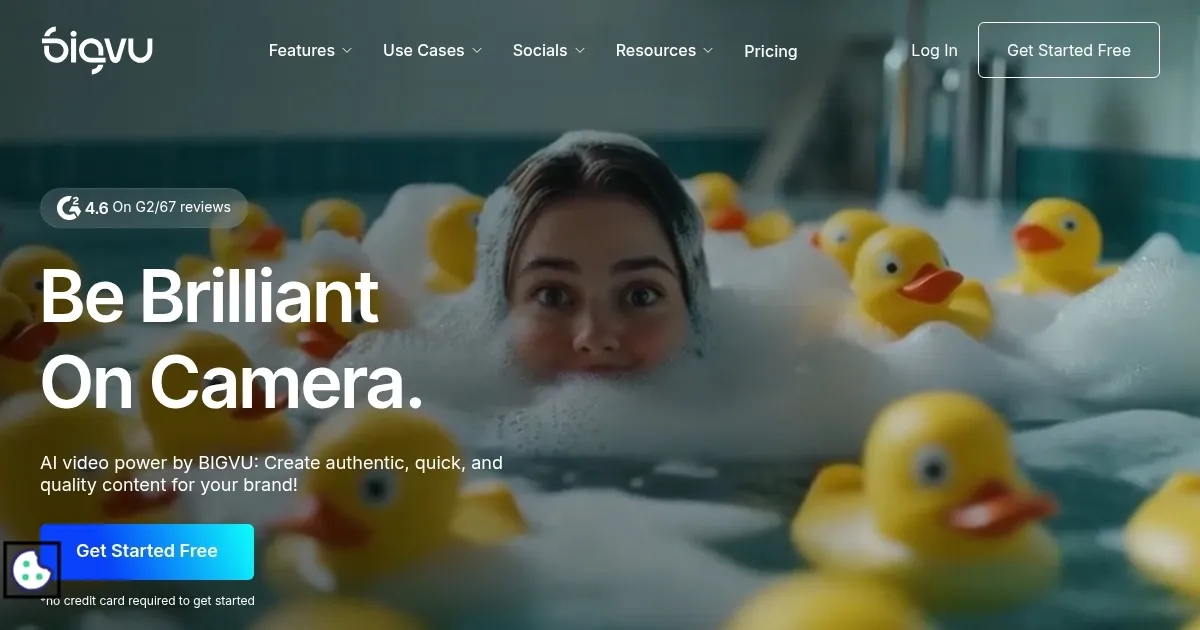
Homepage Screenshot 📸

BIGVU screenshot

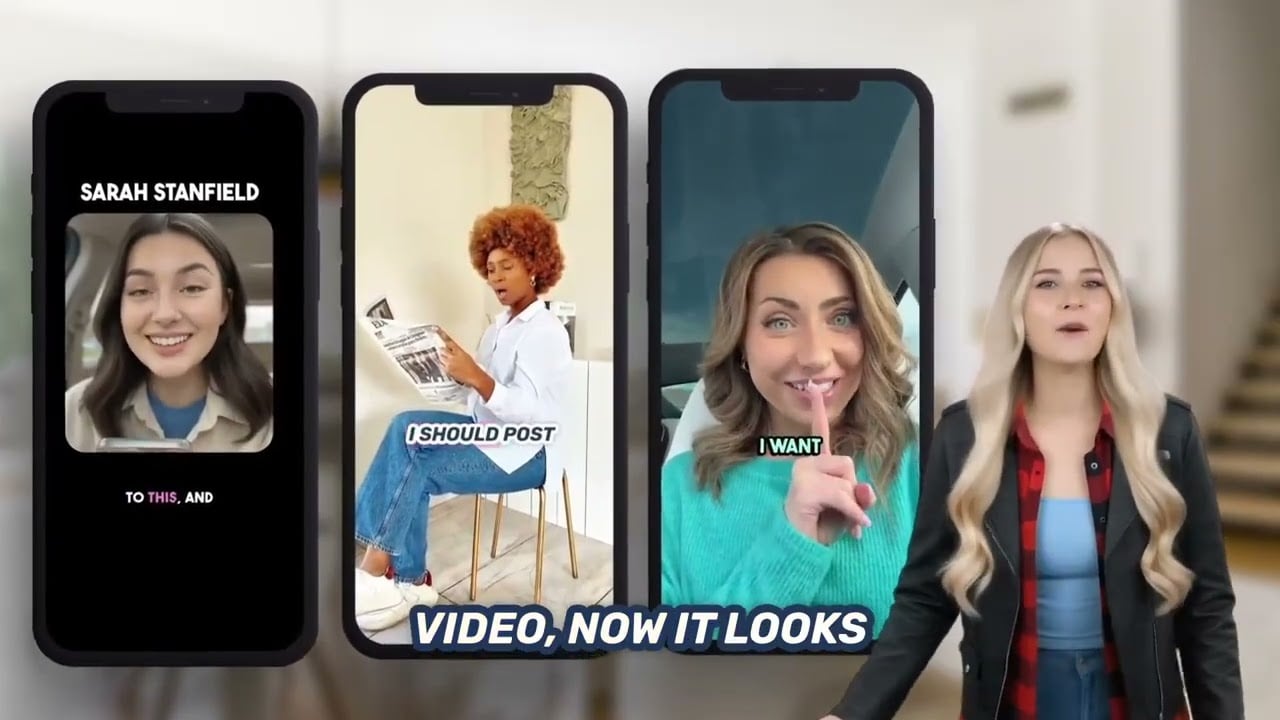
Video Overview 🎬

BIGVU - Video Overview

What are the key features? ✨

  • Teleprompter: This feature allows users to read scripts while recording videos, ensuring they maintain eye contact with the camera and deliver a professional presentation.
  • AI script generator: It lets users quickly create video scripts tailored to various needs, such as marketing, sales, and personal profiles.
  • Captions & subtitles: BIGVU can automatically generate subtitles and captions for videos to enhance accessibility and engagement for viewers.
  • Video editing: Includes features like background removal, noise reduction, and trimming to simplify the post-production process.
  • Social media posting: BIGVU enables users to share their videos across multiple social media platforms with just one click, streamlining the distribution process.

Who is it for? 🤔

BIGVU is made for a wide range of users, including content creators, marketers, educators, real estate professionals, and corporate teams. It caters to anyone needing to efficiently produce professional videos, from social media influencers to business professionals seeking to enhance their video communication strategies.

Examples of what you can use it for 💡

  • Vloggers and influencers can use it to produce professional-looking videos regularly, complete with scripts and captions
  • Marketing teams can use it to create engaging promotional videos and social media content
  • Educators can use it to create instructional videos with clear scripts and subtitles
  • Real estate agents can use it to produce high-quality property tour videos with descriptive scripts and captions
  • Companies can use it to create polished videos for announcements and training sessions

Pros & Cons ⚖️

  • Makes video production easier
  • AI can generate a script for a video
  • Easy-to-use video editing tools
  • You may still need a professional tool for fine-tuning

FAQs 💬

What is BIGVU mainly used for?
BIGVU helps users record, edit, and publish professional videos quickly using a built-in teleprompter, AI captions, and editing tools, ideal for marketing, social media, or business communication.
Does BIGVU work on mobile devices?
Yes, it runs on iOS and Android phones or tablets, and there's also a web version so you can record or edit from different devices seamlessly.
Can beginners use BIGVU without video editing experience?
Absolutely. The platform simplifies the process with automatic captions, one-tap edits via transcript, and AI assistance, so even first-time users can produce polished videos.
How does the teleprompter feature work?
You paste or write a script, and it scrolls on screen while recording so you read naturally and keep eye contact with the camera; speed and text size are adjustable.
Does BIGVU offer AI-generated scripts?
Yes, the AI can draft scripts based on your topic, tone, or brand guidelines, giving you a strong starting point in seconds.
Can BIGVU add captions automatically to videos?
Yes, it generates subtitles with high accuracy and lets you customize fonts, colors, and positioning to match your brand.
Is BIGVU suitable for team collaboration?
Yes, it includes workspaces, role permissions, and shared access so marketing teams or companies can collaborate on video projects securely.
Does it support creating videos from text only?
Yes, the AI video generator turns text prompts into complete videos using avatars, voiceovers, and visuals without needing to record yourself.
Can I edit videos without using a complicated timeline?
Yes, WordTrim lets you edit by tapping words in the transcript to cut, rearrange, or remove sections, which feels much faster than traditional editing.
What kind of users benefit most from BIGVU?
Realtors, coaches, marketers, entrepreneurs, and corporate teams who need frequent, consistent, branded videos without professional production resources.

Ready to try BIGVU?

An all-in-one video creation tool designed to simplify the process of making professional videos

Visit BIGVU ↗

BIGVU alternatives 🔗

  1. Runway Runway Generates and edits AI-powered videos from text prompts
  2. Canva Magic Design Canva Magic Design Generates custom, on-brand designs from text prompts or uploaded media in seconds.
  3. Adobe Express Adobe Express Creates on-brand content with AI-driven design and video tools
  4. Vimeo AI Vimeo AI Creates polished videos from single recordings using AI edits and scripts
  5. CapCut Creative Suite CapCut Creative Suite Online creative suite for everyone to create stunning images and videos
  6. Loom AI Loom AI Record better video messages with automatic titles, summaries, share messages, and more
Share
BIGVU screenshot enlarged
Best AI Tools

Discover the best AI tools for any use case

Explore
  • Tool Categories
  • AI Use Cases
  • AI Events
  • AI News
  • Saved Tools
Company
  • About Us
  • Contact Us
  • Media & Partnerships
  • Suggest a Tool
Legal
  • Privacy Policy
  • Terms of Service
Copyright © 2026 Best AI Tools 415 Mission Street, 37th Floor, San Francisco, CA 94105