Fabric
Organizes digital content with AI-powered search and collaboration tools
Fabric has been launched with a promise to tame the chaos of your online life. Think of it as a sleek, AI-powered librarian who not only organizes your scattered notes, files, and web clippings but also anticipates what you need before you even ask. The premise is simple yet bold: stop wrestling with folders and tags, and let Fabric’s AI do the heavy lifting. I think it’s a compelling pitch for anyone drowning in browser tabs or juggling multiple cloud services.
The interface feels like a breath of fresh air. You can toss in anything — PDFs, images, web links, or quick notes — and Fabric’s proprietary “unwrap engine” sorts it all into a universal format. The Inbox feature is a standout, letting you dump content without a second thought, knowing you can sort it later. The Timeline view, paired with weekly AI summaries, is a clever nudge to revisit your saved ideas, preventing them from vanishing into the digital void. For example, a summary might remind you, “This week, you saved files on UI design trends,” prompting reflection. The Spaces feature, while basic, keeps things tidy by grouping content into project-specific folders. Collaboration shines here too, with real-time editing and @mentions that make teamwork feel seamless, almost like Google Docs but with a broader scope.
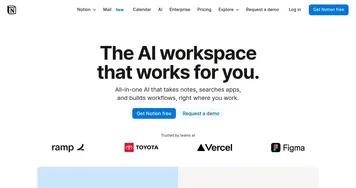
Yet, it’s not flawless. The AI-powered search, while impressive for natural language queries, can occasionally misfire, especially with niche or poorly formatted files. Some users might find the Connections feature — still in development — lacking depth compared to tools like Notion’s robust linking system. Speaking of competitors, Notion and Obsidian are close rivals. Notion offers more structured templates, while Obsidian excels in note-linking for knowledge graphs. Fabric, however, feels more intuitive for visual thinkers, with its clean design and browser extension for quick captures.
Pricing is flexible, with a free tier for casual users and premium plans for heavier use, though specifics are tucked away on their site. Compared to Notion’s subscription model, Fabric’s pricing feels competitive, especially for teams needing collaboration tools. The surprise? The mobile app’s polish. Available on iOS and Android, it syncs effortlessly, making it a true “second brain” on the go.
For power users, Fabric’s encryption (SSL in transit, AES-256 at rest) adds peace of mind, but the real draw is its ambition to connect everything — Gmail, Dropbox, Google Drive, and more. It’s not there yet, but the roadmap is promising. If you’re a freelancer juggling projects or a team needing a shared hub, give Fabric a spin. Start small: upload a few files, test the AI search, and see if it clicks. You might just find your digital clutter transformed into clarity.
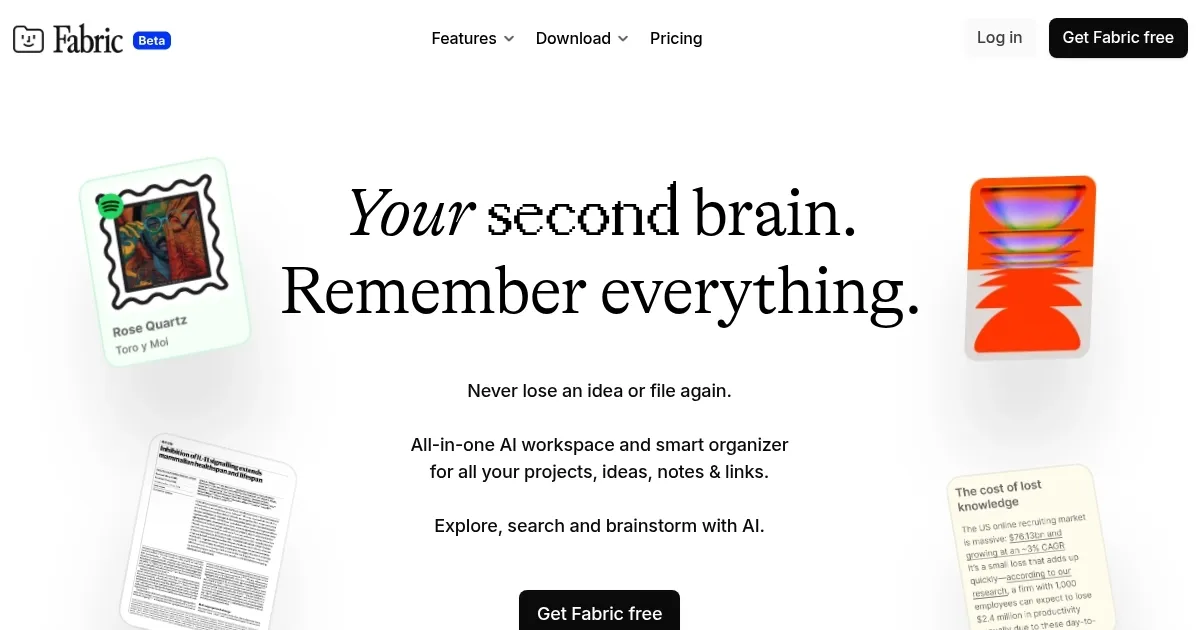
Homepage Screenshot 📸
Video Overview 🎬
What are the key features? ✨
- Inbox: Quickly captures files, links, or notes for later sorting.
- AI Search: Finds content using natural language queries across all data.
- Timeline & AI Summaries: Tracks saved items and delivers weekly content recaps.
- Spaces: Organizes content into project-specific folders for easy navigation.
- Real-Time Collaboration: Enables simultaneous document editing with @mentions.
Who is it for? 🤔
Examples of what you can use it for 💡
- Researcher: Collects articles and PDFs, using AI search to retrieve sources instantly.
- Freelancer: Organizes client briefs and inspiration in Spaces for quick reference.
- Team Lead: Shares project docs in real-time, assigning tasks with @mentions.
- Student: Captures lecture notes and web links, reviewing via AI summaries.
- Creative Writer: Stores story ideas and drafts, linking related notes for cohesion.
Pros & Cons ⚖️
- Intuitive AI-powered organization
- Seamless cross-device syncing
- Real-time collaboration tools
- AI search can be inconsistent
- Limited current integrations
FAQs 💬
Ready to try Fabric?
Organizes digital content with AI-powered search and collaboration tools
Visit FabricFabric alternatives 🔗