logo-darklogo-darklogo-darklogo-dark
  • Tool Categories
    • ๐ŸŽจArt & Creative Design505
    • ๐ŸขBusiness Management644
    • ๐Ÿ’ปCoding & Development515
    • ๐Ÿ‘ฎDetection83
    • ๐Ÿง General Use727
    • ๐ŸฅHealth & Wellness55
    • ๐Ÿ“ทImage & Photo Analysis100
    • ๐Ÿ–ผ๏ธImage Generation & Editing618
    • ๐Ÿ“Interior & Architectural Design37
    • ๐ŸŽ“Learning & Education483
    • โš–๏ธLegal & Finance90
    • ๐ŸŽญLifestyle & Entertainment236
    • ๐Ÿ“ขMarketing & Advertising627
    • ๐ŸŽงMusic & Audio138
    • ๐Ÿ‘”Office & Workplace1,014
    • ๐Ÿ”ฌResearch & Data Analysis372
    • ๐Ÿ‘ฅSocial Media245
    • ๐ŸŽฅVideo Generation & Editing426
    • ๐Ÿ‘ง๐ŸปVirtual Companion135
    • ๐ŸŽคVoice Generation & Editing381
    • โœ๏ธWriting & Editing808
    • All Categories
    • AI Use Cases
  • News
  • Events
    • Academic Conferences
    • Developer Conferences
    • Expos / Trade Shows
    • Industry Summits
    • Workshops / Training
    • All Events
    • Past Events
  • Saved Tools
  • Suggest a Tool
โœ•
Home › Learning & Education › Knowledge Management› Supermemory
Supermemory

Supermemory

Organizes and searches web content with AI-powered tools

Supermemory is an AI-powered tool that organizes and searches web content like bookmarks, tweets, and documents, acting as a personal second brain. It offers a centralized hub for saving, querying, and utilizing information with features like a search engine, writing assistant, and visual canvas. The platform integrates with tools like Chrome, Notion, and Obsidian, and emphasizes privacy with end-to-end encryption and self-hosting options. It’s open-source, with code available on GitHub, and supports developers through its API.

Key features include the AI-Powered Search, which uses natural language to query saved content, and the Interactive Canvas, a 2D space for visually organizing ideas. The Writing Assistant aids content creation with AI, while the Model Context Protocol (MCP) enables memory persistence across AI platforms like Claude. The platform supports importing content from X, websites, and PDFs, and offers a generous free tier with affordable paid plans.

Compared to Notion, Supermemory excels in AI-driven search but lacks advanced team features. Obsidian is stronger for offline note-taking, while Mem offers a polished AI experience but at a higher cost. Supermemory’s semantic search and developer-friendly API give it a unique edge.

Drawbacks include an occasionally sluggish interface and a learning curve for non-technical users. Self-hosting requires technical skills, which may deter some. Bugs in syncing content have been reported, though updates are frequent.

The tool’s open-source nature and privacy focus are standout benefits. Its ability to integrate with multiple platforms makes it versatile. Start by saving a few pieces of content, testing the search, and exploring the canvas to see if it fits your workflow.

Visit Supermemory ↗
Categories
๐ŸŽ“ Education
๐Ÿ—‚๏ธ Knowledge Management ๐Ÿ“– Knowledge Base ๐Ÿ•ธ๏ธ Knowledge Graph
๐Ÿ‘” Work
๐Ÿ—’๏ธ Note Taking โšก Work Productivity
๐Ÿ”ฌ Research
๐Ÿ”ฌ Research
๐Ÿง  General
๐Ÿ” Search Engine

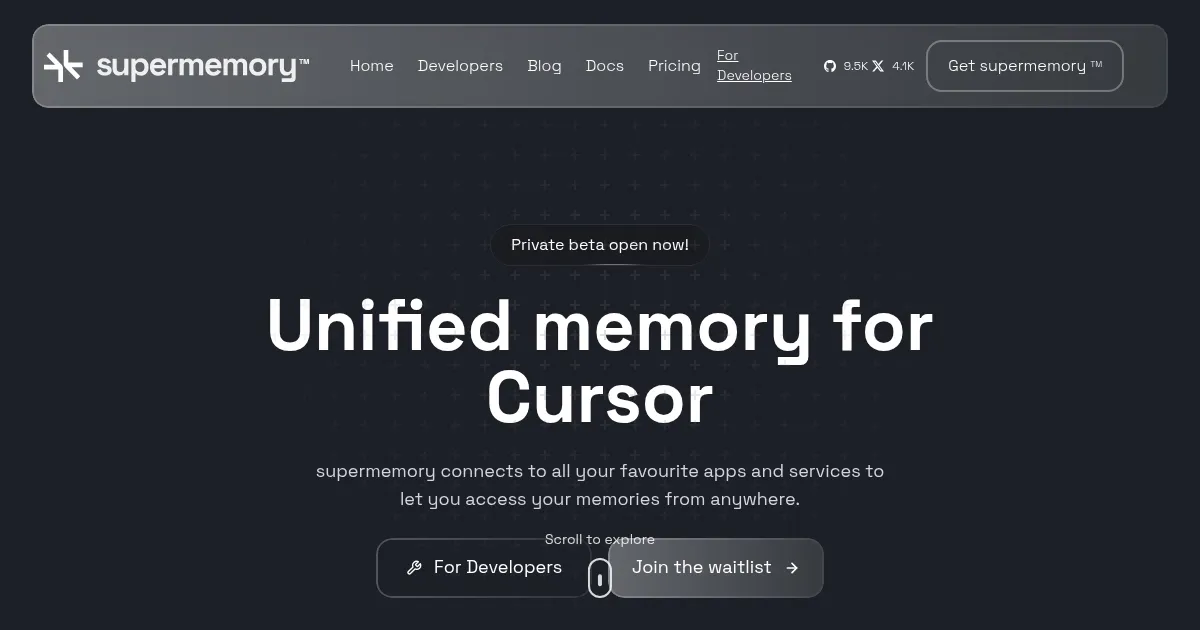
Homepage Screenshot 📸

Supermemory screenshot

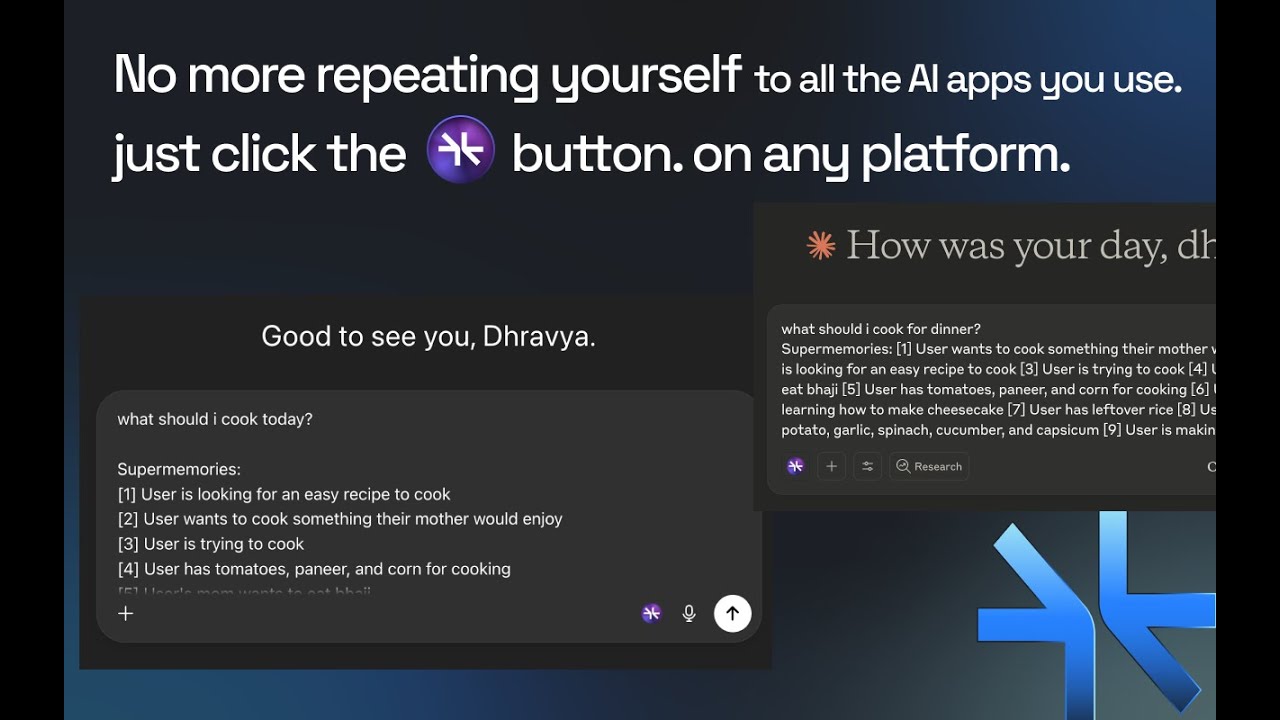
Video Overview 🎬

Supermemory - Video Overview

What are the key features? ✨

  • AI-Powered Search: Queries saved content using natural language for fast, relevant results.
  • Interactive Canvas: Organizes ideas visually in a 2D space for creative connections.
  • Writing Assistant: Assists in drafting content based on saved data using a markdown editor.
  • Model Context Protocol (MCP): Enables memory persistence across AI platforms like Claude.
  • Privacy-Focused Architecture: Offers end-to-end encryption and self-hosting for secure data management.

Who is it for? 🤔

Supermemory is best for students, researchers, writers, and developers who need to organize and retrieve web content like bookmarks, tweets, and documents efficiently. Its AI-driven tools suit those managing large amounts of digital information, while its open-source nature and API appeal to tech-savvy users building custom solutions.

Examples of what you can use it for 💡

  • Student: Saves lecture notes and web articles to query for exam prep.
  • Researcher: Organizes papers and references for quick retrieval during studies.
  • Writer: Collects inspiration from web content to draft articles with AI help.
  • Developer: Uses the API to build memory-enabled AI apps for clients.
  • Professional: Manages project-related bookmarks and notes in one hub.

Pros & Cons ⚖️

  • Free tier is generous.
  • AI search is fast, intuitive.
  • Integrates with multiple platforms.
  • Interface can lag with heavy use.
  • Occasional syncing bugs reported.

FAQs 💬

What does Supermemory do?
Supermemory organizes and searches web content like bookmarks and notes with AI tools.
Is Supermemory free to use?
Yes, it offers a generous free tier with optional paid plans for more features.
Can I self-host Supermemory?
Yes, itโ€™s open-source and self-hostable for non-commercial use.
What platforms does Supermemory integrate with?
It integrates with Chrome, Notion, Obsidian, and X, with more planned.
How secure is my data on Supermemory?
It uses end-to-end encryption and zero-knowledge architecture for privacy.
Can I use Supermemory for team collaboration?
Yes, you can share spaces with team members or friends via email invites.
Does Supermemory support mobile access?
It offers integrations for Telegram and X, with WhatsApp and SMS coming soon.
How does the AI-Powered Search work?
It uses natural language to find relevant content based on meaning, not keywords.
What is the Model Context Protocol (MCP)?
MCP lets you carry memory across AI platforms like Claude or Cursor.
Do I need technical skills to use Supermemory?
Basic use is simple, but self-hosting requires technical knowledge.

Ready to try Supermemory?

Organizes and searches web content with AI-powered tools

Visit Supermemory ↗

Supermemory alternatives 🔗

  1. Box AI Box AI An assistant that taps into your enterprise content and documents
  2. Notion AI Notion AI Streamlines work with AI-powered note-taking, app searches, and workflow automation
  3. NotebookLM NotebookLM Transforms uploaded documents into interactive AI-powered research assistants
  4. Semantic Scholar Semantic Scholar A free, AI-powered tool designed to help researchers navigate scientific literature
  5. Glean Glean An AI platform designed to integrate and harness the power of a company's knowledge base
  6. Whimsical Mind Maps Whimsical Mind Maps An AI-powered tool for the quick and collaborative creation of mind maps
Share
Supermemory screenshot enlarged
Promote Supermemory
light badge
Copy Embed Code
dark badge
Copy Embed Code
neutral badge
Copy Embed Code
Best AI Tools

Discover the best AI tools for any use case

Explore
  • Tool Categories
  • AI Use Cases
  • AI Events
  • AI News
  • Saved Tools
Company
  • About Us
  • Contact Us
  • Media & Partnerships
  • Suggest a Tool
Legal
  • Privacy Policy
  • Terms of Service
Copyright © 2026 Best AI Tools 415 Mission Street, 37th Floor, San Francisco, CA 94105