MyMemo
An AI-driven platform that helps users organize, analyze, and retrieve their digital content
MyMemo is an AI-driven knowledge management platform designed to help users organize, analyze, and retrieve their digital content. By consolidating different types of information — including articles, links, screenshots, and videos — into a single platform, MyMemo aims to simplify the process of managing digital knowledge. The tool’s easy-to-grasp interface and AI capabilities make it perfect for anyone looking to streamline their information management processes.
MyMemo’s AI-powered chat functionality allows users to query their personalized knowledge base using natural language. This is meant to enable quick access to specific information or generate insights without manual organization. The AI analyzes the content within the user’s knowledge base to provide relevant responses, enhancing productivity and reducing time spent searching for information.
The tool offers a Chrome extension for saving web pages, articles, and other online resources directly to the knowledge base with a single click. This integration ensures that valuable information encountered during browsing sessions is easily stored and accessible for future reference. In addition, MyMemo supports different content types — including images and videos — allowing for a comprehensive and organized digital library.
The tool operates on a freemium model, providing a free plan with limited features and paid plans that offer enhanced capabilities. The former allows users to explore the platform’s basic functionalities, whereas the latter offers increased content uploads, AI chats, and memo collections. This tiered pricing structure is in place so that users can select a plan that aligns with their specific needs and usage requirements. Pretty cool.
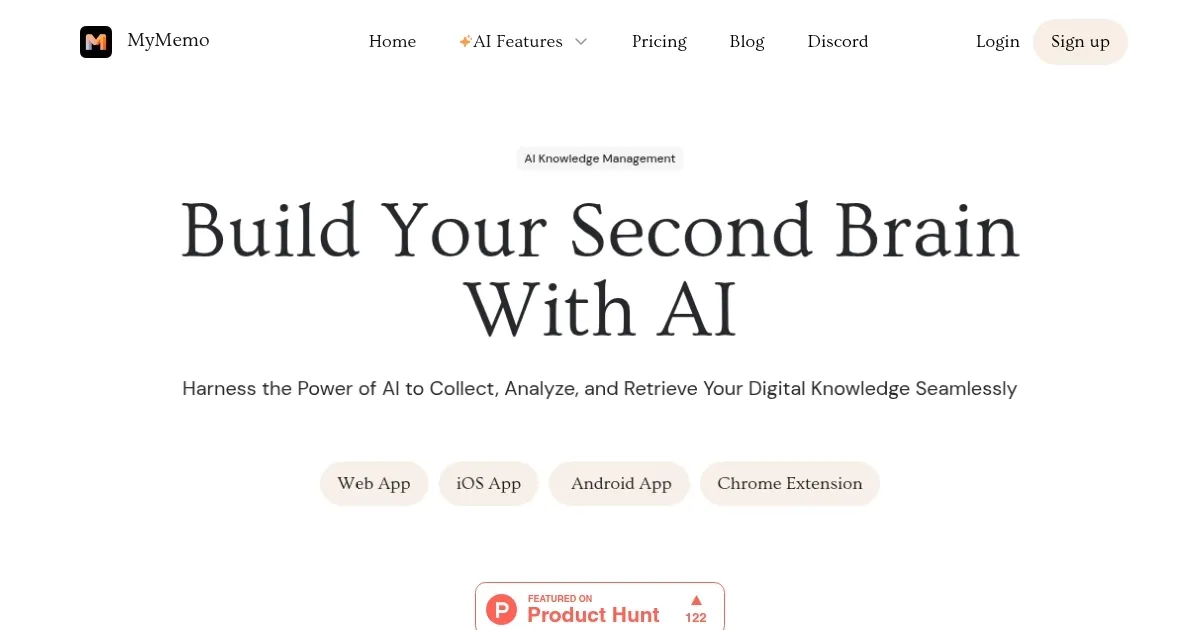
Homepage Screenshot 📸
Video Overview 🎬
What are the key features? ✨
- Unified digital space: MyMemo allows users to gather various types of digital content - including articles, links, screenshots, and videos - into a single platform.
- AI-powered chat: Users can interact with MyMemo's AI chat to access specific information or generate insights from their personalized knowledge base.
- Effortless access: MyMemo provides instant answers without requiring users to organize their data manually, with the AI generating responses based entirely on the user's personal knowledge base.
- Chrome extension: The platform offers a Chrome extension that facilitates easy capture of digital knowledge from across the internet, enhancing the user's ability to collect and store information seamlessly.
- Cross-platform availability: MyMemo is accessible via web and iOS applications, ensuring users can manage their knowledge base across multiple devices and operating systems.
Who is it for? 🤔
Examples of what you can use it for 💡
- Students and professionals can use MyMemo to collect and organize research materials
- Writers and marketers can store articles, images, and notes in MyMemo
- Teams can gather relevant documents, links, and media in a shared MyMemo space
- Individuals can build a personalized repository of articles, tutorials, and other learning materials
- Entrepreneurs and creatives can capture and structure their ideas within MyMemo, aiding in brainstorming sessions and the development of new concepts
Pros & Cons ⚖️
- Organizes and retrieves digital content smartly
- Supports content management in different languages
- Enhances user interaction with content with AI chat
- The free plan is rather limited (and that kinda makes sense)
Ready to try MyMemo?
An AI-driven platform that helps users organize, analyze, and retrieve their digital content
Visit MyMemo