Saner.AI
Streamlines note-taking, task management, and knowledge organization with AI for enhanced productivity
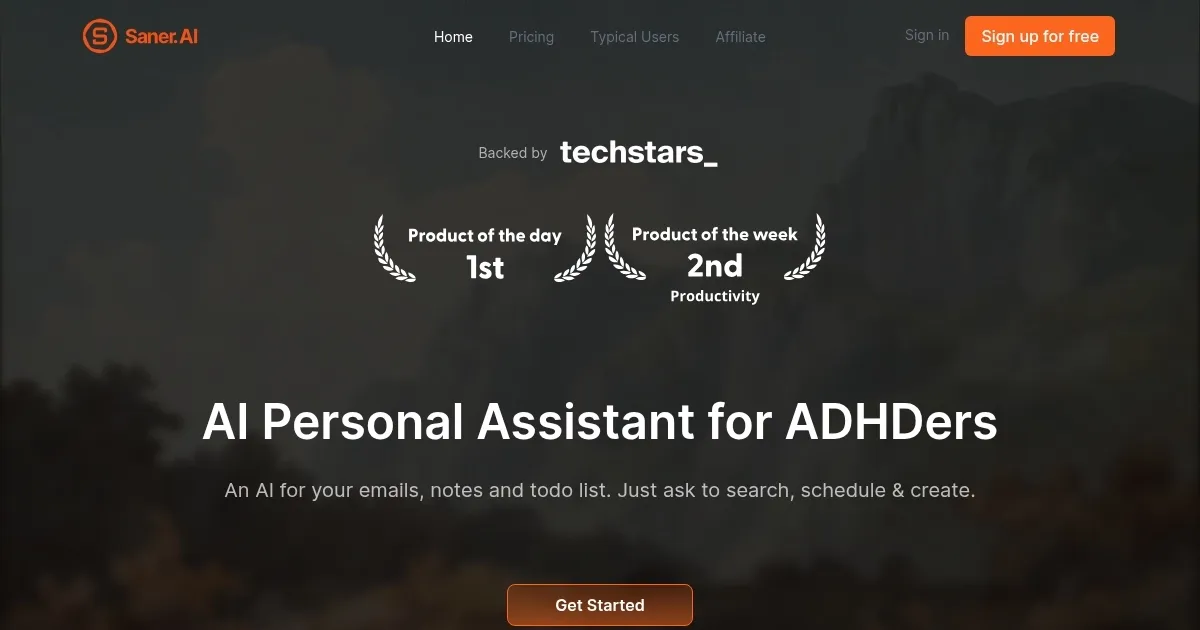
Saner.AI is a productivity tool made for anyone juggling a chaotic mix of notes, tasks, and ideas. Built with knowledge workers and ADHDers in mind, it’s a unified system that promises to organize your thoughts so you don’t have to. The core idea? Capture information quickly, let AI sort it, and retrieve it when you need it, all without breaking your flow. I think it’s a bold pitch, and after diving into its features, it’s clear Saner.AI delivers on much of that promise, though it’s not without quirks.
The standout feature is Skai, your personal AI assistant. Skai doesn’t just sit there — it actively organizes your notes, suggests tags, and connects related ideas. Imagine scribbling a half-baked thought during a meeting. Skai steps in, categorizes it, and later reminds you of it when it’s relevant. The side panel note and clipper feature is a gem, letting you snatch web content without flipping between tabs. Users on Product Hunt rave about how this reduces mental friction, especially for those who find traditional note-taking apps like Notion or Obsidian too manual. Saner.AI’s semantic search is another highlight. You can ask questions in natural language, and it digs through your notes to find answers, even if you don’t remember exact wording. It’s like having a librarian who knows your brain.
The interface is clean, almost minimalist, which is a relief for anyone overwhelmed by cluttered apps. Focus Mode strips away distractions, letting you write without bells and whistles pulling your attention. Integration with external AIs like GPT-4 or Claude adds flexibility, though you’ll need separate API keys or a pay-as-you-go model for those, which might feel like a hidden cost. Pricing is reasonable, with a free plan and paid tiers starting around $8/month, competitive with tools like Notion but more affordable than premium options like ClickUp. Still, some users on Reddit noted occasional lag in the Chrome extension, which could disrupt a smooth workflow.
What’s surprising? The daily timeline feature. It links notes to when you created them, making it easy to retrace your steps. Forgot what you were working on last Tuesday? Saner.AI’s got you covered. But it’s not perfect. The reliance on external AIs for advanced features might frustrate users expecting everything in one package. And while the tool is marketed for ADHDers, its appeal is broader — anyone drowning in information will find value here.
For best results, start with the free plan to test Skai’s organization skills. Pair it with the Chrome extension for seamless web clipping. If you’re a power user, explore the external AI integrations, but budget for those extra costs. Saner.AI isn’t flawless, but it’s a smart, intuitive tool that makes chaos feel manageable.
Homepage Screenshot 📸
Video Overview 🎬

What are the key features? ✨
- Skai Personal Assistant: Organizes notes, suggests tags, and connects related ideas automatically.
- Side Panel Note & Clipper: Captures web content instantly without switching tabs.
- Semantic Search: Finds notes using natural-language queries for quick retrieval.
- Focus Mode: Provides a distraction-free environment for writing and note-taking.
- Daily Timeline: Links notes to creation dates for easy recall of past work.
Who is it for? 🤔
Examples of what you can use it for 💡
- Student: Captures lecture notes and organizes them with AI tags for easy exam prep.
- Entrepreneur: Clips web articles and connects ideas to streamline business planning.
- Digital Marketer: Manages campaign notes and retrieves insights via semantic search.
- Researcher: Organizes scattered research notes into a cohesive knowledge base.
- ADHD Professional: Uses Focus Mode to write distraction-free and track tasks.
Pros & Cons ⚖️
- AI organizes notes fast
- Semantic search is powerful
- Chrome extension saves time
- Limited offline features
FAQs 💬
Ready to try Saner.AI?
Streamlines note-taking, task management, and knowledge organization with AI for enhanced productivity
Visit Saner.AISaner.AI alternatives 🔗