logo-darklogo-darklogo-darklogo-dark
  • Tool Categories
    • 🎨Art & Creative Design505
    • 🏢Business Management644
    • 💻Coding & Development515
    • 👮Detection83
    • 🧠General Use727
    • 🏥Health & Wellness55
    • 📷Image & Photo Analysis100
    • 🖼️Image Generation & Editing618
    • 📐Interior & Architectural Design37
    • 🎓Learning & Education483
    • ⚖️Legal & Finance90
    • 🎭Lifestyle & Entertainment236
    • 📢Marketing & Advertising627
    • 🎧Music & Audio138
    • 👔Office & Workplace1,014
    • 🔬Research & Data Analysis372
    • 👥Social Media245
    • 🎥Video Generation & Editing426
    • 👧🏻Virtual Companion135
    • 🎤Voice Generation & Editing381
    • ✍️Writing & Editing808
    • All Categories
    • AI Use Cases
  • News
  • Events
    • Academic Conferences
    • Developer Conferences
    • Expos / Trade Shows
    • Industry Summits
    • Workshops / Training
    • All Events
    • Past Events
  • Saved Tools
  • Suggest a Tool
✕
Home › Business Management › Workflow› Fluig
Fluig

Fluig

Converts documents and ideas into professional diagrams instantly

Fluig is a web-based platform that uses artificial intelligence to convert documents, images, and ideas into professional diagrams like mind maps, flowcharts, and Kanban boards. It supports multiple input formats, including PDFs, Word documents, and URLs, and generates visuals instantly. The tool offers one-click format conversion, real-time collaboration, and an infinite canvas for team brainstorming. It’s designed for users who need quick, clear visuals without design skills.

The One-Click Document Conversion feature processes uploaded content and creates diagrams in seconds. For example, a PDF report can become a mind map with minimal effort. The format-switching capability allows users to transform a mind map into a flowchart or timeline without re-entering data. Real-time collaboration includes online comments and sticky notes, making it suitable for remote teams. The interface is minimalist, prioritizing ease of use, and the tool is accessible across devices without requiring software installation.

Fluig’s free plan includes three diagram files and 1,000 AI credits, sufficient for light use. Paid plans offer higher limits, with pricing comparable to competitors like Miro and Lucidchart. However, the AI credit system lacks transparency, and some users report issues with complex documents, where the AI may misinterpret relationships. Compared to Xmind, Fluig focuses more on automation, while FigJam emphasizes broader collaboration tools.

The tool supports diverse outputs, from family trees to business process maps. Export options include PNG, PDF, and editable formats, ensuring flexibility for presentations. Recent updates, as noted on the Fluig website, have improved AI accuracy since its April 2025 launch. User feedback on platforms like Reddit highlights its speed but notes occasional errors with technical content.

For best results, start with straightforward documents to test Fluig’s capabilities. Use the free plan to evaluate its fit for your needs, especially if you require quick diagramming or team collaboration. Monitor AI credit usage and avoid overly complex files to minimize errors.

Visit Fluig ↗
Categories
🏢 Business
🔄 Workflow 🏢 Enterprise 📋 Project Management
👔 Work
⚡ Work Productivity 📄 Document Generation

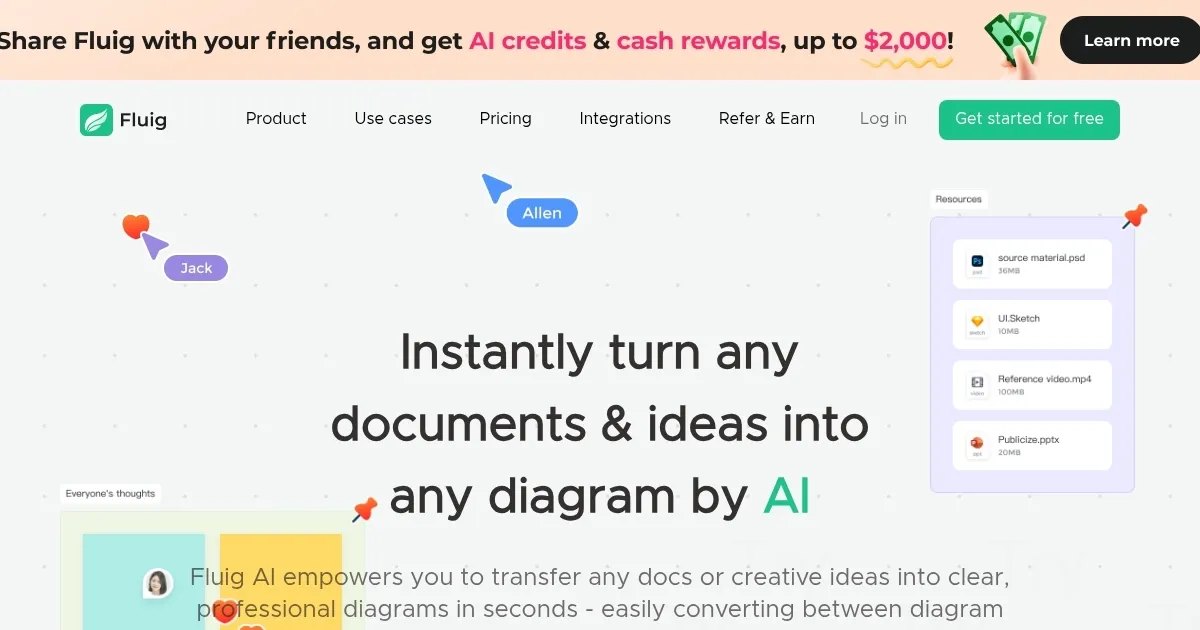
Homepage Screenshot 📸

Fluig screenshot

Video Overview 🎬

What are the key features? ✨

  • One-Click Document Conversion: Transforms documents into diagrams instantly.
  • Format Switching: Converts between diagram types with a single click.
  • Real-Time Collaboration: Enables team editing and commenting in real-time.
  • Infinite Canvas: Provides unlimited space for brainstorming and diagramming.
  • Multi-Format Support: Handles PDFs, Word docs, images, and URLs as inputs.

Who is it for? 🤔

Fluig is ideal for professionals, educators, and teams who need to visualize complex ideas quickly, such as project managers mapping workflows, students organizing research, or marketers creating campaign visuals. Its intuitive interface and AI-driven automation suit users without design expertise, while its collaboration features benefit remote teams.

Examples of what you can use it for 💡

  • Project Manager: Maps business processes into clear flowcharts for team alignment.
  • Student: Converts research notes into mind maps for better study organization.
  • Marketer: Creates campaign timelines from text for visual planning.
  • HR Professional: Builds org charts from employee data for recruitment planning.
  • Researcher: Transforms academic papers into diagrams for clearer analysis.

Pros & Cons ⚖️

  • Fast diagram creation
  • Easy format switching
  • Wide input support
  • AI errors with complex files
  • Free plan limits

FAQs 💬

What is Fluig?
Fluig is a web-based tool that converts documents and ideas into diagrams using AI.
Is Fluig free to use?
Yes, it offers a free plan with three diagram files and 1,000 AI credits.
What types of diagrams can Fluig create?
It generates mind maps, flowcharts, timelines, Kanban boards, and more.
Can Fluig handle complex documents?
It works best with straightforward files but may struggle with complex content.
Does Fluig support team collaboration?
Yes, it offers real-time editing, comments, and sticky notes for teams.
What file types can I upload?
Fluig accepts PDFs, Word docs, images, text files, and URLs.
Can I export diagrams?
Yes, diagrams can be exported as PNG, PDF, or editable formats.
How does Fluig compare to Miro?
Fluig focuses on AI-driven diagramming, while Miro offers broader collaboration tools.
Is Fluig secure for sensitive data?
Fluig's privacy policy ensures reasonable care for sensitive information.
Do I need design skills to use Fluig?
No, its AI automation requires no design expertise.

Ready to try Fluig?

Converts documents and ideas into professional diagrams instantly

Visit Fluig ↗

Fluig alternatives 🔗

  1. Salesforce Einstein Salesforce Einstein Generative AI for CRM, designed to supercharge your productivity
  2. Zendesk AI Zendesk AI An AI tool built on billions of real customer service interactions that understands customer experience
  3. Zia Zia AI-powered business assistant from Zoho
  4. Asana AI Asana AI An AI helper built into the Asana platform to make managing projects and tasks easier
  5. ClickUp Brain ClickUp Brain Automates workflows with contextual AI for tasks, meetings, and content creation
  6. Manus Manus An AI agent designed to handle complex tasks all by itself
Share
Fluig screenshot enlarged
Promote Fluig
light badge
Copy Embed Code
dark badge
Copy Embed Code
neutral badge
Copy Embed Code
Best AI Tools

Discover the best AI tools for any use case

Explore
  • Tool Categories
  • AI Use Cases
  • AI Events
  • AI News
  • Saved Tools
Company
  • About Us
  • Contact Us
  • Media & Partnerships
  • Suggest a Tool
Legal
  • Privacy Policy
  • Terms of Service
Copyright © 2026 Best AI Tools 415 Mission Street, 37th Floor, San Francisco, CA 94105