Hoop
Drafts instant email responses in Gmail using AI to match your voice
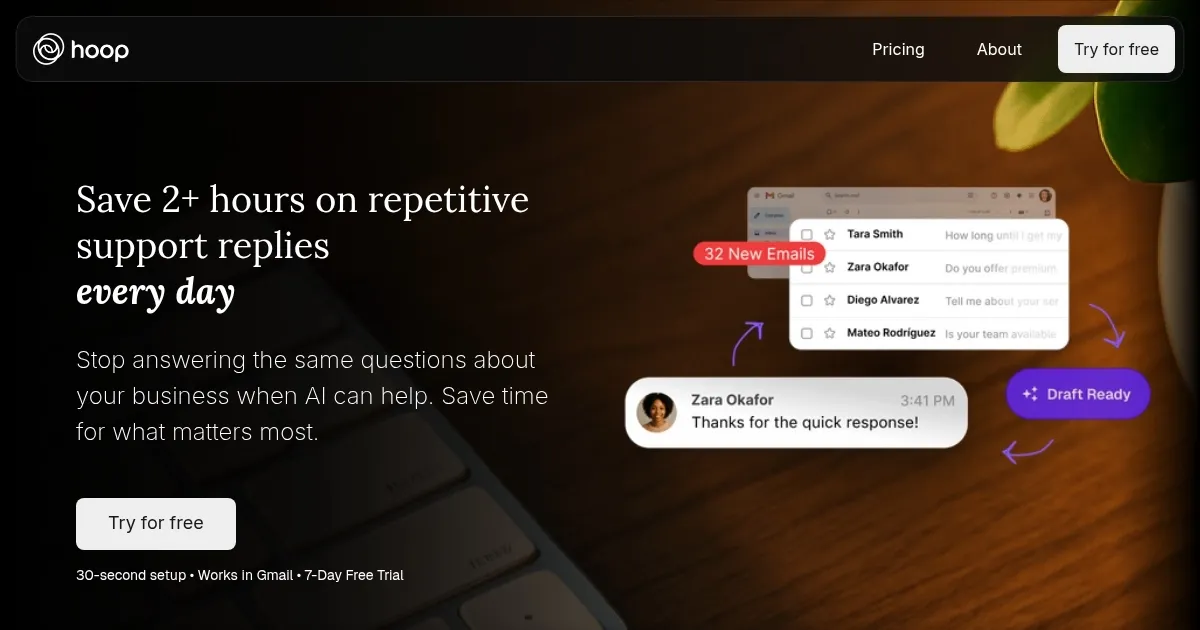
Hoop is an AI email assistant that integrates with Gmail to draft responses to inbound inquiries, learning from your email history to match your voice and style.
It works by connecting to your Gmail account, generating an FAQ based on your profile and past emails, and providing sample responses for you to rate and refine. Once activated, Hoop creates instant drafts for new messages, covering topics like pricing, availability, and service details, while ensuring you review and send them manually. This approach maintains user control and allows the AI to improve from edits.
Key features include learning your tone from previous emails, operating invisibly to customers, and handling various inquiry types without auto-sending. Technically, it uses machine learning to analyze email patterns and natural language generation for personalized drafts. Pricing involves a monthly subscription, which is competitive with similar tools, offering unlimited drafts at a mid-range cost.
Compared to competitors like Shortwave, which focuses on AI-powered search and organization, or SaneBox for inbox management, Hoop emphasizes response drafting within Gmail. Users may like the time savings and fast setup, but could dislike the Gmail-only integration and initial training period.
To get started, connect your account and spend time rating samples for better accuracy. Update preferences as needed to optimize performance.
Homepage Screenshot 📸
Video Overview 🎬

What are the key features? ✨
- Instant Drafts: Creates immediate email response drafts for incoming inquiries.
- Voice Learning: Analyzes past emails to replicate your tone and style in replies.
- FAQ Generation: Builds a customized FAQ from your business profile and email history.
- User Control: Allows editing of drafts and learns from changes without auto-sending.
- Quick Setup: Connects to Gmail in under five minutes with a free trial option.
Who is it for? 🤔
Examples of what you can use it for 💡
- Small business owner: Drafts quick replies to customer pricing questions during busy hours.
- Freelancer: Handles scheduling inquiries automatically while focusing on client work.
- Sales team lead: Manages availability requests to capture leads faster than competitors.
- E-commerce manager: Responds to service detail emails without monitoring the inbox constantly.
- Consultant: Crafts personalized responses to common queries using learned voice.
Pros & Cons ⚖️
- Saves daily time
- Learns your style
- Affordable pricing
- Easy Gmail setup
- Gmail-only integration
- No auto-send feature
FAQs 💬
Hoop alternatives 🔗