Skip to content
logo-darklogo-darklogo-darklogo-dark
  • Tool Categories
    • 🎨Art & Creative Design505
    • 🏢Business Management644
    • 💻Coding & Development514
    • 👮Detection83
    • 🧠General Use728
    • 🏥Health & Wellness55
    • 📷Image & Photo Analysis100
    • 🖼️Image Generation & Editing618
    • 📐Interior & Architectural Design37
    • 🎓Learning & Education483
    • ⚖️Legal & Finance90
    • 🎭Lifestyle & Entertainment236
    • 📢Marketing & Advertising627
    • 🎧Music & Audio138
    • 👔Office & Workplace1,014
    • 🔬Research & Data Analysis373
    • 👥Social Media245
    • 🎥Video Generation & Editing426
    • 👧🏻Virtual Companion135
    • 🎤Voice Generation & Editing381
    • ✍️Writing & Editing808
    • All Categories
    • AI Use Cases
  • News
  • Events
    • Academic Conferences
    • Developer Conferences
    • Expos / Trade Shows
    • Industry Summits
    • Workshops / Training
    • All Events
    • Past Events
  • Saved Tools
  • Suggest a Tool
    ✕
    Home › Video Generation & Editing › Lip Sync Generation› LipSync.pro
    LipSync.pro

    LipSync.pro

    Generates realistic lip-sync videos using advanced AI technology

    LipSync.pro is an AI-powered tool that generates realistic lip-sync videos by syncing audio or text to video footage, supporting over 40 languages. It uses advanced neural networks to analyze facial movements and audio patterns, delivering professional-grade dubbing. The interface is intuitive, with drag-and-drop functionality for uploading video and audio files. The tool processes content quickly, often in seconds, and offers a watermark-free output even in its free version. It supports various video formats like MP4 and MOV, making it versatile for creators.

    Key features include Speaker Style Matching, which preserves the speaker’s tone and emotion, and Multilingual Support for dubbing in languages like Spanish, French, and Hindi. Real-time Preview allows users to see results instantly, while the Free and Watermark-Free feature ensures clean output. Compared to LipSync.video, LipSync.pro offers better multilingual accuracy, but Sync.so may edge it out in 4K support. Recent tech blog reviews note its efficiency for short-form content, with processing times under 10 seconds for 30-second clips.

    Limitations exist. The free version restricts video length and resolution, requiring a paid plan for longer or high-definition projects. Some users report issues with complex facial expressions, particularly in animated videos, as seen in Reddit discussions. The AI’s performance depends on clear video input, and low-quality footage can reduce accuracy. Pricing for paid plans is competitive but may feel steep for solo creators compared to Sync.so.

    The tool’s neural network likely builds on Wav2Lip’s framework, with enhancements for style transfer and multilingual processing. User feedback on X highlights its ease of use for social media content. For optimal results, use high-quality video inputs and test the free version before upgrading. Compare paid plans with competitors to ensure they meet your project needs.

    Visit LipSync.pro ↗
    Categories
    🎥 Video
    👄 Lip Sync Generation ✏️ Video Editing 📹 Video Generation 🤖 Avatar Video Generation 🎙️ Video Dubbing 🎞️ Animation Generation

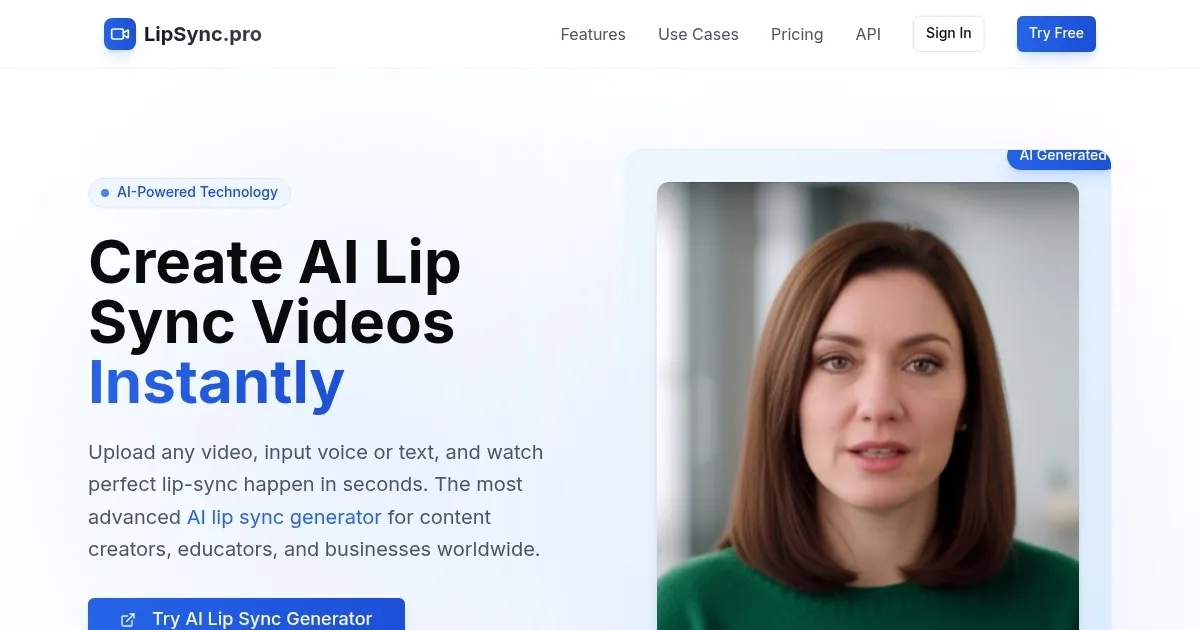
    Homepage Screenshot 📸

    LipSync.pro screenshot

    What are the key features? ✨

    • Advanced AI Lip Sync Generator: Produces realistic lip-sync videos using cutting-edge AI technology.
    • Speaker Style Matching: Preserves speaker’s emotion, tone, and pacing for authentic dubs.
    • Multilingual Support: Supports lip-sync video creation in over 40 languages.
    • Real-time Preview: Shows lip-sync results instantly during processing.
    • Free and Watermark-Free: Offers clean, watermark-free output even in the free version.

    Who is it for? 🤔

    LipSync.pro is best for content creators, educators, and businesses needing quick, high-quality video dubbing, especially for social media, e-learning, or corporate training. It suits users who prioritize ease of use and multilingual capabilities but may not need advanced 4K editing.

    Examples of what you can use it for 💡

    • Content Creator: Dubs short social media videos into multiple languages for global reach.
    • Educator: Creates multilingual e-learning videos with natural lip-sync for students.
    • Business Owner: Produces professional training videos with AI-dubbed audio.
    • Marketer: Localizes promotional videos for international audiences with ease.
    • Filmmaker: Syncs dialogue in post-production for multilingual film projects.

    Pros & Cons ⚖️

    • Supports over 40 languages.
    • Watermark-free version for free.
    • Preserves speaker’s emotional tone.
    • Free version limits video length.
    • Struggles with complex expressions.

    FAQs 💬

    What video formats does LipSync.pro support?
    It supports MP4, MOV, and AVI formats for seamless uploads.
    Can I use LipSync.pro for free?
    Yes, the free version offers watermark-free lip-sync videos with limits on length and resolution.
    How many languages does LipSync.pro support?
    It supports over 40 languages for multilingual dubbing.
    Does the tool work with animated videos?
    Yes, but complex expressions in animations may reduce accuracy.
    How fast is the lip-sync processing?
    Most videos process in seconds, often under 10 for short clips.
    Is there a watermark on free version videos?
    No, the free version provides clean, watermark-free output.
    Can I preview the lip-sync before downloading?
    Yes, Real-time Preview shows results during processing.
    Does it require high-quality video input?
    Clear, well-lit videos yield the best lip-sync accuracy.
    How does it compare to manual dubbing?
    It’s faster and cheaper but may lack precision for complex projects.
    Is there an API for developers?
    Yes, an API is available for integration; check lipsync.pro for details.

    Ready to try LipSync.pro?

    Generates realistic lip-sync videos using advanced AI technology

    Visit LipSync.pro ↗

    LipSync.pro alternatives 🔗

    1. Kling AI Kling AI Generates cinematic videos from text or images with realistic motion
    2. Sync.so Sync.so An AI-powered tool that helps creators match lip movements in videos to any audio
    3. LipSync.video LipSync.video Syncs audio with video lip movements using AI for realistic results
    4. VideoDubber VideoDubber Automatically dub videos into multiple languages without the need for human voice actors
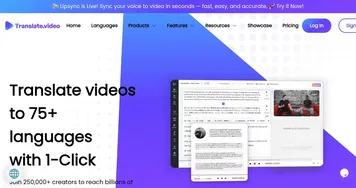
    5. Translate.Video Translate.Video Translates videos into 75+ languages with AI-driven dubbing and subtitles
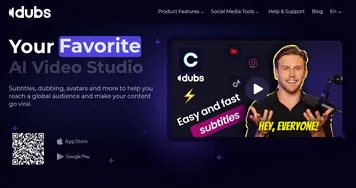
    6. Dubs Dubs Generate precise subtitles and dub videos in 100+ languages effortlessly
    Share
    LipSync.pro screenshot enlarged
    Best AI Tools

    Discover the best AI tools for any use case

    Explore
    • Tool Categories
    • AI Use Cases
    • AI Events
    • AI News
    • Saved Tools
    Company
    • About Us
    • Contact Us
    • Media & Partnerships
    • Suggest a Tool
    Legal
    • Privacy Policy
    • Terms of Service
    Copyright © 2026 Best AI Tools 415 Mission Street, 37th Floor, San Francisco, CA 94105