Pixu.ai
Generates personalized, hyper-realistic AI images, specializing in face-swapped portraits
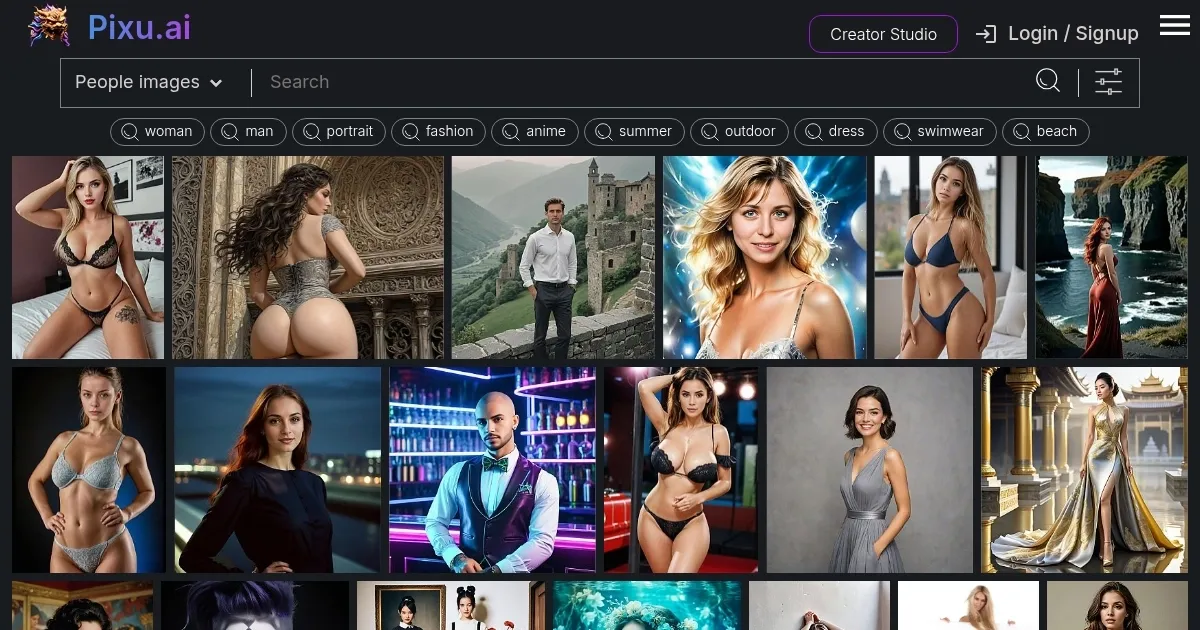
I spent a few hours messing around with Pixu.ai, and I can say that it’s like stepping into a digital costume party where you’re the star. The platform’s a slick AI-powered studio that takes your photo and spins it into hyper-realistic portraits or wild, stylized visuals. I uploaded a selfie, hit the Face Swapping tool, and suddenly I’m a confident woman in a silver gown on a rooftop terrace, cocktail in hand. The result? Uncannily lifelike. The AI’s ability to blend my features into stock photos is both impressive and a little spooky — in a good way.
Pixu.ai’s toolbox is packed. The Person Generator lets you craft faces from scratch, tweaking details like hair color or expression with a few clicks. I tried the AI Filters, turning my selfie into a Ghibli-style dreamscape, all soft light and whimsical vibes. The Portrait Restoration feature took an old, blurry photo of my dog and made it look like a studio shot. Compared to Canva Magic Design or Fotor, Pixu.ai feels more specialized for portrait-driven content, though it doesn’t match Canva’s broader design suite. The Visual Search is a gem — type “woman in vintage dress” or upload a reference, and it spits out tailored images faster than you can say “retro chic.”
But it’s not perfect. The interface, while clean, can feel overwhelming at first, with tools like Image Upscaling or Magic Moving Images tucked into menus that take a bit of hunting. The free plan’s limits hit quick if you’re churning out multiple images, and I noticed a slight lag when generating high-res outputs. Some X posts mentioned similar gripes, with users wishing for more original scene creation beyond stock photo tweaks. Still, the results are polished enough to make you forgive the hiccups.
The surprise came with the AI Action Figure feature. I turned myself into a toy in a cinematic video clip — think Pixar meets your face. It’s absurdly fun and perfect for social media flexing. The mobile app’s a nice touch for quick edits, though I stuck to the web for better control.
Want to try it? Upload a clear photo and start with Face Swapping to see the magic. Experiment with AI Filters for viral-worthy content. If you’re hooked, a paid plan unlocks more power. Pixu.ai’s a blast for creators who want to stand out — just don’t expect it to design your entire graphic suite.
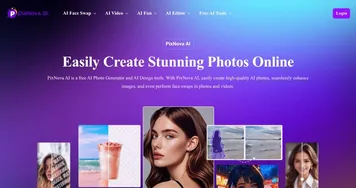
Homepage Screenshot 📸
What are the key features? ✨
- Person Generator: Creates hyper-realistic faces with customizable attributes like gender and expression.
- Face Swapping: Blends user photos into stock images for seamless, lifelike portraits.
- Portrait Restoration: Enhances blurry or low-quality images using AI-driven upscaling.
- AI Filters: Applies artistic styles like Ghibli or webtoon to photos and videos.
- Visual Search: Finds or generates images based on text or uploaded references.
Who is it for? 🤔
Examples of what you can use it for 💡
- Content Creator: Uses Face Swapping to create eye-catching social media posts with personalized stock photos.
- Small Business Owner: Generates branded visuals with AI Filters for marketing campaigns.
- Photographer: Restores old, low-quality photos with Portrait Restoration for clients.
- Gamer: Creates custom avatars with Person Generator for gaming profiles.
- Influencer: Produces stylized video clips with AI Action Figure for viral content.
Pros & Cons ⚖️
- High-quality image output
- Wide range of AI filters
- Fast visual search tool
- Free plan limitations (makes sense)
FAQs 💬
Ready to try Pixu.ai?
Generates personalized, hyper-realistic AI images, specializing in face-swapped portraits
Visit Pixu.ai