Sanctum
A private AI assistant that enables users to run full-featured open-source LLMs on their devices
Sanctum is a private AI assistant that enables users to run full-featured open-source Large Language Models (LLMs) on their devices, ensuring data privacy and security. By processing information locally, Sanctum eliminates the need for cloud-based systems — thus reducing the risk of data breaches and unauthorized access. This approach can be particularly beneficial for professionals handling sensitive information, such as legal documents, financial data, and/or personal health records.
Sanctum integrates with Hugging Face, allowing users to access and interact with thousands of GGUF models directly through the platform. This integration means seamless downloading and utilization of various models on both PC and Mac, enhancing the tool’s applicability across different tasks and industries.
Sanctum also allows import and interact with various document formats, including PDFs, DOCX, TXT, and code files. Users can chat with AI to analyze or summarize these documents without compromising privacy, as all processing occurs locally on the device.
Sanctum provides flexible pricing plans to accommodate different user needs. The platform offers a free version with limited features, while paid plans unlock additional functionalities and support. This flexibility is there to ensure that both individual users and organizations can find a plan that aligns with their requirements and budget. Nice!
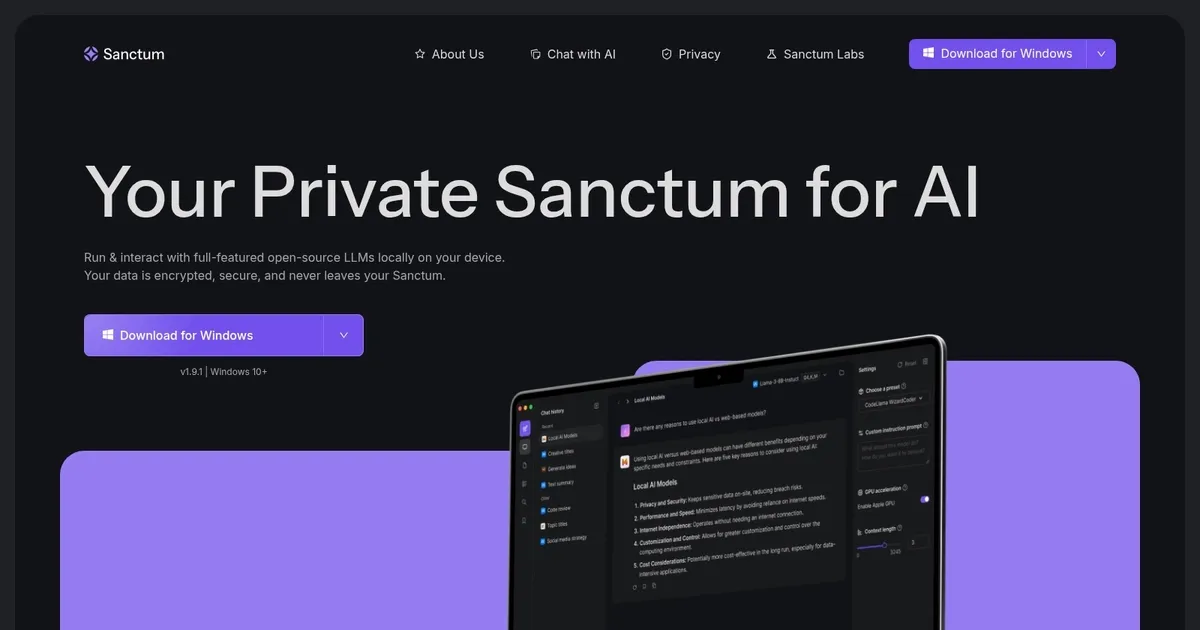
Homepage Screenshot 📸
What are the key features? ✨
- Easy Setup: Download and run the app instantly on Mac or Windows with minimal configuration needed.
- Privacy-First Design: All data processing and storage use AES-256 encryption on-device so nothing leaves your machine.
- HuggingFace Integration: Browse, check compatibility, and download thousands of GGUF open-source models directly in the app.
- Local PDF Chat: Upload PDFs or DOCX files to ask questions, get summaries, and interact privately with documents.
- Offline Operation: Work fully offline after initial model download with no internet required for AI tasks.
Who is it for? 🤔
Examples of what you can use it for 💡
- Privacy-focused professional: Analyze confidential reports, call notes, or client data securely without external servers.
- Personal user: Summarize personal documents, track wellness logs, or brainstorm ideas while keeping everything local.
- Developer or coder: Experiment with different open-source LLMs, get code suggestions, or review snippets privately.
- Researcher or student: Query and summarize academic PDFs or long readings offline with full data control.
- Business user: Review internal financials, user feedback, or sales materials without risking data leaks.
Pros & Cons ⚖️
- Top-tier privacy
- Easy local setup
- Offline capability
- Model variety
- Hardware-limited speed
- Current OS restrictions
FAQs 💬
Ready to try Sanctum?
A private AI assistant that enables users to run full-featured open-source LLMs on their devices
Visit SanctumSanctum alternatives 🔗