Superwhisper
An AI tool that allows users to effortlessly dictate notes, emails, and documents
Superwhisper is a fancy AI tool that allows users to effortlessly dictate notes, emails, and documents. By integrating advanced AI-driven speech recognition, it aims to revolutionize how we interact with our devices.
Arguably one of the best things about Superwhisper is that it can work offline, ensuring your data remains private and secure. This means you can transcribe your thoughts anywhere, even without an internet connection. Moreover, it supports over 100 languages, making it useful for users around the world.
Another thing worth mentioning is that Superwhisper can integrate with any application that allows text input. This means you don’t have to switch between apps — simply dictate directly into your preferred platform. In addition, it offers a custom vocabulary feature, allowing you to add specific phrases, names, or acronyms to enhance transcription accuracy.
It is safe to say that Superwhisper offers a compelling solution for the likes of professionals, students, as well as anyone else looking to boost productivity with their voice. By reducing the need for manual typing, it allows users to focus more on their ideas and less on the mechanics of writing.
In summary, Superwhisper offers a robust solution for those seeking an efficient and secure speech-to-text tool. Its offline functionality, extensive language support, and seamless integration make it a valuable asset for a broad range of users. Check it out.
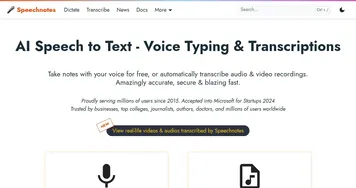
Homepage Screenshot 📸
Video Overview 🎬
What are the key features? ✨
- Offline functionality: Transcribe speech to text without needing an internet connection, ensuring privacy and accessibility anywhere.
- Multilingual support: Supports more than 100 languages and can translate them all to English.
- Integration included: Works within any application that allows text input, eliminating the need to switch between apps.
- Custom vocabulary: Allows users to add specific phrases, names, or acronyms to improve transcription accuracy.
- On-device processing: Ensures that all data remains on your device, enhancing security and transcription speed.
Who is it for? 🤔
Examples of what you can use it for 💡
- Quickly draft emails, reports, or documents by dictating
- Transcribe and translate content across multiple languages
- Easily capture your ideas and thoughts while on the go
- Students can use it to take notes during lectures or dictate essays and assignments
- Writers can capture ideas on the go without the need for typing
Pros & Cons ⚖️
- All data is processed on-device
- Compatible with any text-input application
- Accommodates over 100 languages
- Currently (April 2025) available only for macOS 13+ and iOS devices
Ready to try Superwhisper?
An AI tool that allows users to effortlessly dictate notes, emails, and documents
Visit SuperwhisperSuperwhisper alternatives 🔗