logo-darklogo-darklogo-darklogo-dark
  • Tool Categories
    • 🎨Art & Creative Design505
    • 🏢Business Management644
    • 💻Coding & Development514
    • 👮Detection83
    • 🧠General Use728
    • 🏥Health & Wellness55
    • 📷Image & Photo Analysis100
    • 🖼️Image Generation & Editing618
    • 📐Interior & Architectural Design37
    • 🎓Learning & Education483
    • ⚖️Legal & Finance90
    • 🎭Lifestyle & Entertainment236
    • 📢Marketing & Advertising627
    • 🎧Music & Audio138
    • 👔Office & Workplace1,014
    • 🔬Research & Data Analysis373
    • 👥Social Media245
    • 🎥Video Generation & Editing426
    • 👧🏻Virtual Companion135
    • 🎤Voice Generation & Editing381
    • ✍️Writing & Editing808
    • All Categories
    • AI Use Cases
  • News
  • Events
    • Academic Conferences
    • Developer Conferences
    • Expos / Trade Shows
    • Industry Summits
    • Workshops / Training
    • All Events
    • Past Events
  • Saved Tools
  • Suggest a Tool
✕
Home › Voice Generation & Editing › Podcast› Swell AI
Swell AI

Swell AI

Converts audio/video into transcripts, clips, and more

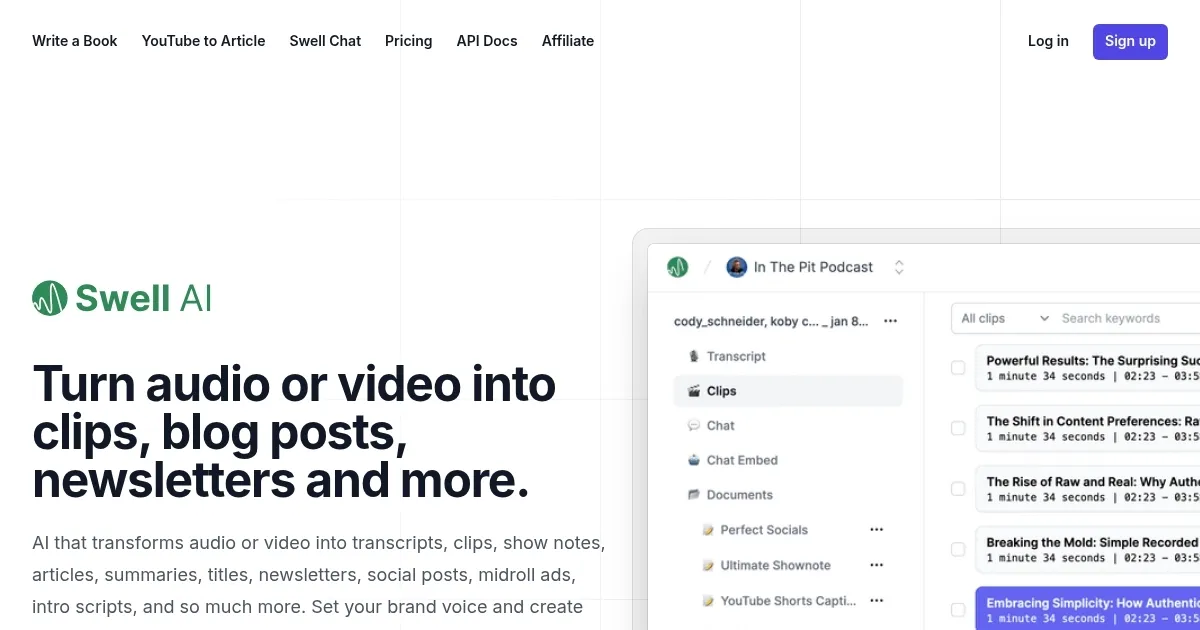
Swell AI is a content generation platform that converts audio and video into transcripts, clips, show notes, articles, and social posts. It simplifies repurposing for podcasters and video creators. The transcript editor allows users to highlight and clip sections, with AI suggesting key moments and auto-labeling speakers. Public sharing via links is supported, and Swell Chat creates episode-specific chatbots for audience engagement. The platform also offers a template-driven API for enterprise users to automate content creation.

Key features include the transcript editor, which streamlines clipping and editing with AI suggestions. Speaker identification is accurate, even with multiple voices or accents. The platform generates SEO-optimized articles and social posts, saving time for creators. Swell Chat is a unique addition, enabling interactive fan experiences. The API allows businesses to scale content production across multiple shows.

Compared to Descript, Swell AI focuses less on editing and more on repurposing. Otter offers cheaper transcription but lacks Swell’s content generation breadth. Riverside excels in recording and collaboration, which Swell AI doesn’t prioritize. Pricing is mid-range, competitive with Descript but higher than Otter. Free plans are limited to two uploads monthly with no support.

Users may like the time-saving automation and variety of output formats. The chatbot feature is innovative, though its practical use is unclear. Some find the AI-generated content requires editing to match their tone. The dashboard can overwhelm beginners, and free plan limitations frustrate users needing more uploads.

To use Swell AI effectively, start with the free demo to test transcription and clipping. Focus on generating social posts and show notes for quick wins. Explore Swell Chat for audience engagement if you have an active fanbase. Paid plans suit frequent creators, while the API is ideal for businesses scaling content.

Visit Swell AI ↗
Categories
🎤 Voice
🎙️ Podcast 📝 Transcriber
✍️ Writing
♻️ Content Repurposing 💬 Subtitle Generation ✍️ Blog Generation 📝 Summarizer 📰 Newsletter Generation
👥 Social
📝 Social Media Post Generation

Homepage Screenshot 📸

Swell AI screenshot

Video Overview 🎬

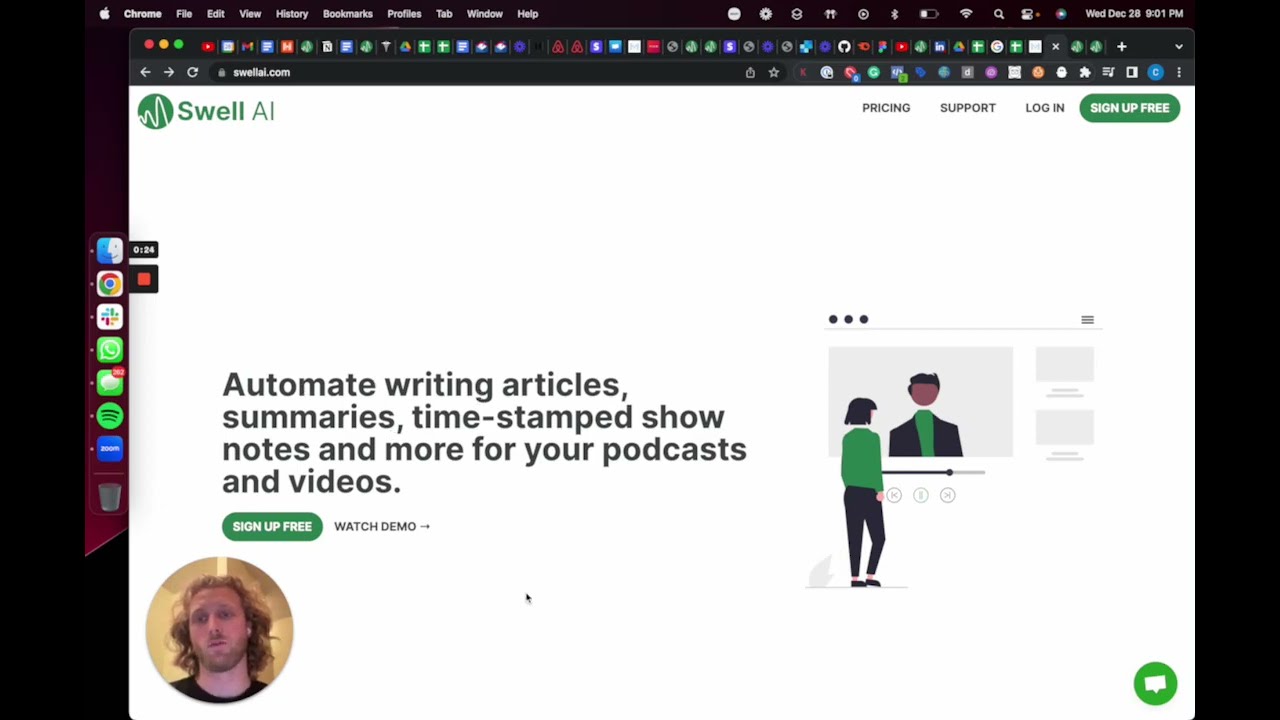
Swell AI - Video Overview

What are the key features? ✨

  • Transcript Editor: Highlight and clip transcript sections with AI suggestions.
  • Speaker Labels: Automatically identifies and labels speakers in transcripts.
  • Swell Chat: Creates episode-specific chatbots for audience interaction.
  • Content Generation: Produces articles, summaries, and social posts from media.
  • Template-Driven API: Enables automated content creation for enterprise users.

Who is it for? 🤔

Swell AI is designed for podcasters, YouTubers, and content creators who want to repurpose audio or video into multiple formats like transcripts, articles, and social posts, saving time on content creation. It suits solo creators, small teams, and businesses managing multiple shows, especially those focused on growing organic traffic through SEO-optimized content.

Examples of what you can use it for 💡

  • Podcaster: Generates show notes and social posts to promote episodes.
  • YouTuber: Converts videos into SEO-optimized articles for blogs.
  • Marketing Team: Uses API to automate content for multiple campaigns.
  • Content Creator: Creates clips from videos for social media sharing.
  • Media Company: Builds episode-specific chatbots for fan engagement.

Pros & Cons ⚖️

  • Saves time on content repurposing
  • SEO-optimized article output
  • API for enterprise scalability
  • Limited free plan uploads

FAQs 💬

What types of files can I upload to Swell AI?
Audio or video files, including MP3, MP4, or links from platforms like Apple Podcasts.
Is Swell AI suitable for beginners?
Yes, but the dashboard may feel complex for those new to content repurposing.
Does Swell AI support multiple languages?
Primarily English, with limited support for other languages in transcription.
Can I edit AI-generated content?
Yes, the transcript editor allows full customization of generated content.
Is there a limit on file size for uploads?
Free plans have restrictions; paid plans offer higher limits, check the website.
How accurate is the speaker identification?
Highly accurate, even with accents or multiple speakers.
Can I share transcripts publicly?
Yes, Swell AI provides shareable links for transcripts.
Does Swell AI integrate with other tools?
Yes, via its API for enterprise users, but no direct integrations for free plans.
Is Swell Chat available on all plans?
Available on paid plans, with limited access in the free demo.
How long does it take to generate content?
Most content, like transcripts or clips, is generated in minutes.

Ready to try Swell AI?

Converts audio/video into transcripts, clips, and more

Visit Swell AI ↗

Swell AI alternatives 🔗

  1. ElevenLabs ElevenLabs Generates lifelike, expressive AI voices for diverse applications
  2. NotebookLM NotebookLM Transforms uploaded documents into interactive AI-powered research assistants
  3. Streamlabs Podcast Editor Streamlabs Podcast Editor A podcast editing solution that transcribes audio and video to text for easy edits and repurposing content
  4. Descript Descript Transforms video editing with AI-driven text-based tools and automated design
  5. Riverside Audio & Video Transcription Riverside Audio & Video Transcription An AI service that generates high-accuracy audio and video transcription in multiple languages.
  6. Murf Murf Converts text to lifelike speech for various applications
Share
Swell AI screenshot enlarged
Best AI Tools

Discover the best AI tools for any use case

Explore
  • Tool Categories
  • AI Use Cases
  • AI Events
  • AI News
  • Saved Tools
Company
  • About Us
  • Contact Us
  • Media & Partnerships
  • Suggest a Tool
Legal
  • Privacy Policy
  • Terms of Service
Copyright © 2026 Best AI Tools 415 Mission Street, 37th Floor, San Francisco, CA 94105