Unblocked
Aggregates codebase context for instant expert answers to developers
Unblocked is a context aggregation tool for engineering teams that surfaces codebase knowledge from integrated sources to provide instant answers. It connects to platforms like GitHub Slack Jira and Confluence enabling queries about code architecture and practices without disrupting workflows. The tool processes scattered information into concise responses reducing reliance on meetings or interruptions.
Key features include the PR Failure Agent which analyzes CI logs and suggests fixes in pull requests. The MCP Server enhances AI coding assistants like Cursor and Claude by injecting real time context from docs and chats. Instant Trusted Answers compile data across tools for quick expert level insights. Security measures encompass SOC 2 Type II and CASA Tier II certifications with encryption and isolated access ensuring compliance.
Competitors such as Tabnine emphasize code autocompletion while Unblocked prioritizes broad contextual retrieval. Sourcegraph excels in code search but lacks Unblockeds conversational integration with team tools. Users appreciate the accuracy in responses and reduced onboarding time though some note occasional sync delays with niche integrations.
Pricing offers a Business plan for standard teams and custom Enterprise options for advanced needs including on premise deployment. A 21 day trial provides full access to test features. Teams report higher productivity from fewer context switches and better code quality through informed suggestions.
For implementation connect primary tools first then expand integrations gradually. Monitor audit logs for compliance and use the cited sources feature to verify answers against originals.
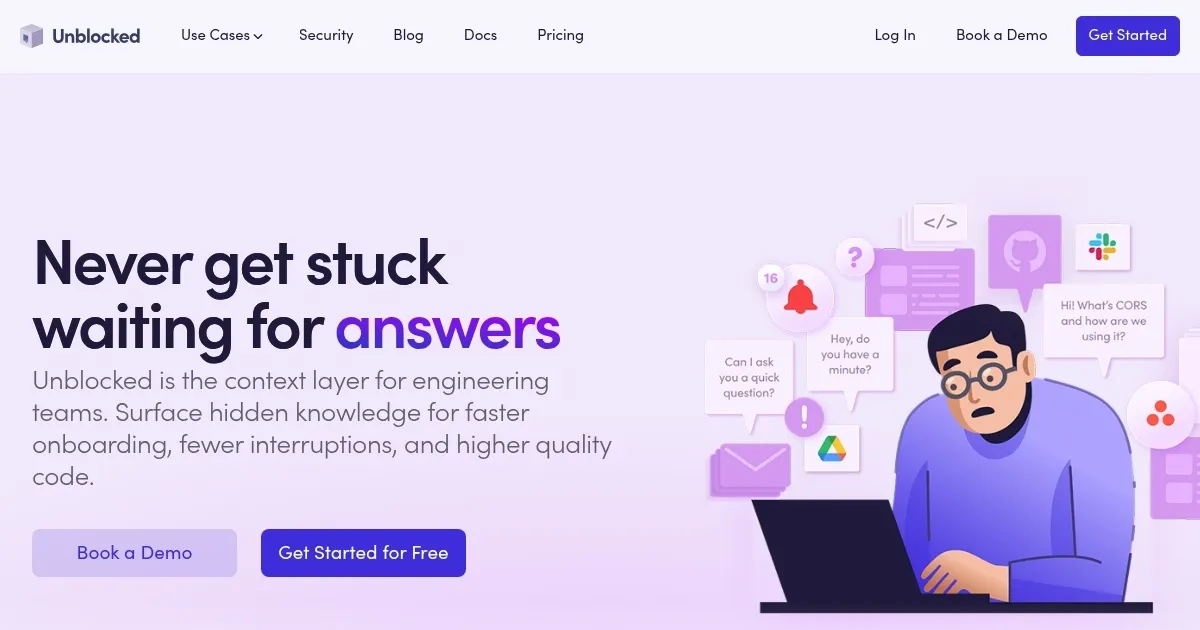
Homepage Screenshot 📸
What are the key features? ✨
- Instant Trusted Answers: Delivers accurate responses by aggregating context from GitHub Slack Jira and Confluence in seconds.
- PR Failure Agent: Analyzes failed CI builds identifies root causes and posts actionable fixes in pull requests.
- MCP Server: Feeds real time codebase and document context to tools like Cursor and Claude for precise code suggestions.
- Security Certifications: Ensures compliance with SOC 2 Type II and CASA Tier II standards plus data encryption and isolation.
- Explore Feature: Allows browsing of codebase elements with surfaced relevant discussions and documents in the IDE.
Who is it for? 🤔
Examples of what you can use it for 💡
- Junior Developer: Queries unfamiliar code sections to receive explanations with linked Slack discussions and docs for quick learning.
- Team Lead: Uses PR Failure Agent to triage build issues automatically freeing time for strategic reviews.
- Onboarding Specialist: Surfaces architecture overviews and practices to new hires reducing training meetings.
- AI Coding User: Integrates MCP Server with Cursor to get context aware suggestions minimizing errors in production code.
- Compliance Officer: Leverages audit logs and certifications to verify secure data handling in enterprise environments.
Pros & Cons ⚖️
- Fast accurate answers
- Seamless integrations
- Strong security focus
- Boosts team velocity
- Initial sync delays
- Custom setup needed
FAQs 💬
Ready to try Unblocked?
Aggregates codebase context for instant expert answers to developers
Visit UnblockedUnblocked alternatives 🔗