logo-darklogo-darklogo-darklogo-dark
  • Tool Categories
    • 🎨Art & Creative Design505
    • 🏢Business Management644
    • 💻Coding & Development515
    • 👮Detection83
    • 🧠General Use727
    • 🏥Health & Wellness55
    • 📷Image & Photo Analysis100
    • 🖼️Image Generation & Editing618
    • 📐Interior & Architectural Design37
    • 🎓Learning & Education483
    • ⚖️Legal & Finance90
    • 🎭Lifestyle & Entertainment236
    • 📢Marketing & Advertising627
    • 🎧Music & Audio138
    • 👔Office & Workplace1,014
    • 🔬Research & Data Analysis372
    • 👥Social Media245
    • 🎥Video Generation & Editing426
    • 👧🏻Virtual Companion135
    • 🎤Voice Generation & Editing381
    • ✍️Writing & Editing808
    • All Categories
    • AI Use Cases
  • News
  • Events
    • Academic Conferences
    • Developer Conferences
    • Expos / Trade Shows
    • Industry Summits
    • Workshops / Training
    • All Events
    • Past Events
  • Saved Tools
  • Suggest a Tool
✕
Home › Video Generation & Editing › Animation Generation› Viddyoze
Viddyoze

Viddyoze

Creates professional 3D animations and videos in minutes using customizable templates

Viddyoze is an AI tool that allows video-editing rookies to create clips that look like a pro. Spoiler: it kinda did. Logging into the tool, I was greeted by a slick dashboard and a library of over 5,000 templates that felt like a candy store for marketers. I picked a snappy Instagram ad template, uploaded a logo, and tweaked the colors to match a hypothetical brand. Three clicks later, Viddyoze’s cloud engine spat out a glossy 15-second clip that could pass for a big-budget production. It was so easy, I almost felt guilty, like I’d cheated on a test.

ViddyBot, their AI sidekick, was my next stop. I typed, “Make a testimonial video for a coffee shop,” and it churned out a decent script and animation in under 10 minutes. The result was polished, though the voiceover sounded a tad robotic — think Siri on a good day. Compared to Biteable or Animoto, Viddyoze leans harder into 3D animations, giving it an edge for flashy intros and outros. Biteable’s simpler, but its videos feel flat by comparison. Animoto’s great for quick slideshows, but Viddyoze’s templates have more pizzazz. The pricing? A free trial hooks you, then it’s a monthly fee that feels fair but not a steal, especially if you’re not cranking out videos daily.

What I liked: the sheer speed. Rendering’s done in the cloud, so my creaky laptop didn’t break a sweat. The Mockups 2.0 feature was a hoot — watching my logo pop onto a virtual billboard was like seeing my name in lights. Less thrilling? The templates, while numerous, can feel samey if you’re picky. I also hit a snag when a preview lagged, which was annoying but not a dealbreaker. X posts praise the platform’s ease but some users gripe about wanting more control over animations.

My advice? If you’re dipping your toes into video marketing, give Viddyoze a spin. Use the trial to test a few templates, maybe a social ad or logo sting. If you’re a freelancer, the commercial rights are a godsend for client work. Just don’t expect to craft a Scorsese-level masterpiece — it’s about speed and polish, not Oscar bait.

Visit Viddyoze ↗
Categories
🎥 Video
🎞️ Animation Generation 📹 Video Generation 🎠 Animated Video ✏️ Video Editing 📺 Commercial Generation
📢 Advertising
🚀 Marketing

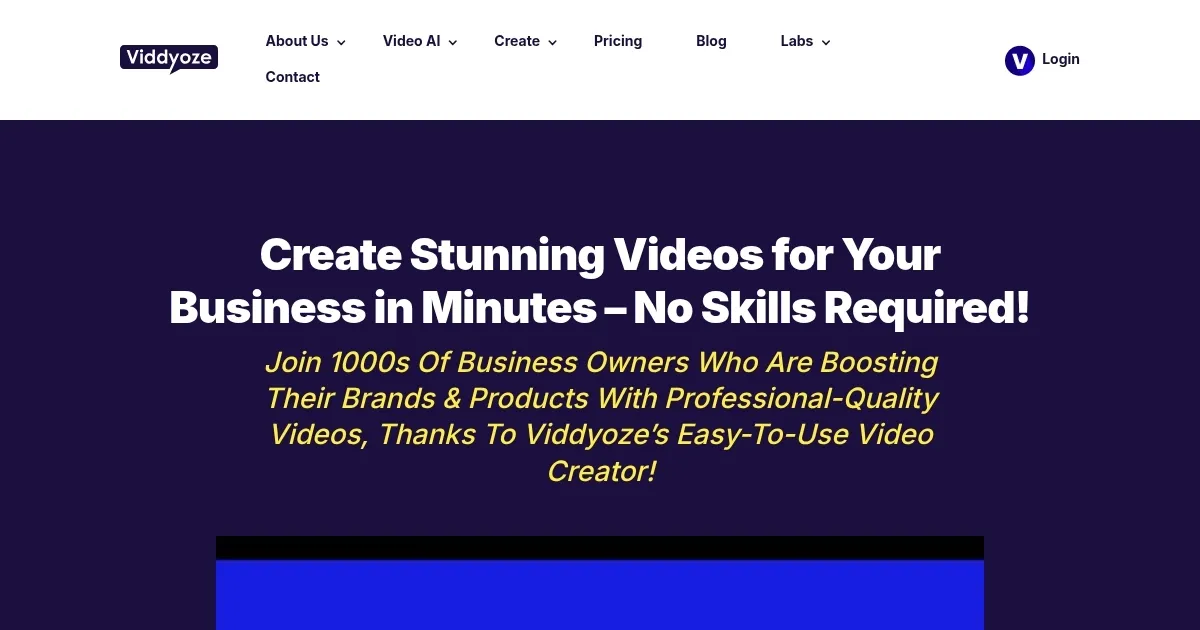
Homepage Screenshot 📸

Viddyoze screenshot

Video Overview 🎬

Viddyoze - Video Overview

What are the key features? ✨

  • Template Library: Offers over 5,000 customizable templates for intros, outros, and social media ads.
  • ViddyBot AI: Generates scripts, animations, and voiceovers from text prompts in minutes.
  • Mockups 2.0: Integrates logos into virtual scenes like billboards or devices for realistic branding.
  • Cloud Rendering: Processes videos on servers, ensuring fast output without local hardware demands.
  • Royalty-Free Assets: Provides access to millions of stock images, videos, and audio tracks.

Who is it for? 🤔

Viddyoze is designed for small business owners, social media managers, and freelance marketers who need quick, professional-grade video content without technical expertise. It suits those managing multiple clients, thanks to its commercial license, and beginners seeking easy-to-use tools for branding or social media campaigns.

Examples of what you can use it for 💡

  • Small Business Owner: Creates branded intros for product videos to boost online presence.
  • Social Media Manager: Crafts scroll-stopping Instagram ads to engage followers.
  • Freelancer: Produces client-specific logo animations for professional pitches.
  • Content Creator: Generates YouTube outros to drive viewer subscriptions.
  • Marketer: Builds testimonial videos using ViddyBot for campaign promotions.

Pros & Cons ⚖️

  • Vast template library
  • Fast cloud rendering
  • AI-driven video creation
  • Limited customization options
  • AI voiceovers can sound robotic

FAQs 💬

Can I use Viddyoze on my phone?
Yes, Viddyoze is cloud-based and accessible via any web browser on mobile devices.
Is there a free trial?
Viddyoze offers a 7-day free trial with full access to all features, no restrictions.
Does Viddyoze include stock assets?
Yes, it provides millions of royalty-free images, videos, and audio tracks.
Can I create videos for clients?
The commercial license allows unlimited video creation for personal and client use.
How long does rendering take?
Rendering typically takes a few minutes, depending on the template and video length.
Are templates customizable?
Yes, templates support one-click customization with logos, colors, and text.
What video formats are supported?
Viddyoze exports videos in HD MP4, MOV, and GIF formats.
Is there a community for support?
Viddyoze has a community of over 33,000 users sharing tips and creations.
Can I cancel my subscription easily?
Yes, you can cancel anytime, but you must request cancellation three days before billing.
Does ViddyBot create full videos?
ViddyBot generates complete videos, including scripts and voiceovers, from text prompts.

Ready to try Viddyoze?

Creates professional 3D animations and videos in minutes using customizable templates

Visit Viddyoze ↗
Viddyoze alternatives 🔗

  1. Kling AI Kling AI Generates cinematic videos from text or images with realistic motion
  2. Veo Veo Generates high-quality videos with audio from text or image prompts
  3. Runway Runway Generates and edits AI-powered videos from text prompts
  4. Sora Sora Generates hyperrealistic videos from text prompts with synchronized audio
  5. Deep Nostalgia Deep Nostalgia An AI-driven service that animates photos, making it seem as though people are moving and expressing emotions.
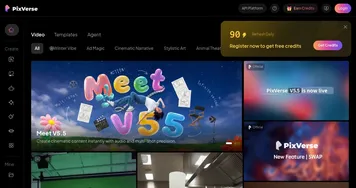
  6. PixVerse PixVerse An AI-driven tool designed to help users create fancy videos with ease
Share
Viddyoze screenshot enlarged
Promote Viddyoze
light badge
Copy Embed Code
dark badge
Copy Embed Code
neutral badge
Copy Embed Code
Best AI Tools

Discover the best AI tools for any use case

Explore
  • Tool Categories
  • AI Use Cases
  • AI Events
  • AI News
  • Saved Tools
Company
  • About Us
  • Contact Us
  • Media & Partnerships
  • Suggest a Tool
Legal
  • Privacy Policy
  • Terms of Service
Copyright © 2026 Best AI Tools 415 Mission Street, 37th Floor, San Francisco, CA 94105