logo-darklogo-darklogo-darklogo-dark
  • Tool Categories
    • 🎨Art & Creative Design505
    • 🏢Business Management644
    • 💻Coding & Development515
    • 👮Detection83
    • 🧠General Use727
    • 🏥Health & Wellness55
    • 📷Image & Photo Analysis100
    • 🖼️Image Generation & Editing618
    • 📐Interior & Architectural Design37
    • 🎓Learning & Education483
    • ⚖️Legal & Finance90
    • 🎭Lifestyle & Entertainment236
    • 📢Marketing & Advertising627
    • 🎧Music & Audio138
    • 👔Office & Workplace1,014
    • 🔬Research & Data Analysis372
    • 👥Social Media245
    • 🎥Video Generation & Editing426
    • 👧🏻Virtual Companion135
    • 🎤Voice Generation & Editing381
    • ✍️Writing & Editing808
    • All Categories
    • AI Use Cases
  • News
  • Events
    • Academic Conferences
    • Developer Conferences
    • Expos / Trade Shows
    • Industry Summits
    • Workshops / Training
    • All Events
    • Past Events
  • Saved Tools
  • Suggest a Tool
✕
Home › Video Generation & Editing › Video Editing› Wonder Studio
Wonder Studio

Wonder Studio by Wonder Dynamics

An AI tool that automatically animates, lights, and composes CG characters into a live-action scene

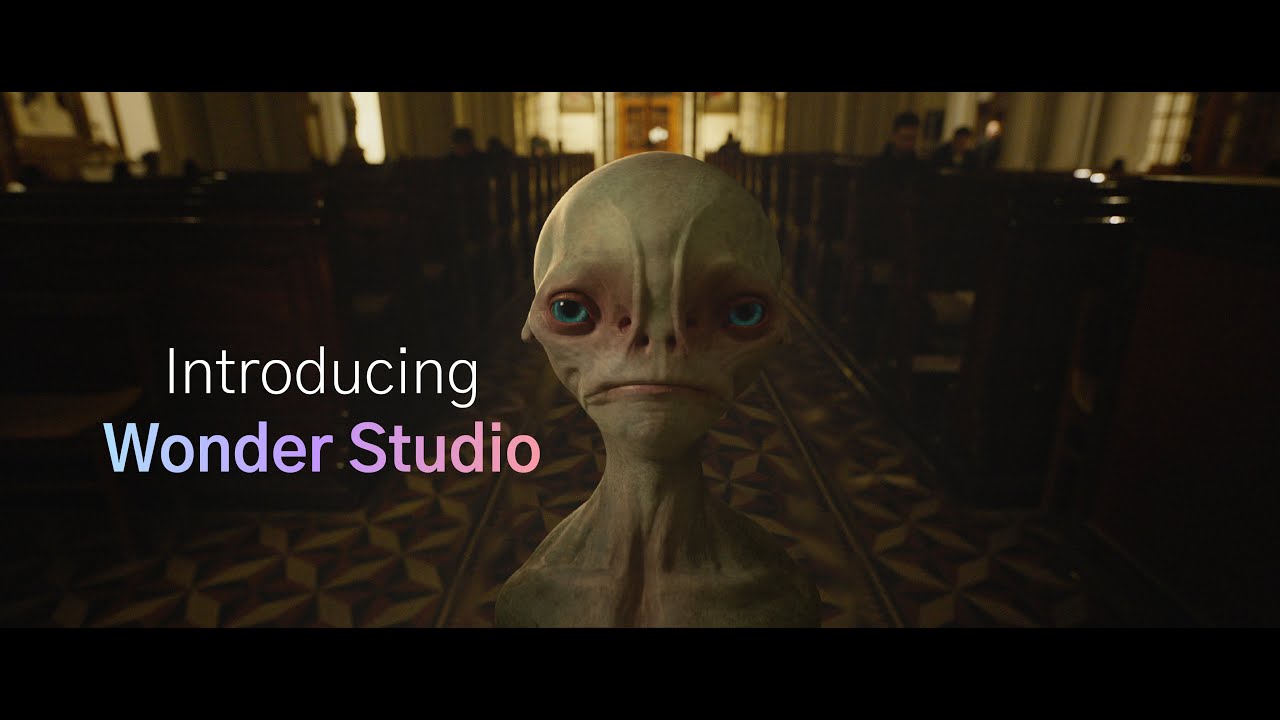
Wonder Studio is an AI tool that can automatically animate, light and compose computer-generated (CG) characters into a live-action scene.

The app doesn’t require any special software to install or expensive hardware — it does everything in a web browser.

You can start by uploading your CG character model to one shot or an entire scene, and the system will automatically detect cuts and track the actor throughout the sequence.

The system will also detect the actor’s performance based on single-camera footage, and then transfer it to the CG character of your choice — professionally animated, lit, and composed.

In other words, Wonder Studio AI automates up to 90% of “objective” VFX work and leaves the artist with the remaining “subjective” work — which can be exported into the software they already use. Pretty cool!

Visit Wonder Studio ↗
Categories
🎥 Video
✏️ Video Editing 🎞️ Animation Generation 🎬 Movie Generation 🎠 Animated Video 🤖 Avatar Video Generation 🎭 Face Swap Video
🎨 Art
🧊 3D Modeling

Homepage Screenshot 📸

Wonder Studio screenshot

Video Overview 🎬

Wonder Studio - Video Overview

Pros & Cons ⚖️

  • Works without any special hardware
  • Ability to export the entire video or individual elements
  • Multiple characters to choose from
  • It may not deliver the best results for complex emotions and interactions

Ready to try Wonder Studio?

An AI tool that automatically animates, lights, and composes CG characters into a live-action scene

Visit Wonder Studio ↗

Wonder Studio alternatives 🔗

  1. Runway Runway Generates and edits AI-powered videos from text prompts
  2. Canva Magic Design Canva Magic Design Generates custom, on-brand designs from text prompts or uploaded media in seconds.
  3. Adobe Express Adobe Express Creates on-brand content with AI-driven design and video tools
  4. Vimeo AI Vimeo AI Creates polished videos from single recordings using AI edits and scripts
  5. CapCut Creative Suite CapCut Creative Suite Online creative suite for everyone to create stunning images and videos
  6. Loom AI Loom AI Record better video messages with automatic titles, summaries, share messages, and more
Share
Wonder Studio screenshot enlarged
Promote Wonder Studio
light badge
Copy Embed Code
dark badge
Copy Embed Code
neutral badge
Copy Embed Code
Best AI Tools

Discover the best AI tools for any use case

Explore
  • Tool Categories
  • AI Use Cases
  • AI Events
  • AI News
  • Saved Tools
Company
  • About Us
  • Contact Us
  • Media & Partnerships
  • Suggest a Tool
Legal
  • Privacy Policy
  • Terms of Service
Copyright © 2026 Best AI Tools 415 Mission Street, 37th Floor, San Francisco, CA 94105