AnyVideo.ai
Transforms static images into dynamic videos using AI prompts
AnyVideo.ai is an online AI platform that converts images and text into videos using generative models for scriptwriting, synthesis, and editing. It supports free access with watermarks and paid subscriptions for enhanced features like higher resolutions and no branding. The core functionality revolves around image to video conversion, where users upload photos in formats such as PNG, JPG, or WebP and apply text prompts to guide motion and effects. AI Script Generation processes user concepts into structured narratives, which integrate with Video Synthesis to produce footage up to 10 seconds long in paid modes. Smart Editing applies automatic transitions, timing adjustments, and effects based on content analysis. Style Transfer enables selection from preset visual aesthetics, including cinematic filters. Voice Generation creates audio overlays from text in various languages and tones. One-Click Export outputs files in platform-optimized formats and aspect ratios.
Competitors include Runway, which offers advanced text-to-video and image-to-video with multi-layer editing, and Luma AI, focused on 3D animations from images. AnyVideo.ai provides broader free access but limits video length and quality compared to Runway’s pro tools. Pika Labs matches in prompt-based image animation but requires more iterations for consistency. General pricing for AnyVideo.ai includes entry-level monthly plans with credit allotments, lower than Runway’s per-generation costs but similar to Luma’s starter tiers. Users report positives like instant Fast Mode generation and prompt control for precise outcomes. Negatives include watermarks on free outputs and capped lengths at 5 seconds without upgrades. A surprise is the seamless pipeline from AI Image Generator, supporting batch creation of up to four images, to video transformation with seed control for reproducibility. Text to Video uses similar prompts for direct clip creation, with quality options from 360p to 1080p. Image to Image Transformation preprocesses uploads for enhancement before conversion.
The platform processes tasks via cloud-based AI models, handling concurrent runs up to five on top plans with priority queuing. External sources confirm over 20,000 daily users and 1.5 million videos generated, with 99% satisfaction rates from testimonials. Technical details include support for multiple AI models in image generation and adjustable output settings for formats like WebP.
For implementation, users select an image, input a descriptive prompt, choose quality mode, and generate, reviewing outputs before export or refinement.
Homepage Screenshot 📸
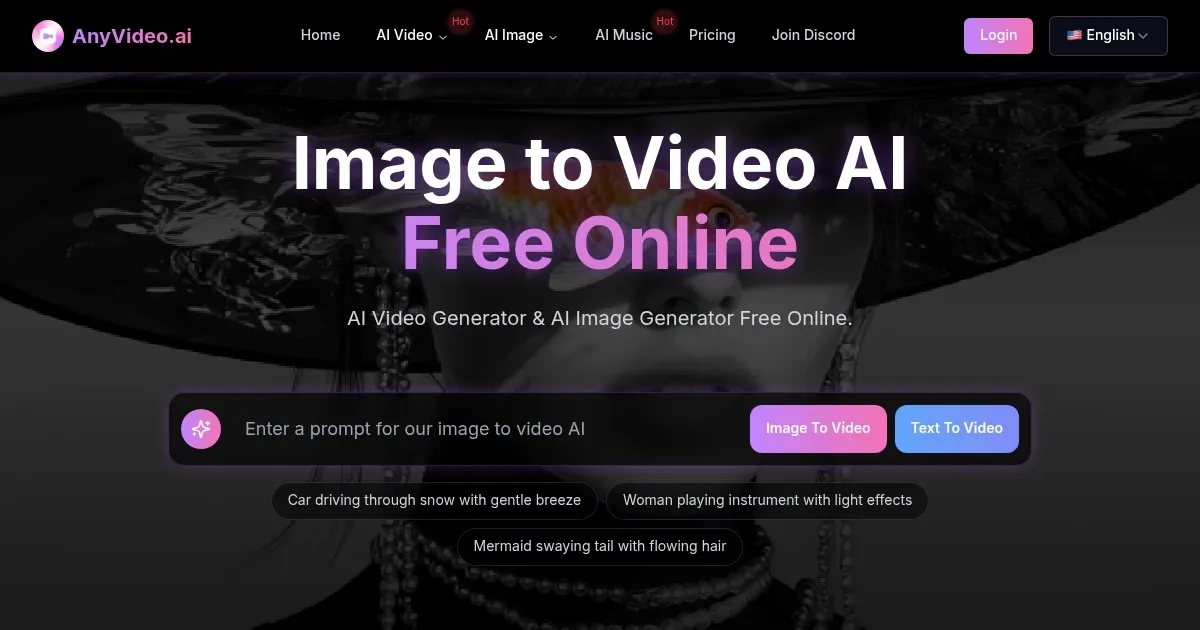
Video Overview 🎬
What are the key features? ✨
- AI Script Generation: Transforms user ideas into professional narratives to guide video content creation.
- Video Synthesis: Generates realistic footage from text or image inputs using advanced AI models.
- Smart Editing: Automatically applies transitions, effects, and timing enhancements to videos.
- Style Transfer: Applies one-click cinematic styles from a library of professional presets.
- Voice Generation: Produces voiceovers in multiple languages and tones for video audio.
Who is it for? 🤔
Examples of what you can use it for 💡
- TikTok Creator: Uses image to video conversion to animate photoshoots into dynamic Reels with prompt-guided motion for viral content.
- Instagram Influencer: Applies style transfer and voice generation to transform personal images into branded stories optimized for social aspect ratios.
- YouTube Content Creator: Leverages text to video synthesis to create short intros from scripts, enhancing engagement without full production setups.
- Digital Marketing Agency Owner: Employs batch image generation and smart editing to produce client demo videos, boosting conversion through polished outputs.
- Educational Content Creator: Animates diagrams via prompt control in image to video tools to develop interactive teaching materials quickly.
Pros & Cons ⚖️
- Free tier available
- Prompt control
- Batch processing
- Watermarks on free
- Short video limits
FAQs 💬
Ready to try AnyVideo.ai?
Transforms static images into dynamic videos using AI prompts
Visit AnyVideo.aiAnyVideo.ai alternatives 🔗