logo-darklogo-darklogo-darklogo-dark
  • Tool Categories
    • ๐ŸŽจArt & Creative Design505
    • ๐ŸขBusiness Management644
    • ๐Ÿ’ปCoding & Development515
    • ๐Ÿ‘ฎDetection83
    • ๐Ÿง General Use727
    • ๐ŸฅHealth & Wellness55
    • ๐Ÿ“ทImage & Photo Analysis100
    • ๐Ÿ–ผ๏ธImage Generation & Editing618
    • ๐Ÿ“Interior & Architectural Design37
    • ๐ŸŽ“Learning & Education483
    • โš–๏ธLegal & Finance90
    • ๐ŸŽญLifestyle & Entertainment236
    • ๐Ÿ“ขMarketing & Advertising627
    • ๐ŸŽงMusic & Audio138
    • ๐Ÿ‘”Office & Workplace1,014
    • ๐Ÿ”ฌResearch & Data Analysis372
    • ๐Ÿ‘ฅSocial Media245
    • ๐ŸŽฅVideo Generation & Editing426
    • ๐Ÿ‘ง๐ŸปVirtual Companion135
    • ๐ŸŽคVoice Generation & Editing381
    • โœ๏ธWriting & Editing808
    • All Categories
    • AI Use Cases
  • News
  • Events
    • Academic Conferences
    • Developer Conferences
    • Expos / Trade Shows
    • Industry Summits
    • Workshops / Training
    • All Events
    • Past Events
  • Saved Tools
  • Suggest a Tool
โœ•
Home › Office & Workplace › Agent› Autotab
Autotab

Autotab

Automates tasks like data collection and form filling with human-like intelligence

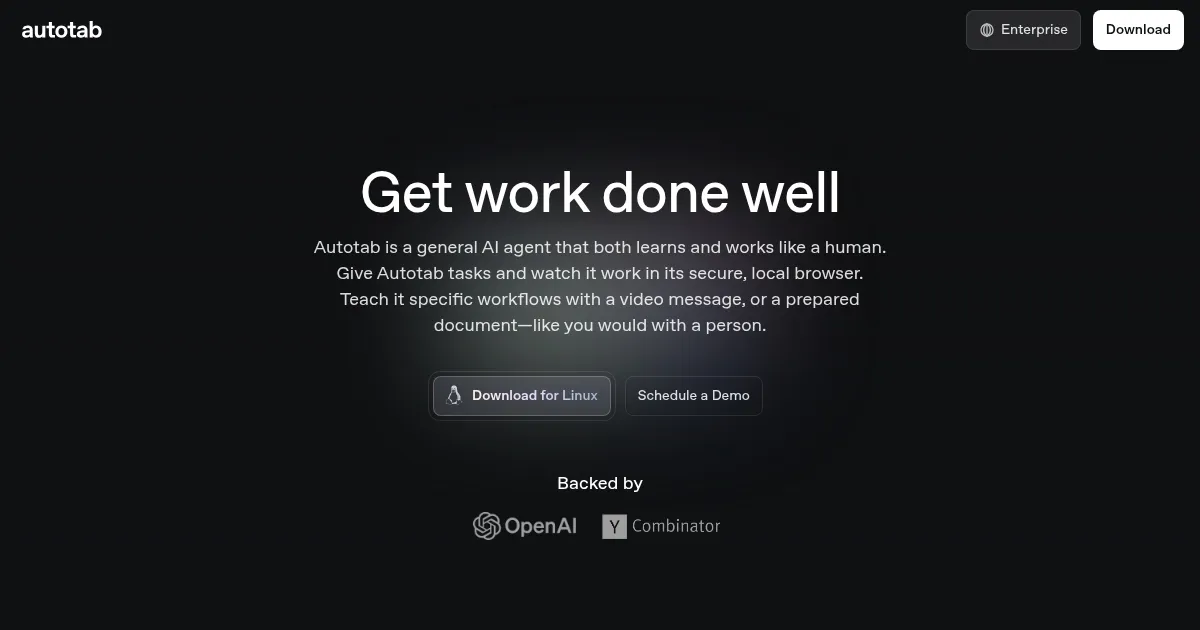
Autotab is an AI agent that automates tasks by learning human-like workflows, operating in a secure local browser to handle data collection, form filling, and contextual actions. Itโ€™s designed for businesses, particularly Fortune 500 companies and fast-scaling startups, to streamline repetitive processes. Backed by OpenAI and Y Combinator, it integrates with existing systems like ERPs or CRMs, navigating complex interfaces with ease. Users provide a video or document to teach workflows, and Autotab executes tasks with high accuracy.

Key features include data collection, form filling, and action-taking. For example, it can scrape leads from databases, input data into government forms, or send messages on platforms like Slack. Its ability to understand context sets it apart from traditional automation tools. It runs locally, ensuring data security, which is critical for enterprises handling sensitive information. The toolโ€™s versatility makes it suitable for tasks like system migrations or vendor management.

Compared to competitors like UiPath and Automation Anywhere, Autotab requires less technical expertise. UiPath offers robust scalability for large enterprises but demands more setup. Automation Anywhere excels in complex automation but can overwhelm non-technical users. Autotabโ€™s strength lies in its intuitive learning from video demos, though it may not match the scalability of UiPath for massive deployments.

Drawbacks include the need for clear instructions to avoid errors. Vague or incomplete demos can lead to missteps, requiring users to invest time upfront. Additionally, tasks requiring creative or subjective decisions are beyond its capabilities. Pricing is competitive for startups and mid-sized firms, though not the cheapest compared to simpler tools like Zapier.

User feedback from sources like X highlights Autotabโ€™s quick learning and reliability for repetitive tasks. For best results, provide a detailed video demo and start with straightforward tasks. Test small projects before scaling to ensure accuracy and efficiency.

Visit Autotab ↗
Categories
๐Ÿ‘” Work
๐Ÿ”— Agent โšก Work Productivity โœ… Task Management
๐Ÿ’ป Coding
๐ŸŒ Browser
๐Ÿข Business
๐Ÿ”„ Workflow

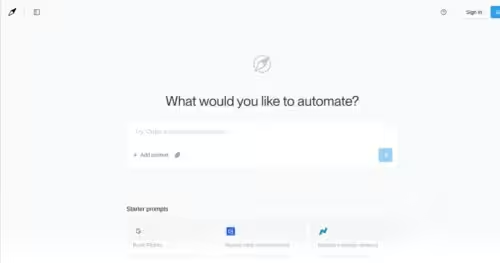
Homepage Screenshot 📸

Autotab screenshot

Video Overview 🎬

What are the key features? ✨

  • Data Collection: Scrapes leads or data from complex databases efficiently.
  • Form Filling: Enters data into CRMs, ERPs, or government forms accurately.
  • Action Taking: Sends messages or triggers actions like refunds with context.
  • Secure Browser: Operates locally to ensure data privacy and security.
  • Workflow Learning: Learns tasks from video demos or documents quickly.

Who is it for? 🤔

Autotab is ideal for startups, mid-sized businesses, and enterprises, especially those in tech-forward or Fortune 500 settings, looking to automate repetitive tasks like data collection or form filling without heavy hiring or onboarding overhead.

Examples of what you can use it for 💡

  • Startup Founder: Automates lead scraping to focus on pitching investors.
  • HR Manager: Fills out employee onboarding forms across internal systems.
  • Operations Lead: Migrates data between legacy and new ERP systems.
  • Customer Support: Sends automated responses on platforms like Slack.
  • Finance Team: Inputs vendor data into payment systems accurately.

Pros & Cons ⚖️

  • Learns workflows quickly
  • Secure local execution
  • Handles complex systems
  • Intuitive for non-tech users
  • Needs clear instructions
  • Not for creative tasks

FAQs 💬

What tasks can Autotab handle?
Autotab can collect data, fill forms, send messages, and trigger actions like refunds across various systems.
Does Autotab work with my existing software?
Yes, it integrates with CRMs, ERPs, and other platforms, navigating complex interfaces seamlessly.
How do I teach Autotab a task?
Provide a video demo or detailed document outlining the workflow for Autotab to learn and execute.
Is Autotab secure for sensitive data?
It runs in a secure local browser, ensuring data privacy for sensitive business systems.
How does Autotab compare to UiPath?
Autotab is more intuitive for non-technical users but may not scale as well for massive enterprise needs.
Can Autotab handle creative tasks?
No, itโ€™s best for repetitive, rules-based tasks, not subjective or creative work.
How long does setup take?
Setup varies but typically takes a few minutes to record a clear demo for Autotab to learn.
Is Autotab suitable for startups?
Yes, itโ€™s ideal for startups needing to automate tasks without hiring additional staff.
What if Autotab canโ€™t do my task?
Email a task recording to record@autotab.com, and theyโ€™ll confirm feasibility within 24 hours.
Is pricing affordable for small businesses?
Pricing is competitive for startups and mid-sized firms, though not the cheapest option.

Ready to try Autotab?

Automates tasks like data collection and form filling with human-like intelligence

Visit Autotab ↗

Autotab alternatives 🔗

  1. Gemini Gemini Generates responses from text, images, audio, and video inputs using advanced multimodal AI
  2. Claude Claude Assists users in reasoning, coding, writing, and analyzing data with advanced AI models
  3. Windsurf Windsurf Empowers developers with AI-driven code generation and real-time collaboration.
  4. Poe Poe Aggregates top AI models for seamless chatting and bot creation
  5. Replit AI Replit AI Transforms natural language prompts into fully deployable apps using AI agents
  6. Google AI Studio Google AI Studio Prototypes AI solutions using Gemini models in a browser-based IDE
Share
Autotab screenshot enlarged
Promote Autotab
light badge
Copy Embed Code
dark badge
Copy Embed Code
neutral badge
Copy Embed Code
Best AI Tools

Discover the best AI tools for any use case

Explore
  • Tool Categories
  • AI Use Cases
  • AI Events
  • AI News
  • Saved Tools
Company
  • About Us
  • Contact Us
  • Media & Partnerships
  • Suggest a Tool
Legal
  • Privacy Policy
  • Terms of Service
Copyright © 2026 Best AI Tools 415 Mission Street, 37th Floor, San Francisco, CA 94105