Skip to content
logo-darklogo-darklogo-darklogo-dark
  • Tool Categories
    • 🎨Art & Creative Design505
    • 🏢Business Management644
    • 💻Coding & Development514
    • 👮Detection83
    • 🧠General Use728
    • 🏥Health & Wellness55
    • 📷Image & Photo Analysis100
    • 🖼️Image Generation & Editing618
    • 📐Interior & Architectural Design37
    • 🎓Learning & Education483
    • ⚖️Legal & Finance90
    • 🎭Lifestyle & Entertainment236
    • 📢Marketing & Advertising627
    • 🎧Music & Audio138
    • 👔Office & Workplace1,014
    • 🔬Research & Data Analysis373
    • 👥Social Media245
    • 🎥Video Generation & Editing426
    • 👧🏻Virtual Companion135
    • 🎤Voice Generation & Editing381
    • ✍️Writing & Editing808
    • All Categories
    • AI Use Cases
  • News
  • Events
    • Academic Conferences
    • Developer Conferences
    • Expos / Trade Shows
    • Industry Summits
    • Workshops / Training
    • All Events
    • Past Events
  • Saved Tools
  • Suggest a Tool
    ✕
    Home › Image Generation & Editing › Image Generation› Bria
    Bria

    Bria

    Generates and edits high-quality AI visuals using fully licensed datasets

    Bria is a visual generative AI platform designed for developers and enterprises to create and edit images at scale using fully licensed datasets. It offers a suite of over 30 APIs, including tools for image generation, editing, and tailored content creation, all built to ensure legal compliance and commercial readiness. The platform’s models, like BRIA 3.2 and BRIA RMBG 2.0, are source-available on Hugging Face, allowing developers to customize weights and code. Its focus on licensed data sets it apart from competitors like Stable Diffusion and MidJourney, which prioritize creative outputs but lack Bria’s enterprise-grade indemnification.

    Key features include the Eraser API for object removal, Reimagine API for style and texture adjustments, and Generative Fill for object replacement. These tools excel in tasks like e-commerce product editing and ad creation, with APIs integrating seamlessly into platforms like Fal.ai and ComfyUI. Recent updates, like BRIA 3.2, improve prompt alignment and aesthetics, as noted in a July 2025 PetaPixel article. Bria’s pricing includes a free Playground and tiered plans, competitive with Runway and Adobe Firefly for enterprise use.

    Users appreciate the platform’s speed and compliance, with a Getty Images executive praising its reliability in a Bria testimonial. The Startup Program offers affordable access for smaller teams, including private environments. However, the platform’s complexity can overwhelm non-technical users, and some Reddit feedback highlights inconsistent outputs for highly detailed prompts. Compared to Stable Diffusion’s open-source flexibility, Bria’s models are more constrained but safer for commercial use.

    Bria supports industries like e-commerce, marketing, and media, with tools tailored for product shots and ad campaigns. Its cloud-based APIs and on-premise options provide flexibility, though setup requires technical expertise. Documentation is robust, covering API authentication and rate limits, but may feel dense for beginners. A recent Hugging Face update notes 79.9k downloads of BRIA RMBG 2.0, signaling strong developer adoption.

    To get started, test the Playground for instant access. Focus on specific APIs like Eraser for quick wins in editing workflows. Join Bria’s Discord for community support and explore Hugging Face for model customization options. Enterprises should contact Bria’s team to tailor solutions to specific needs.

    Visit Bria ↗
    Categories
    🖼️ Image
    🖼️ Image Generation 🪄 Text to Image ✂️ Background Removal 🏞️ Background Generation 🧹 Object Removal 💎 Image Enhancing ✏️ Photo Editing ⬆️ Image Upscaling 🛍️ Product Photography
    🎨 Art
    🖼️ Design Generation
    🧠 General
    🦙 Open Source Model

    Homepage Screenshot 📸

    Bria screenshot

    Video Overview 🎬

    Bria - Video Overview

    What are the key features? ✨

    • Image Generation: Creates high-quality visuals from text prompts using BRIA 3.2.
    • Image Editing: Modifies images with tools like Eraser for object removal.
    • Tailored Generation: Tunes models to match brand-specific visual styles.
    • Product Shot Editing: Enhances e-commerce imagery with consistent outputs.
    • Ads Generation: Produces scalable ads with brand and regulatory compliance.

    Who is it for? 🤔

    Bria is designed for developers, AI engineers, and enterprises in industries like e-commerce, marketing, and media who need scalable, legally compliant visual content solutions. Startups benefit from its affordable pricing and technical support, while large organizations value its enterprise-grade APIs and indemnification, ensuring safe integration into workflows for product imagery or ad campaigns.

    Examples of what you can use it for 💡

    • E-commerce Manager: Uses Product Shot Editing to create consistent, professional product images.
    • Marketing Team: Leverages Ads Generation for scalable, brand-compliant ad campaigns.
    • AI Developer: Customizes BRIA 3.2 models on Hugging Face for tailored solutions.
    • Content Creator: Employs Eraser API to remove unwanted objects from visuals.
    • Startup Founder: Utilizes Startup Program for cost-effective access to private environments.

    Pros & Cons ⚖️

    • Fully licensed datasets ensure compliance.
    • Fast APIs integrate with existing tools.
    • Source-available models allow customization.
    • Learning curve for non-coders.
    • Outputs may lack artistic flair.

    FAQs 💬

    What is Bria used for?
    Bria generates and edits images for commercial use with AI, focusing on compliance.
    Is Bria safe for commercial projects?
    Yes, it uses fully licensed datasets to ensure legal safety.
    Can non-developers use Bria?
    Non-developers may find it complex but can use the Playground for simple tasks.
    What makes Bria different from competitors?
    Its focus on licensed data and enterprise tools sets it apart from artistic platforms.
    Does Bria offer free access?
    The Playground offers instant, no-signup access for testing.
    Can I customize Bria's models?
    Yes, source-available models on Hugging Face allow customization.
    What industries benefit from Bria?
    E-commerce, marketing, and media industries find it most useful.
    Does Bria support video editing?
    It offers limited video features, like background removal, with more planned.
    How does pricing work for Bria?
    It offers a freemium model and tiered plans; check Bria's site for details.
    Is technical support available?
    Yes, especially for startups via the Startup Program.

    Ready to try Bria?

    Generates and edits high-quality AI visuals using fully licensed datasets

    Visit Bria ↗

    Bria alternatives 🔗

    1. Runway Runway Generates and edits AI-powered videos from text prompts
    2. Stable Diffusion Stable Diffusion Generates high-quality images from text prompts with versatile styles
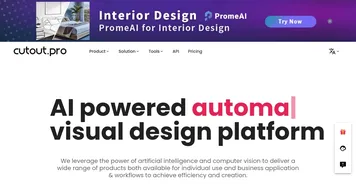
    3. Cutout.Pro Cutout.Pro An AI-powered automatic visual design platform that saves time & money
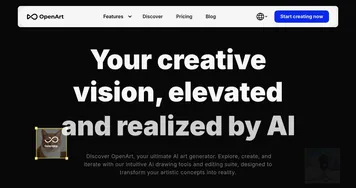
    4. OpenArt OpenArt A versatile AI-powered platform for generating and enhancing images and art.
    5. Shutterstock AI Image Generator Shutterstock AI Image Generator AI-generated images available immediately
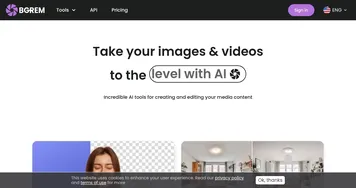
    6. BgRem BgRem A set of AI tools for creating and editing media content
    Share
    Bria screenshot enlarged
    Best AI Tools

    Discover the best AI tools for any use case

    Explore
    • Tool Categories
    • AI Use Cases
    • AI Events
    • AI News
    • Saved Tools
    Company
    • About Us
    • Contact Us
    • Media & Partnerships
    • Suggest a Tool
    Legal
    • Privacy Policy
    • Terms of Service
    Copyright © 2026 Best AI Tools 415 Mission Street, 37th Floor, San Francisco, CA 94105