logo-darklogo-darklogo-darklogo-dark
  • Tool Categories
    • 🎨Art & Creative Design505
    • 🏢Business Management644
    • 💻Coding & Development515
    • 👮Detection83
    • 🧠General Use727
    • 🏥Health & Wellness55
    • 📷Image & Photo Analysis100
    • 🖼️Image Generation & Editing618
    • 📐Interior & Architectural Design37
    • 🎓Learning & Education483
    • ⚖️Legal & Finance90
    • 🎭Lifestyle & Entertainment236
    • 📢Marketing & Advertising627
    • 🎧Music & Audio138
    • 👔Office & Workplace1,014
    • 🔬Research & Data Analysis372
    • 👥Social Media245
    • 🎥Video Generation & Editing426
    • 👧🏻Virtual Companion135
    • 🎤Voice Generation & Editing381
    • ✍️Writing & Editing808
    • All Categories
    • AI Use Cases
  • News
  • Events
    • Academic Conferences
    • Developer Conferences
    • Expos / Trade Shows
    • Industry Summits
    • Workshops / Training
    • All Events
    • Past Events
  • Saved Tools
  • Suggest a Tool
✕
Home › Office & Workplace › Agent› Fairies
Fairies

Fairies

Automates tasks, integrates apps, and boosts productivity on your computer

Fairies is an AI desktop assistant that automates tasks like file organization, email management, and app integration for Mac and Windows users. Developed by Fundamental Research Labs, it uses natural language processing to execute commands, such as sorting files or drafting emails, while prioritizing local data processing for privacy. It connects with apps like Slack, Gmail, and Notion, streamlining workflows across platforms.

Key features include natural language interaction, allowing users to type commands like “Organize my Downloads folder” for quick results. The tool supports over 1,000 operations, from scheduling Google Meet invites to summarizing documents. Its approval workflow ensures users review actions before completion, enhancing control. Fairies’ browser extension enables seamless web integration, a feature not widely highlighted but useful for cross-platform tasks.

Compared to Zapier and Microsoft Copilot, Fairies focuses on desktop-based automation. Zapier excels in cloud workflows but lacks local processing, while Copilot is tied to Microsoft’s ecosystem. Fairies offers a free tier and premium plans, with pricing competitive but available on their site. User feedback on Slashdot praises its integration but notes setup complexity.

Drawbacks include a steep setup process for linking accounts and occasional lag with large datasets, as seen in YouTube reviews. Some users on LinkedIn request more advanced analytics. The tool’s local processing and encryption address privacy concerns effectively.

Practical Advice: Use the free plan to test core features like file sorting. Review permission settings during setup to avoid delays. Explore the browser extension for web-based automation.

Visit Fairies ↗
Categories
👔 Work
🔗 Agent 💼 Workplace Assistant ⚡ Work Productivity ✅ Task Management
🧠 General
🤖 Assistant ✅ Productivity

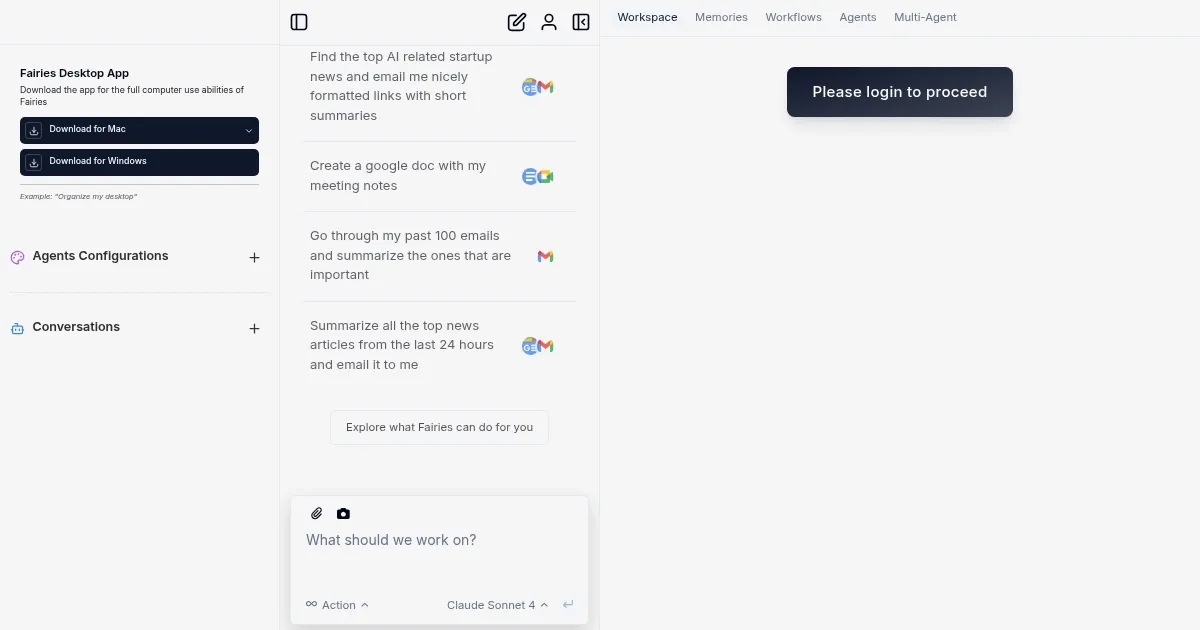
Homepage Screenshot 📸

Fairies screenshot

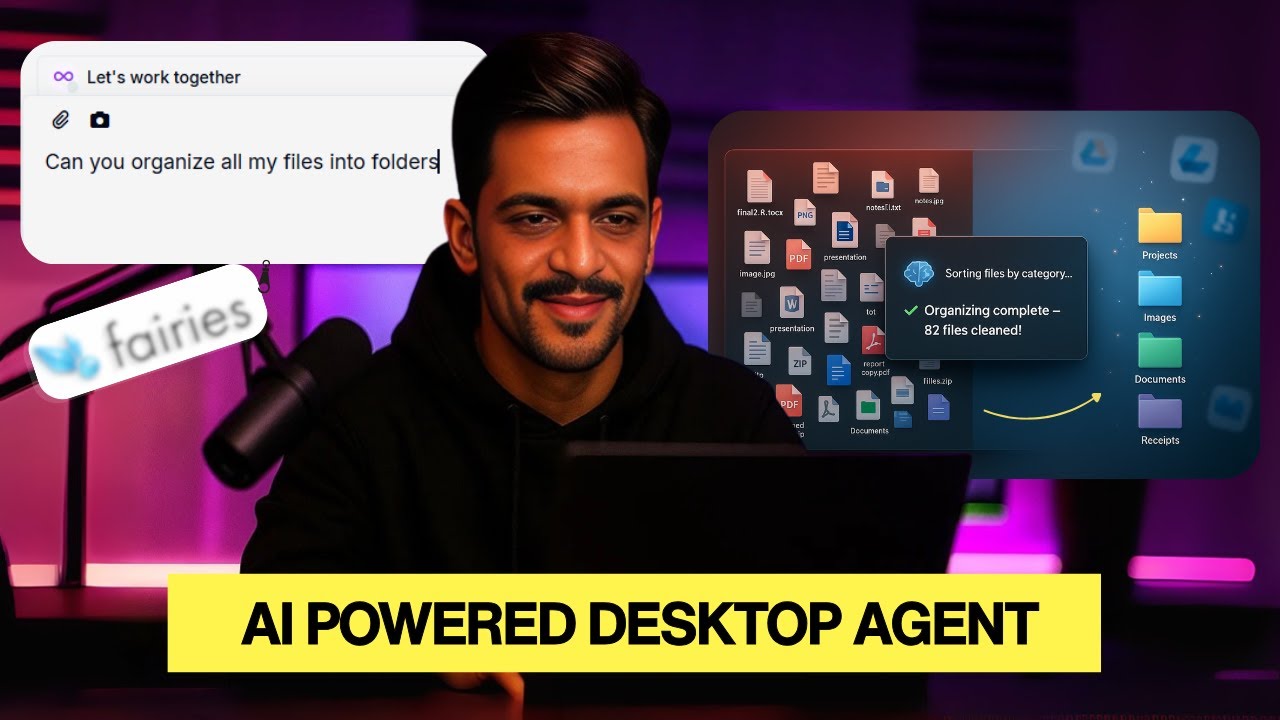
Video Overview 🎬

Fairies - Video Overview

What are the key features? ✨

  • Natural Language Commands: Users type requests in plain language to execute tasks like file organization.
  • App Integration: Connects with Slack, Gmail, and Notion for seamless cross-platform workflows.
  • Local Processing: Data is processed on-device with end-to-end encryption for privacy.
  • Approval Workflow: Requires user confirmation before finalizing actions, ensuring control.
  • Browser Extension: Links desktop app to web content for integrated task execution.

Who is it for? 🤔

Fairies is ideal for professionals, freelancers, and small business owners who juggle multiple apps like Gmail, Slack, or Notion and need to automate repetitive tasks like file organization or email management. It suits tech-savvy users comfortable with initial setup and those prioritizing privacy through local data processing, offering a streamlined way to boost productivity without switching between platforms.

Examples of what you can use it for 💡

  • Freelancer: Schedules client meetings and sends Google Meet invites automatically.
  • Project Manager: Summarizes meeting notes from Slack and Google Drive for team updates.
  • Small Business Owner: Organizes invoices in Gmail into categorized folders for accounting.
  • Content Creator: Groups media files in Downloads for efficient content management.
  • Researcher: Analyzes datasets from multiple sources and generates summary reports.

Pros & Cons ⚖️

  • Automates repetitive tasks efficiently.
  • Integrates with multiple popular apps.
  • Browser extension enhances functionality.
  • Limited advanced analytics features.

FAQs 💬

What platforms does Fairies support?
Fairies runs on Mac and Windows, with a browser extension for web integration.
Is my data safe with Fairies?
Yes, it uses local processing and end-to-end encryption to protect data.
Can Fairies integrate with my apps?
It connects with Slack, Gmail, Notion, Google Drive, and more.
Do I need technical skills to use Fairies?
Basic tech knowledge helps, but the interface is user-friendly.
Is there a free version of Fairies?
Yes, a free tier is available with premium plans for more features.
How does Fairies compare to Zapier?
Fairies focuses on desktop automation, while Zapier is cloud-based.
Can Fairies handle large datasets?
It can, but performance may lag with very large files.
Does Fairies require internet access?
Some features need internet, but core tasks run locally.
What is the approval workflow?
Fairies asks for user confirmation before finalizing tasks.

Ready to try Fairies?

Automates tasks, integrates apps, and boosts productivity on your computer

Visit Fairies ↗

Fairies alternatives 🔗

  1. Gemini Gemini Generates responses from text, images, audio, and video inputs using advanced multimodal AI
  2. Claude Claude Assists users in reasoning, coding, writing, and analyzing data with advanced AI models
  3. Windsurf Windsurf Empowers developers with AI-driven code generation and real-time collaboration.
  4. Poe Poe Aggregates top AI models for seamless chatting and bot creation
  5. Replit AI Replit AI Transforms natural language prompts into fully deployable apps using AI agents
  6. Google AI Studio Google AI Studio Prototypes AI solutions using Gemini models in a browser-based IDE
Share
Fairies screenshot enlarged
Promote Fairies
light badge
Copy Embed Code
dark badge
Copy Embed Code
neutral badge
Copy Embed Code
Best AI Tools

Discover the best AI tools for any use case

Explore
  • Tool Categories
  • AI Use Cases
  • AI Events
  • AI News
  • Saved Tools
Company
  • About Us
  • Contact Us
  • Media & Partnerships
  • Suggest a Tool
Legal
  • Privacy Policy
  • Terms of Service
Copyright © 2026 Best AI Tools 415 Mission Street, 37th Floor, San Francisco, CA 94105