Minvo
Transforms long videos into engaging short clips with AI in minutes
I spent some time messing around with Minvo and it’s pretty cool, acting as a video editor who never sleeps but occasionally needs a nudge. Uploading a 20-minute podcast clip, I watched Minvo’s AI — specifically its MagicEdit feature — slice through the footage like a chef dicing onions, pulling out a snappy 30-second clip ready for Instagram Reels. The process was almost too easy: upload, let the AI suggest cuts, then tweak the timeline to trim a few awkward pauses. The result? A polished clip with auto-generated captions and a sprinkle of emojis that made it feel punchy. I added some B-roll from Minvo’s library, which was a nice touch, though I wished for more stock footage options.
What I liked most was how Minvo didn’t make me feel like I needed a film degree. The interface is clean, with drag-and-drop simplicity for adding music or intros. Posting directly to TikTok with AI-suggested hashtags saved me a good 10 minutes of brainstorming. Compared to Clipchamp, Minvo feels more focused on short-form content, while Clipchamp’s broader editing suite might overwhelm someone just wanting quick clips. But, I hit a snag when the AI misjudged a key moment, highlighting a tangent instead of the main point. Fixing it was straightforward, but it reminded me the AI isn’t psychic. Storage limits also nagged at me — my test clip wouldn’t stick around long unless I upgraded.
The social analytics feature was a pleasant surprise, showing me how my clip performed on Instagram. It’s not as deep as dedicated analytics tools, but for a quick glance, it’s handy. Pricing-wise, Minvo’s plans seem fair, starting free and scaling up for more features like 4K exports or AI writing tools. Competitors like VEED offer similar pricing, but Minvo’s social media integration gives it an edge for creators posting across platforms.
Minvo shines for speed and ease, but it’s not flawless. The AI can be a bit overzealous, and the learning curve, while gentle, isn’t zero. If you’re a creator juggling multiple platforms, this tool could save you hours, but expect to double-check the AI’s work.
Try Minvo with a short video first. Use MagicEdit to see what it suggests, then spend time in the timeline editor to make it your own. Post directly to one platform and check the analytics to refine your next clip. It’s a tool that grows with you, so experiment and have fun.
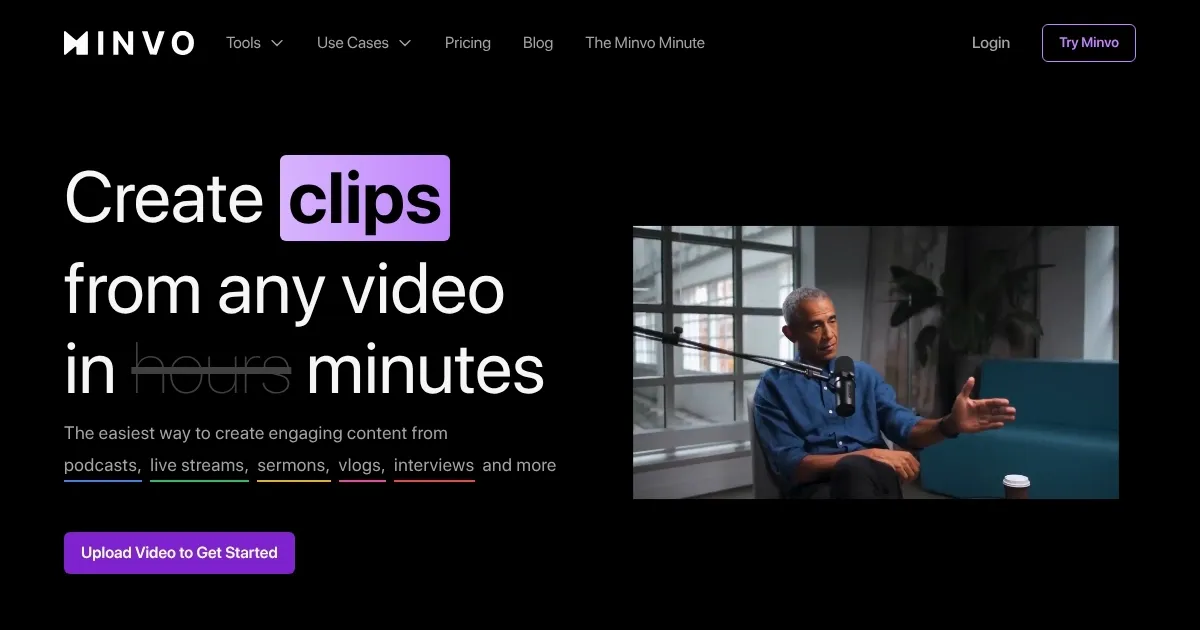
Homepage Screenshot 📸
Video Overview 🎬
What are the key features? ✨
- MagicEdit: Automatically identifies and edits key video moments into short clips.
- Timeline Editor: Allows precise manual adjustments to AI-generated cuts.
- Social Media Integration: Enables direct posting and scheduling to platforms like TikTok and Instagram.
- AI Captions & Hashtags: Generates platform-optimized captions and hashtags for clips.
- Analytics Dashboard: Tracks clip performance across social media platforms.
Who is it for? 🤔
Examples of what you can use it for 💡
- Content Creator: Uses Minvo to turn a 30-minute YouTube vlog into TikTok-ready clips.
- Marketer: Creates viral campaign clips from webinar footage for Instagram ads.
- Small Business Owner: Shares short product demos on LinkedIn to attract clients.
- Vlogger: Edits podcast highlights into engaging Shorts with auto-captions.
- Social Media Manager: Schedules clips across platforms with AI-generated hashtags.
Pros & Cons ⚖️
- Fast AI clip creation
- Useful analytics dashboard
- Beginner-friendly interface
- AI suggestions may miss
- Small stock footage library
FAQs 💬
Minvo alternatives 🔗