logo-darklogo-darklogo-darklogo-dark
  • Tool Categories
    • ๐ŸŽจArt & Creative Design505
    • ๐ŸขBusiness Management644
    • ๐Ÿ’ปCoding & Development515
    • ๐Ÿ‘ฎDetection83
    • ๐Ÿง General Use727
    • ๐ŸฅHealth & Wellness55
    • ๐Ÿ“ทImage & Photo Analysis100
    • ๐Ÿ–ผ๏ธImage Generation & Editing618
    • ๐Ÿ“Interior & Architectural Design37
    • ๐ŸŽ“Learning & Education483
    • โš–๏ธLegal & Finance90
    • ๐ŸŽญLifestyle & Entertainment236
    • ๐Ÿ“ขMarketing & Advertising627
    • ๐ŸŽงMusic & Audio138
    • ๐Ÿ‘”Office & Workplace1,014
    • ๐Ÿ”ฌResearch & Data Analysis372
    • ๐Ÿ‘ฅSocial Media245
    • ๐ŸŽฅVideo Generation & Editing426
    • ๐Ÿ‘ง๐ŸปVirtual Companion135
    • ๐ŸŽคVoice Generation & Editing381
    • โœ๏ธWriting & Editing808
    • All Categories
    • AI Use Cases
  • News
  • Events
    • Academic Conferences
    • Developer Conferences
    • Expos / Trade Shows
    • Industry Summits
    • Workshops / Training
    • All Events
    • Past Events
  • Saved Tools
  • Suggest a Tool
โœ•
Home › Office & Workplace › Email Assistant› The Librarian
The Librarian

The Librarian

Organizes your day with AI-driven email, calendar, and task management via WhatsApp

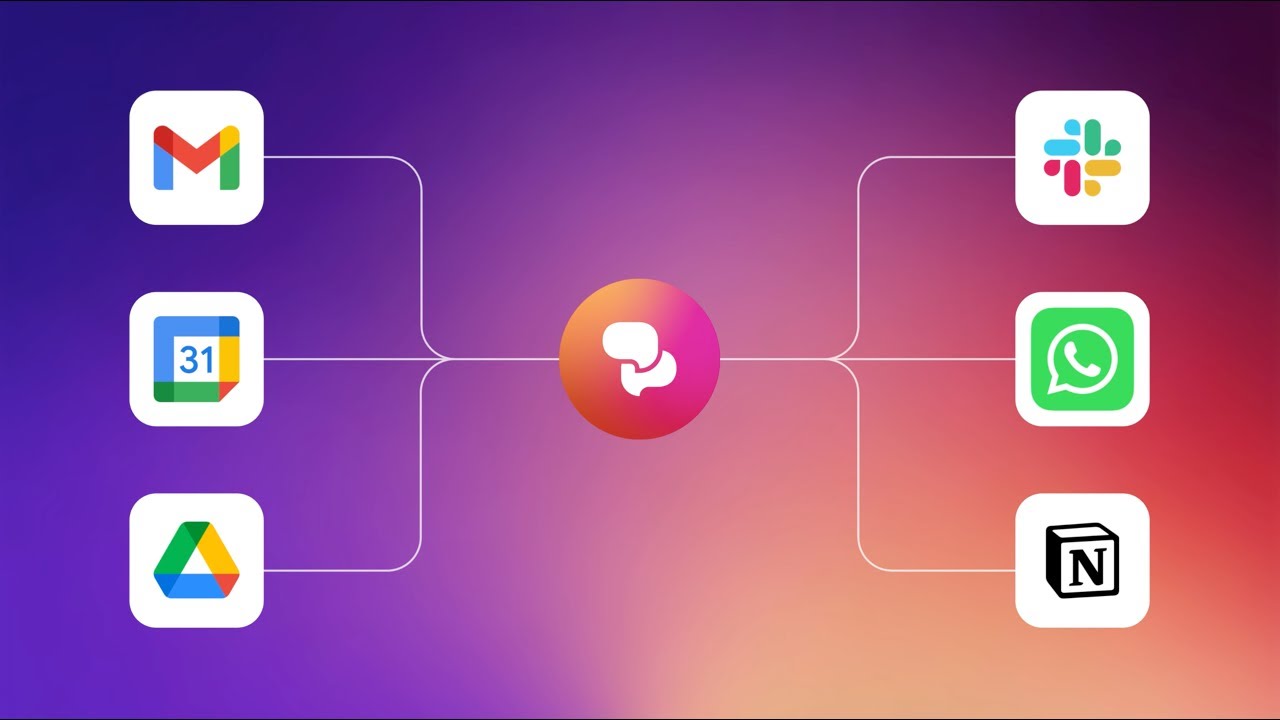
The Librarian is an AI tool that acts as your super-smart buddy on WhatsApp. This AI assistant promises to wrangle your inbox, calendar, and tasks, all while you sip coffee and text. It hooks into Google Workspace, Slack, and Notion, pulling your digital life into one conversational thread. Morning Briefs hit my chat with a tidy snapshot of my day — meetings, tasks, even a nudge about a looming deadline. It felt like a gentle prod from a colleague who’s got your back. I tried the voice command feature, mumbling “Add a meeting with Tom at 3 PM,” and boom, it landed in my Google Calendar. Slick.

The Memories & Facts feature caught my eye. I fed it my default Zoom link, and it remembered it for later, saving me a few clicks. Uploading a PDF of a conference agenda was a breeze — the AI extracted key dates and offered to slot them into my calendar. But, I hit a snag when it missed an event buried in a complex document. It’s smart, but not omniscient. Compared to cloudHQ, which excels at syncing across platforms, The Librarian leans on its WhatsApp charm. It’s less about heavy-duty automation and more about quick, chat-based fixes.

Pricing seems accessible, with a free plan that covers basics like email summaries and reminders. Premium tiers probably unlock more, but I didn’t dig into those yet. Ultimately, The Librarian’s strength is its all-in-one approach — though it’s not without quirks. The calendar sync faltered once, claiming I had no events when I knew I did. A quick refresh fixed it, but it’s a hiccup to watch for.

What surprised me was how natural it felt to use WhatsApp for work tasks. I snapped a photo of a handwritten note, and The Librarian parsed it into a task list. It’s not perfect — fancy handwriting confused it — but it’s a neat trick. Posts on X praise its Morning Briefs but grumble about occasional misses on event recognition. I get it; the tool’s still growing. Its LinkedIn posting feature, teased in recent updates, sounds like a game-changer for social media managers.

Give The Librarian a whirl if you live in WhatsApp and Google Workspace. Start small — test Morning Briefs and voice commands. If you hit sync issues, cross-check your calendar manually, and take it from there.

Visit The Librarian ↗
Categories
๐Ÿ‘” Work
โœ‰๏ธ Email Assistant ๐Ÿ“… Calendar ๐Ÿ•’ Scheduling ๐Ÿ’ผ Workplace Assistant โœ… Task Management ๐Ÿ“จ Email Response
๐Ÿง  General
๐Ÿค– Assistant โœ… Productivity

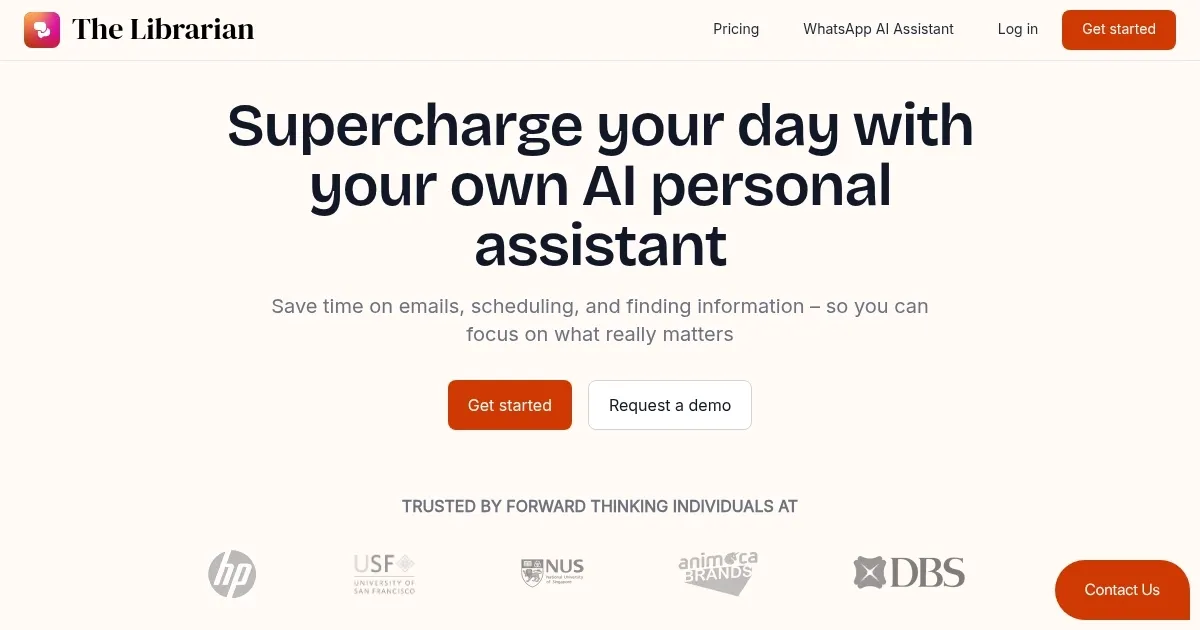
Homepage Screenshot 📸

The Librarian screenshot

Video Overview 🎬

The Librarian - Video Overview

What are the key features? ✨

  • Morning Briefs: Delivers a daily overview of meetings, tasks, and priorities via WhatsApp.
  • Memories & Facts: Stores personal details like addresses or Zoom links for quick task automation.
  • Voice Commands: Allows users to dictate tasks or instructions hands-free through WhatsApp.
  • File Uploads: Extracts data from uploaded PDFs or images to create tasks or calendar events.
  • Web Connectivity: Provides real-time updates like weather, news, or driving directions.

Who is it for? 🤔

The Librarian is designed for professionals, freelancers, and small business owners who rely on Google Workspace and WhatsApp for daily operations. Itโ€™s ideal for those seeking a conversational, mobile-first assistant to manage emails, schedules, and tasks without switching apps. Users who prefer text-based interfaces and need quick access to summaries or reminders will find it particularly useful, though those requiring complex multi-platform syncing may need additional tools.

Examples of what you can use it for 💡

  • Busy Professional: Uses Morning Briefs to get a daily summary of meetings and tasks.
  • Freelancer: Uploads a clientโ€™s PDF agenda to auto-add events to their calendar.
  • Team Lead: Sets reminders for team deadlines via voice commands on WhatsApp.
  • Social Media Manager: Posts directly to LinkedIn using the new integration feature.
  • Remote Worker: Checks real-time weather or directions without leaving WhatsApp.

Pros & Cons ⚖️

  • Free plan covers core features.
  • WhatsApp integration is seamless.
  • Morning Briefs boosts daily planning.
  • Voice commands enable hands-free use.
  • Calendar sync can miss events.
  • Limited multi-platform syncing.

FAQs 💬

What platforms does TheLibrarian integrate with?
It integrates with Google Workspace (Gmail, Drive, Calendar, Contacts), Slack, and Notion.
Is there a free version of TheLibrarian?
Yes, a free plan covers basic features like Morning Briefs and reminders.
Can I use voice commands with the tool?
Yes, you can dictate tasks or instructions via WhatsAppโ€™s voice feature.
Does it support file uploads?
You can upload PDFs or images to extract data for tasks or calendar events.
How does Morning Briefs work?
It sends a daily WhatsApp message summarizing meetings, tasks, and priorities.
Can it post to social media?
A new feature allows posting to LinkedIn directly from WhatsApp.
Does it work with complex documents?
It handles simple files well but may struggle with complex formats.
Is calendar syncing reliable?
Itโ€™s generally reliable but may miss some events, requiring manual checks.
Can it provide real-time web updates?
Yes, it offers updates like weather, news, or driving directions.
Who is TheLibrarian best for?
Itโ€™s ideal for Google Workspace users who prefer WhatsApp-based task management.

Ready to try The Librarian?

Organizes your day with AI-driven email, calendar, and task management via WhatsApp

Visit The Librarian ↗

The Librarian alternatives 🔗

  1. Zia Zia AI-powered business assistant from Zoho
  2. HubSpot Breeze HubSpot Breeze Streamlines business growth with AI tools for marketing, sales, and service
  3. Zoom AI Companion Zoom AI Companion Get high-quality results when drafting emails and chat messages, summarizing meetings and chat threads
  4. Notion Mail Notion Mail Organizes emails automatically with AI while drafting replies and scheduling meetings
  5. Superhuman Mail Superhuman Mail AI-powered, premium email client designed to make email management easier and improve productivity
  6. Gorgias Gorgias Streamlines customer support with AI-powered automation for ecommerce brands
Share
The Librarian screenshot enlarged
Promote The Librarian
light badge
Copy Embed Code
dark badge
Copy Embed Code
neutral badge
Copy Embed Code
Best AI Tools

Discover the best AI tools for any use case

Explore
  • Tool Categories
  • AI Use Cases
  • AI Events
  • AI News
  • Saved Tools
Company
  • About Us
  • Contact Us
  • Media & Partnerships
  • Suggest a Tool
Legal
  • Privacy Policy
  • Terms of Service
Copyright © 2026 Best AI Tools 415 Mission Street, 37th Floor, San Francisco, CA 94105