Walling AI
Organizes ideas visually, manages projects with AI-powered tools
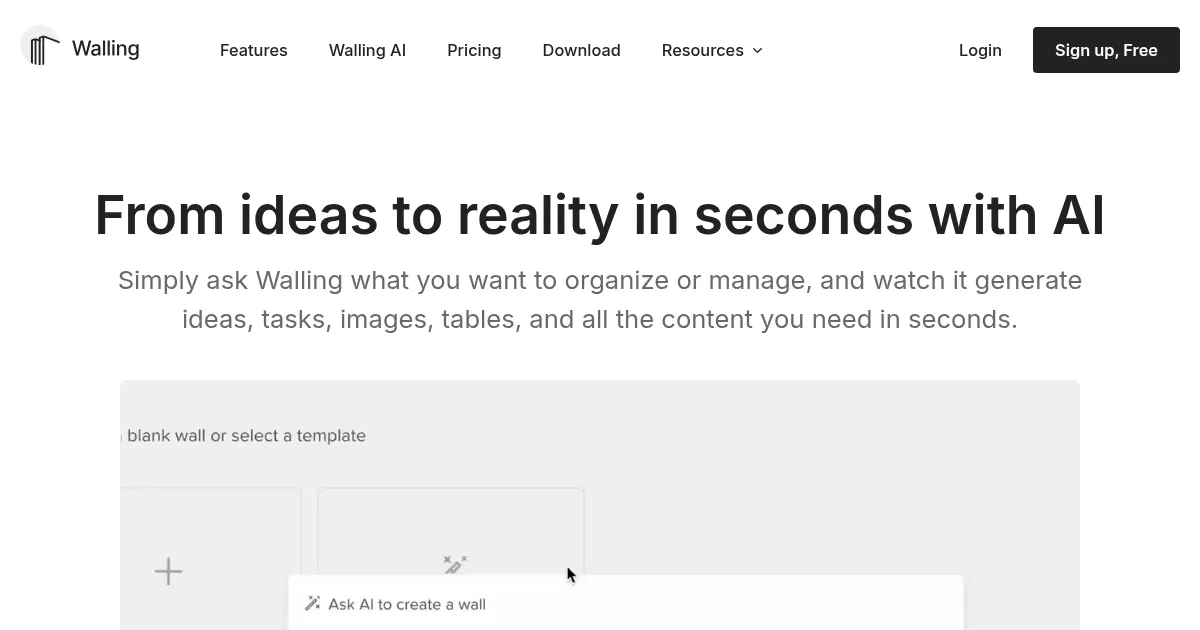
Walling is an AI-powered visual workspace designed to organize ideas, manage projects, and foster collaboration through customizable digital walls. Users create “walls” to arrange notes, tasks, images, and files, leveraging AI to generate content like task lists or drafts. The platform, developed by Walling Software Inc., emphasizes visual organization, making it ideal for creatives and teams who prioritize aesthetics alongside functionality. Available on web, macOS, Windows, iOS, and Android, it syncs seamlessly across devices.
The core feature is the wall, a flexible canvas where users add “bricks” for notes, links, or media. These can be grouped into sections or transformed into Kanban boards, calendars, or databases. The AI assists by generating content, such as project outlines or tables, based on user prompts. The Web Clipper, available for Chrome and Firefox, allows users to capture web content directly. Optical character recognition (OCR) makes uploaded images and PDFs searchable, enhancing usability. Real-time collaboration supports team feedback, with options for comments and voting.
Walling’s free plan offers limited AI credits and basic features, while premium plans unlock unlimited AI usage and advanced collaboration tools. Compared to Notion, Walling is more visually focused but less robust in database functionality. Miro excels in real-time whiteboarding, while Walling prioritizes static, polished presentations. Trello matches Walling’s task management but lacks its design flair. Pricing aligns with competitors, with free and premium options catering to different needs.
Drawbacks include a less intuitive mobile app, as noted in user reviews on Google Play, where navigation can feel clunky. Some users report a slight learning curve for mastering features like sections and bricks. The platform’s simplicity may not suit users needing complex database tools. A standout feature is the one-click publishing, which lets users share walls publicly or privately with polished layouts.
Walling suits designers, project managers, and teams who value visual organization. To get started, explore the free plan to test basic features. Use the AI to generate a project outline, experiment with the Web Clipper, and share a wall to gauge its fit for your needs.
Homepage Screenshot 📸
Video Overview 🎬

What are the key features? ✨
- Walls: Create customizable digital canvases to organize ideas, notes, and media.
- Bricks: Add notes, images, files, or tasks as flexible, draggable content blocks.
- Walling AI: Generates content like task lists or drafts based on user prompts.
- Web Clipper: Captures web content directly to walls via Chrome or Firefox extensions.
- OCR Search: Makes text in uploaded images and PDFs searchable for easy retrieval.
Who is it for? 🤔
Examples of what you can use it for 💡
- Graphic Designer: Creates mood boards with images and notes for client projects.
- Project Manager: Organizes tasks and timelines on a wall for team collaboration.
- Content Creator: Manages blog ideas and drafts using AI-generated outlines.
- Startup Founder: Builds investor presentations with polished, shareable walls.
- Researcher: Collects web snippets and searchable PDFs for project research.
Pros & Cons ⚖️
- Intuitive drag-and-drop interface
- AI generates useful content
- OCR enhances file searchability
- Mobile app lacks polish
- Limited free plan features
FAQs 💬
Ready to try Walling AI?
Organizes ideas visually, manages projects with AI-powered tools
Visit Walling AIWalling AI alternatives 🔗