Jigso Sidekick
Personal AI assistant that helps you stay on top of important things when actions need to be taken
Jigso Sidekick is an AI command center designed to simplify work processes and enhance productivity within teams and organizations. It works as an AI assistant that integrates with various work applications, managing and monitoring important alerts, managing action items, and providing concise answers to inquiries related to connected apps — all within chat form.
Jigso Sidekick leverages capabilities to track sales pipelines, client mentions, open issues, and tasks, and offers features like setting reminders, sorting tasks, generating content using ChatGPT, and summarizing information from multiple sources such as Slack channel discussions, documents, and articles.
Jigso Sidekick’s integration with tools such as Salesforce, Jira, Zendesk, and Google Docs allows for seamless operation across various aspects of work, making it useful for managers, customer success specialists, software developers, and others.
So, if you want to streamline processes in your organization, you may want to try out Jigso and its fancy AI-powered Sidekick.
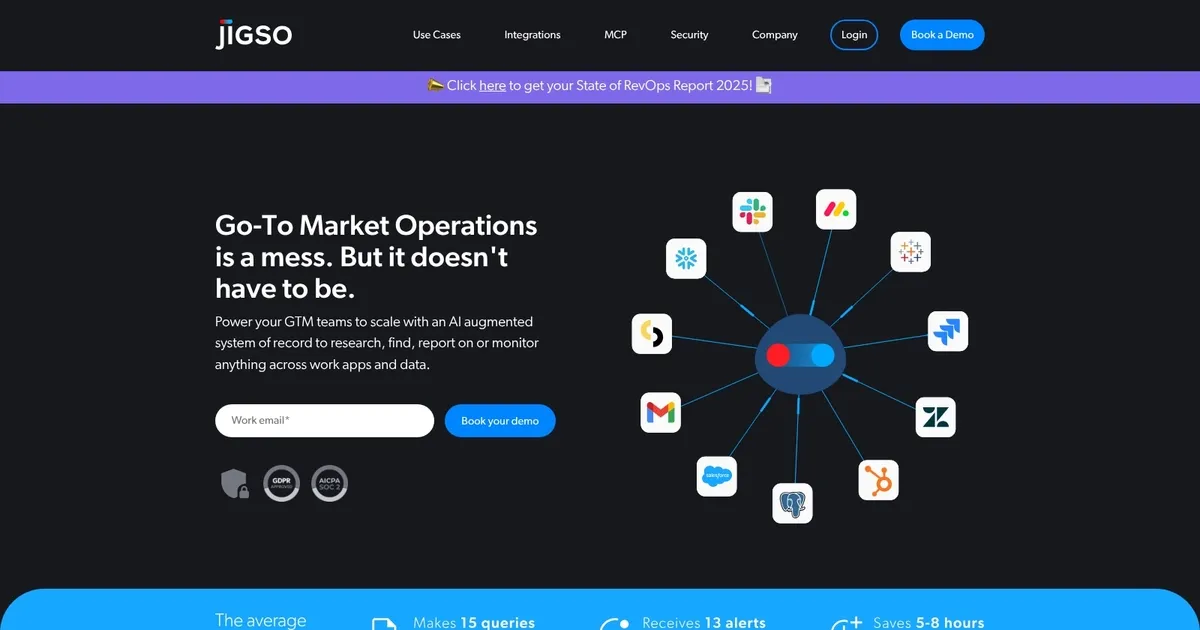
Homepage Screenshot 📸
What are the key features? ✨
- 360° AI-powered research & analysis: Delivers instant meeting prep and topic deep dives by pulling and synthesizing data from across connected apps without manual searching.
- Proactive monitoring & alerts: Continuously scans the tech stack to detect risks like stalled deals or churn signals and sends real-time, context-rich notifications.
- Zero-hallucination intelligence: Grounds every insight, answer, and alert strictly in verifiable data from your systems to eliminate fabricated information.
- Automatic action item detection: Identifies commitments and follow-ups from emails, chats, and work items, then provides reminders so nothing slips.
- On-the-fly data analysis: Enables direct queries of pipeline, tickets, or activities without waiting for analysts or building custom dashboards.
Who is it for? 🤔
Examples of what you can use it for 💡
- Sales rep: Uses Jigso to get instant prospect summaries including pipeline status, recent communications, and risks before calls, cutting prep time significantly.
- Customer success manager: Monitors account health signals across tickets, usage data, and interactions to receive early churn alerts and take preventive action.
- Operations lead: Queries stalled processes or high-value opportunities directly and sets custom monitors to catch bottlenecks without analyst involvement.
- Marketing team member: Tracks campaign-related mentions, content performance signals, and cross-team action items pulled from Slack and docs in one view.
- Manager or executive: Prepares for status meetings with auto-assembled overviews of pipeline, key risks, and open actions across the team’s tools.
Pros & Cons ⚖️
- Real-time proactive alerts
- Zero-hallucination accuracy
- Unified stack visibility
- Time-saving automation
- Initial setup time
- Potential alert overload
FAQs 💬
Ready to try Jigso Sidekick?
Personal AI assistant that helps you stay on top of important things when actions need to be taken
Visit Jigso SidekickJigso Sidekick alternatives 🔗