logo-darklogo-darklogo-darklogo-dark
  • Tool Categories
    • 🎨Art & Creative Design505
    • 🏢Business Management644
    • 💻Coding & Development514
    • 👮Detection83
    • 🧠General Use728
    • 🏥Health & Wellness55
    • 📷Image & Photo Analysis100
    • 🖼️Image Generation & Editing618
    • 📐Interior & Architectural Design37
    • 🎓Learning & Education483
    • ⚖️Legal & Finance90
    • 🎭Lifestyle & Entertainment236
    • 📢Marketing & Advertising627
    • 🎧Music & Audio138
    • 👔Office & Workplace1,014
    • 🔬Research & Data Analysis373
    • 👥Social Media245
    • 🎥Video Generation & Editing426
    • 👧🏻Virtual Companion135
    • 🎤Voice Generation & Editing381
    • ✍️Writing & Editing808
    • All Categories
    • AI Use Cases
  • News
  • Events
    • Academic Conferences
    • Developer Conferences
    • Expos / Trade Shows
    • Industry Summits
    • Workshops / Training
    • All Events
    • Past Events
  • Saved Tools
  • Suggest a Tool
✕
Home › Video Generation & Editing › Video Editing› OneTake
OneTake

OneTake

Transforms raw talking videos into polished professional presentations with AI automation

OneTake AI is an autonomous video editing tool that processes raw footage into professional presentations using AI automation. It handles transcription, noise removal, and visual enhancements through a single-click Magic Button interface. The platform supports uploads from various sources including YouTube and Zoom recordings. Core processing includes structured transcriptions that identify key points and add titles. Audio features remove background noise and filler words like “ums” and coughs. Video outputs include customizable styles, transitions, and color palettes.

Key functionalities cover content generation and repurposing. Users generate scripts and ideas via an AI agent that learns from prior content. The tool extracts viral moments for shorts suitable for TikTok, Instagram Reels, and YouTube Shorts. It converts horizontal videos to vertical formats without quality loss. Audio exports create podcasts in MP3 format normalized to -16dB standards. Hosting options include the OneTake Player for embedding with unlimited views and no watermarks on paid plans.

Translation capabilities enable multilingual dubbing with voice cloning and lip-syncing. Supported languages exceed 115, including English, Spanish, French, and Hindi. Premium plans allow up to six languages per video with context-aware accuracy. The conversational editing mode permits script adjustments through chat interactions. On-screen teleprompter aids recording with speed controls and pauses. Content import automates pulls from channels for initial edits.

Pricing structures range from free to premium tiers. The free plan limits edits to 30 minutes monthly with watermarks. Occasional plan at 20 dollars monthly permits one hour of edits up to 60 minutes without watermarks. Pro plan at 39 dollars monthly supports three hours up to 120 minutes, adding shorts generation and white-label hosting. Premium at 449 dollars monthly offers unlimited edits and two hours of translation. Yearly billing reduces costs, such as Occasional to 10 dollars monthly.

Competitors include Descript for audio-focused editing and Opus Clip for shorts creation. Descript provides overdub voice synthesis but lacks OneTake’s visual dubbing depth. Opus Clip excels in clip extraction at lower costs for social media but misses full video translation. Runway offers generative tools for creative effects, though it requires more manual input than OneTake’s automation. VEED suits quick social edits but falls short in advanced audio restoration. For users prioritizing ease and multilingual support, OneTake provides balanced functionality. Test the free tier with a short clip to evaluate fit before committing to paid access.

Visit OneTake ↗
Categories
🎥 Video
✏️ Video Editing 📹 Video Generation 📲 Short Video Generation ✂️ Long To Short Video Generation ✨ Video Enhancing
👥 Social
📝 Social Media Post Generation
🎤 Voice
📣 Voice Over

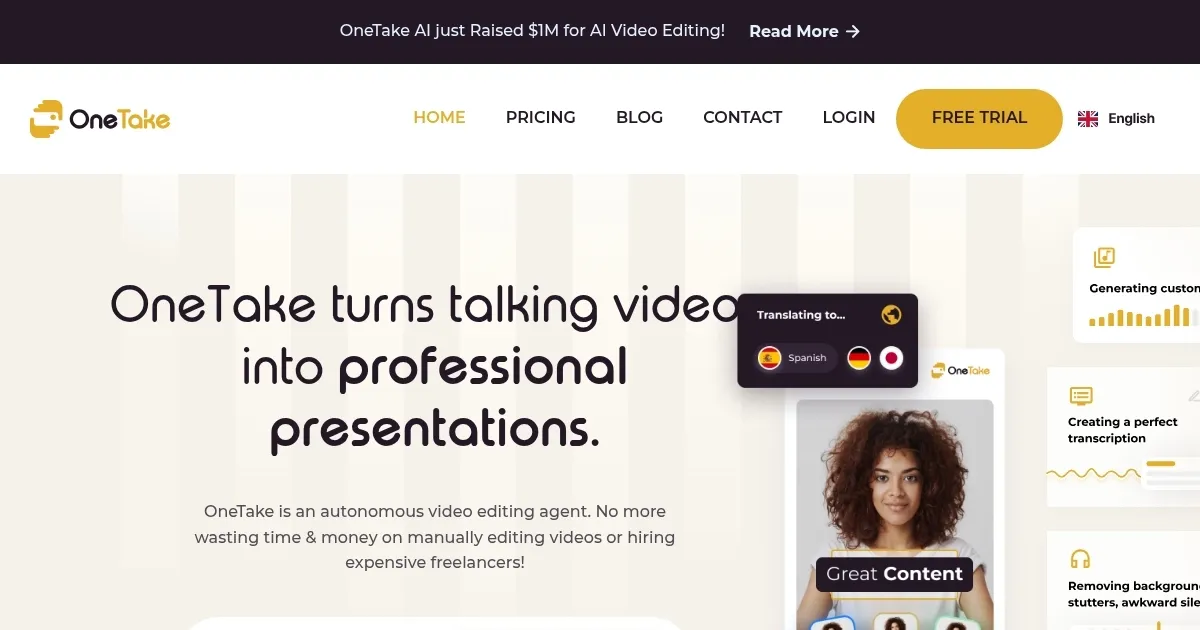
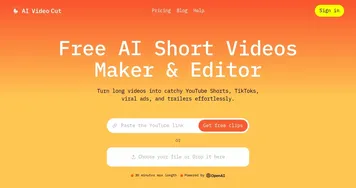
Homepage Screenshot 📸

OneTake screenshot

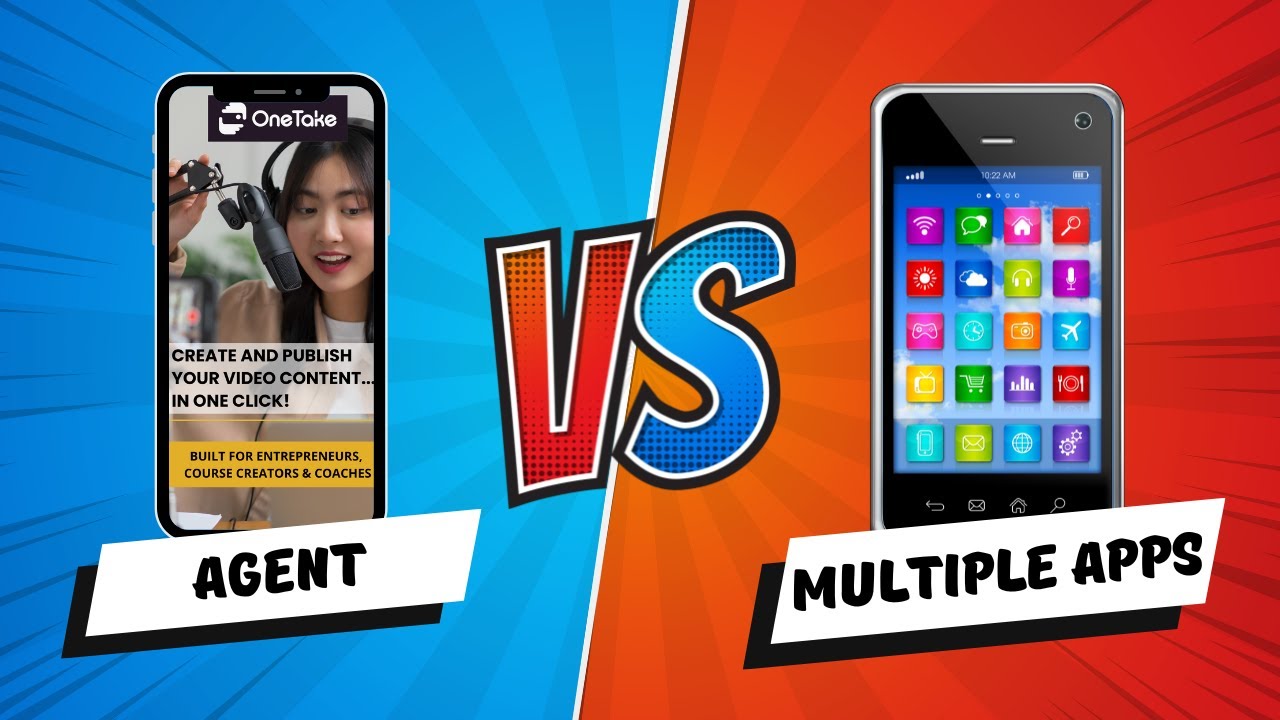
Video Overview 🎬

OneTake - Video Overview

What are the key features? ✨

  • Magic Button: Automates full video editing with titles, transitions, and animations in one click.
  • Hyper-Realistic Translation: Clones voice and lip-syncs for dubbing in over 115 languages.
  • Audio Cleanup: Removes noise, fillers, and enhances voice for studio-quality sound.
  • Shorts Extraction: Identifies viral moments from long-form content for social media clips.
  • Conversational Editing: Allows script and edit adjustments via natural chat interactions.

Who is it for? 🤔

OneTake AI suits entrepreneurs, course creators, coaches, and marketers who produce talking-head videos or webinars but lack time for manual editing. It empowers solopreneurs turning Zoom calls into polished content, businesses scaling multilingual campaigns without translators, and content teams repurposing long-form videos into shorts for platforms like TikTok and YouTube. If youre juggling multiple roles and need quick, professional outputs without hiring freelancers, this tool streamlines your workflow, letting you focus on ideas rather than technical tweaks.

Examples of what you can use it for 💡

  • Course Creator: Converts raw lecture recordings into engaging online modules with subtitles and highlights for better student retention.
  • YouTube Marketer: Edits vlogs automatically, adding transitions and music to boost viewer engagement and channel growth.
  • Podcast Host: Transforms video episodes into clean audio files ready for Spotify distribution, saving post-production hours.
  • Social Media Manager: Extracts short clips from webinars for Instagram Reels, driving traffic back to full content.
  • Global Business Owner: Dubs product demos in multiple languages to reach international audiences without reshooting.

Pros & Cons ⚖️

  • One-click automation
  • Multilingual dubbing
  • Noise removal pro
  • Easy customization
  • Rendering lags
  • Transcription errors

FAQs 💬

What is OneTake AI?
OneTake AI is an autonomous video editing agent that automates editing, transcription, and translation for raw footage into professional videos.
How does the Magic Button work?
The Magic Button processes uploaded videos in one click, adding titles, transitions, noise removal, and enhancements automatically.
Does it support video translation?
Yes, Premium plans include hyper-realistic dubbing and lip-syncing in over 115 languages, with lower tiers offering subtitles.
Can I create shorts from long videos?
Pro and higher plans allow extraction of viral moments into shorts for TikTok, Reels, and YouTube Shorts.
What are the pricing plans?
Plans start free with limits, then Occasional at $20/month, Pro at $39/month, and Premium at $449/month, with yearly discounts.
Is there a free trial?
Yes, the free plan allows 30 minutes of edits monthly with watermarks to test features.
How accurate is the transcription?
It handles industry jargon well but may need minor manual tweaks for accents or complex audio.
Can I customize videos?
Yes, adjust styles, colors, fonts, logos, and transitions via simple interface or chat editing.
What file formats does it export?
Exports HD MP4 for videos and MP3 for podcasts, compatible with YouTube, Vimeo, and social platforms.
Does it integrate with other tools?
Supports imports from YouTube, Zoom, Dropbox; exports to major platforms; embeds via OneTake Player.

Ready to try OneTake?

Transforms raw talking videos into polished professional presentations with AI automation

Visit OneTake ↗


OneTake alternatives 🔗

  1. Runway Runway Generates and edits AI-powered videos from text prompts
  2. Canva Magic Design Canva Magic Design Generates custom, on-brand designs from text prompts or uploaded media in seconds.
  3. Adobe Express Adobe Express Creates on-brand content with AI-driven design and video tools
  4. Vimeo AI Vimeo AI Creates polished videos from single recordings using AI edits and scripts
  5. CapCut Creative Suite CapCut Creative Suite Online creative suite for everyone to create stunning images and videos
  6. Loom AI Loom AI Record better video messages with automatic titles, summaries, share messages, and more
Share
OneTake screenshot enlarged
Promote OneTake
light badge
Copy Embed Code
dark badge
Copy Embed Code
neutral badge
Copy Embed Code
Best AI Tools

Discover the best AI tools for any use case

Explore
  • Tool Categories
  • AI Use Cases
  • AI Events
  • AI News
  • Saved Tools
Company
  • About Us
  • Contact Us
  • Media & Partnerships
  • Suggest a Tool
Legal
  • Privacy Policy
  • Terms of Service
Copyright © 2026 Best AI Tools 415 Mission Street, 37th Floor, San Francisco, CA 94105