Suna by Kortix
Automates complex tasks through natural conversation, acting as a digital companion
Suna is more than yet another AI chatbot cluttering your digital life with canned responses. Instead, it is a bold, open-source assistant that feels like a coworker who never sleeps. Developed by Kortix AI, this generalist AI agent takes your instructions in plain English and turns them into actionable results, whether it’s scraping data from Zillow, building a market analysis report, or planning a company trip. I think it’s the kind of tool that makes you wonder how you ever managed without it, though it’s not without its quirks.
What sets Suna apart is its open-source ethos. Unlike proprietary giants like ChatGPT or Claude, Suna’s code is fully transparent, hosted on GitHub for anyone to tweak or self-host. This is a big deal. You’re not locked into a subscription or a walled garden, you can run Suna on your own infrastructure, tailoring it to your needs. Its Browser Automation feature lets it navigate websites, extract data, and even interact with forms as if it were you, only faster. The File Management tool creates and edits documents seamlessly, while Web Crawling and Extended Search dig deep into online data to fuel research tasks. I tried asking it to analyze market trends in the UK healthcare sector, and it churned out a detailed report with major players and their websites, all in a conversational tone that felt human.
But let’s talk about what shines. Suna’s ability to handle complex workflows is a game-changer. It can integrate with APIs, execute command-line tasks, and even deploy websites, all from a single prompt. Imagine telling it to find 10 jobless software engineers in Munich with specific qualifications, and it scours LinkedIn, compiles profiles, and delivers a neat list. That’s the kind of power we’re talking about. It’s not just a tool, it’s a digital employee who doesn’t need coffee breaks. The community-driven development also means constant updates, with contributors worldwide shaping its future.
That said, it’s not all smooth sailing. The setup process, especially for self-hosting, can feel like assembling a spaceship. The 14-step wizard is helpful, but if you’re not tech-savvy, you might need a friend who speaks “server” fluently. Some users on X have mentioned occasional bugs, though Kortix’s support seems quick to squash them. Compared to competitors like Jasper or Copy.ai, which focus heavily on content creation, Suna’s broader scope can feel overwhelming for simple tasks. It’s like bringing a tank to a knife fight, powerful but sometimes overkill.
Here’s the surprise element: Suna’s autonomy. It doesn’t just follow orders, it reasons through them. In one test, it processed S&P 500 data and generated a presentation-ready report without needing hand-holding. That’s not something you see every day. For small businesses or freelancers, this could be a secret weapon, though larger enterprises might want more robust enterprise-grade integrations.
If you’re diving in, start small. Ask Suna to organize your bookmarks or scrape a forum for insights. Get comfortable with its conversational style before tackling big projects. Check the GitHub Contributing Guide to join the community and suggest features. It’s a tool that grows with you, so take the time to explore its potential.
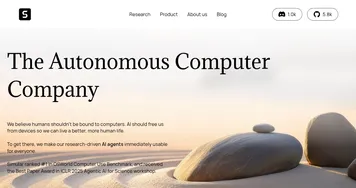
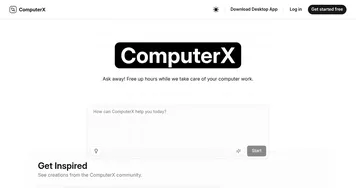
Homepage Screenshot 📸

Video Overview 🎬

What are the key features? ✨
-
Browser Automation: Navigates websites to extract data or perform tasks autonomously.
Web Crawling: Gathers online data for research and analysis with precision.
File Management: Creates and edits documents seamlessly from user prompts.
Extended Search: Pulls live web data to provide real-time insights for queries.
API Integration: Connects with various APIs for customized workflows and automation.
Who is it for? 🤔
Examples of what you can use it for 💡
- Freelancer: Uses Suna to scrape competitor data from websites for client pitches.
- Researcher: Employs Suna to analyze market trends and generate detailed reports.
- Small Business Owner: Leverages Suna to plan travel itineraries with weather-based activities.
- Developer: Utilizes Suna to automate coding tasks or deploy websites via prompts.
- Marketer: Relies on Suna to gather forum insights for targeted campaign strategies.
Pros & Cons ⚖️
- Fully open-source and free to use.
- Automates complex tasks with ease.
- Integrates with APIs for flexibility.
- Setup process can be complex.
- Not ideal for simple tasks.
FAQs 💬
Ready to try Suna?
Automates complex tasks through natural conversation, acting as a digital companion
Visit Suna