Best AI Grammar Checking Tools

55 toolsRanked by traffic

AI grammar checking tools scan your writing for grammatical errors and suggest corrections, catching things like subject-verb disagreement, misused tenses, missing articles, and awkward sentence construction. You write or paste your text and the tool flags problems with a fix you can accept in a click. The best-known options are Grammarly, QuillBot, and Scribbr, while SwiftKey AI Keyboard corrects as you type on mobile.

Anyone who writes in English, especially non-native speakers, leans on grammar checkers to look more polished with less effort. The narrow focus here is grammatical correctness, which is different from a full proofread that also weighs style and flow. Most checkers run live in your browser, email, or word processor. They catch the large majority of mistakes, but they still miss context-dependent errors and sometimes flag correct sentences, so a quick human read remains worthwhile.
SwiftKey AI Keyboard
SwiftKey AI Keyboard - icon
SwiftKey AI Keyboard
Enhances typing with AI-powered autocorrect and predictions
DeepL
DeepL - icon
DeepL
Delivers remarkably natural AI translations that capture nuance better than most rivals
Grammarly
Grammarly - icon
Grammarly
Enhances writing with grammar, tone, and style suggestions.
QuillBot
QuillBot - icon
QuillBot
Enhances writing with AI-powered paraphrasing, grammar checking, and tone analysis.
ZeroGPT
ZeroGPT - icon
ZeroGPT
An AI detector that can spot whether text was written by a human or generated by AI
Turnitin
Turnitin - icon
Turnitin
An educational platform that uses advanced AI to ensure academic integrity by detecting plagiarism
Scribbr
Scribbr - icon
Scribbr
Rewrites text using AI to maintain meaning with new wording
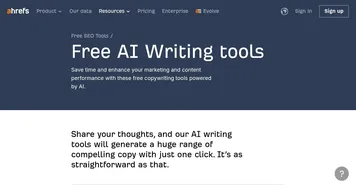
Ahrefs AI writing tools
Ahrefs AI writing tools - icon
Ahrefs AI writing tools
Enhance your marketing and content performance with Ahrefs' free copywriting tools powered by AI
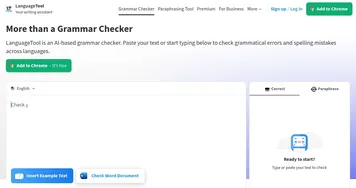
LanguageTool
LanguageTool - icon
LanguageTool
Checks grammar, spelling, and style across multiple languages
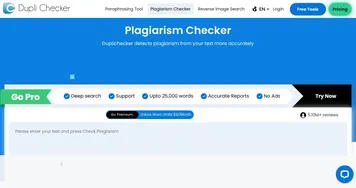
DupliChecker
DupliChecker - icon
DupliChecker
An online tool that helps users identify and handle plagiarism in their text
Hix.ai
Hix.ai - icon
Hix.ai
An AI-powered tool that aims to revolutionize how businesses handle customer interactions and support
Originality.ai
Originality.ai - icon
Originality.ai
A plagiarism and AI generated content detection tool
Paraphraser
Paraphraser - icon
Paraphraser
Rephrases text using AI to maintain meaning with new wording
Paperpal
Paperpal - icon
Paperpal
Get AI-powered in-depth suggestions to help you polish your academic writing
OpenL
OpenL - icon
OpenL
An AI-powered translation software that supports more than 100 languages

Frequently Asked Questions

What is the best AI grammar checker?
The best AI grammar checker for most people is Grammarly, which works across browsers, email, and documents with reliable suggestions. QuillBot offers a strong free checker, LanguageTool supports many languages, and Scribbr suits academic writing. The right pick depends on where you write most and whether you need languages beyond English.
What is the difference between a grammar checker and a proofreader?
A grammar checker focuses narrowly on grammatical errors like tense, agreement, and punctuation. A proofreader does a fuller final pass that also weighs spelling, style, clarity, and consistency before publishing. Grammar checking is one part of proofreading, so a dedicated grammar tool catches the mechanics but won't judge whether the writing reads well.
Are AI grammar checkers accurate?
AI grammar checkers catch the large majority of mistakes accurately, but they aren't perfect. They occasionally flag correct sentences, miss errors that depend on meaning, and over-suggest in creative writing. Use the corrections as informed suggestions rather than rules, and reread anything important yourself, since the tool doesn't fully understand your intent.
Are AI grammar checkers free?
Most AI grammar checkers offer a free tier that handles core grammar and spelling, with paid plans adding tone, clarity, and advanced suggestions. The free versions are genuinely useful for everyday writing and emails. Heavier users and professionals tend to upgrade for the deeper style feedback and the higher usage limits.