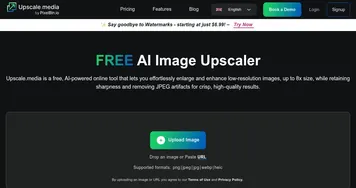
UnblurImage
An online platform that uses AI to sharpen images, upscale resolution, and reduce noise
UnblurImage is like a magic wand for those blurry snapshots you thought were destined for the digital trash bin. It’s an online platform that uses artificial intelligence to sharpen images, upscale resolution, and reduce noise, all with a few clicks. I think it’s the kind of tool that makes you wonder how we ever lived without it, especially when you see a fuzzy vacation photo transform into something you’d proudly frame.
The process is dead simple. You upload your image — JPG, PNG, or even HEIC — and the AI gets to work, analyzing pixels like a detective piecing together a case. In seconds, it delivers a sharper, clearer version, often with details you didn’t even know were there. The core feature, aptly called “Unblur Image,” tackles everything from motion blur to out-of-focus shots. It’s particularly handy for reviving old photos or making product images pop for e-commerce. The upscaling feature, which boosts images to 4x or even 4K resolution, is a standout, ensuring your enlarged photos don’t look like a pixelated mess. Noise reduction is another gem, smoothing out grainy textures without sacrificing clarity.
What’s not to love? Well, nothing’s perfect. While UnblurImage is free and requires no sign-up, the free version limits you to processing three images at a time unless you’re logged in, which might slow down bulk editing tasks. Some users on forums like Reddit have noted that severely blurry images — think a photo taken during a rollercoaster ride — might not come out crystal clear, as the AI’s effectiveness depends on the original image quality. Competitors like Picsart and Pixelcut offer similar AI-driven sharpening but often come with broader editing suites, which might appeal if you need more than just unblurring. UnblurImage, though, keeps things focused, which I find refreshing in a world of bloated software.
The surprise element here is the Text Enhancer tool. It’s a niche feature that sharpens blurry text in images, like scanned documents or screenshots, making them readable without messing up the layout. I tried it on a fuzzy receipt photo, and the results were startlingly clear, almost like the text had been retyped. For free, that’s a steal. Compared to Artguru, which also excels at text unblurring, UnblurImage feels snappier and less cluttered.
Pricing-wise, UnblurImage’s free tier is generous, with no watermarks or ads, though a Pro version exists for faster processing and better results on complex images. Competitors like Remaker also offer free tiers, but some tack on watermarks unless you pay. If you’re a photographer, small business owner, or just someone with a phone full of blurry memories, this tool is worth a spin. Start with a single photo to test the waters, and don’t be afraid to experiment with different image types to see what the AI can handle.
Homepage Screenshot 📸
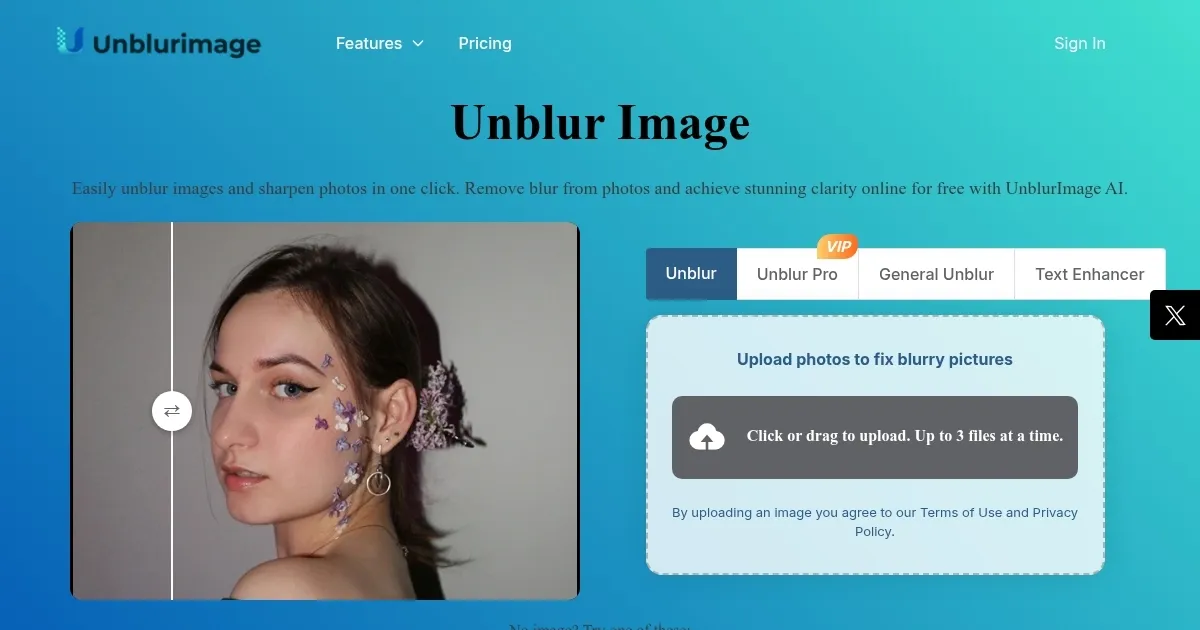
What are the key features? ✨
- Unblur Image: Restores clarity to blurry photos in seconds.
- Upscale: Boosts image resolution up to 4x or 4K.
- Noise Reduction: Smooths grainy textures while preserving details.
- Text Enhancer: Sharpens text in images for better readability.
- Batch Processing: Handles multiple images, up to five for logged-in users.
Who is it for? 🤔
Examples of what you can use it for 💡
- Photographer: Fixes blurry shots to enhance portfolio quality.
- E-commerce Seller: Sharpens product images for better sales.
- Graphic Designer: Enhances visuals for clear, professional designs.
- Social Media User: Improves photo quality for eye-catching posts.
- Student: Sharpens scanned documents for better readability.
Pros & Cons ⚖️
- Free with no watermarks
- Supports multiple image formats
- Intuitive, no sign-up needed
- Limited to 3 images in free tier
- Basic editing features only
FAQs 💬
Ready to try UnblurImage?
An online platform that uses AI to sharpen images, upscale resolution, and reduce noise
Visit UnblurImageUnblurImage alternatives 🔗