Best AI Mind Mapping Tools

40 toolsRanked by traffic

AI mind mapping tools turn your ideas or notes into a visual map, arranging concepts as connected nodes and branches so you can see how everything fits at a glance. The category ranges from whiteboard assistants like FigJam AI and Miro AI to diagram generators like Napkin AI that build a structured visual from a few sentences of text.

Students, planners, and teams use these to brainstorm, outline a project, or untangle a messy topic into something they can actually look at. The appeal is that a good map shows structure your notes hide, but a cluttered auto-generated map can be harder to read than a plain list, so the best tools let you edit and reshape what the AI produces. When you're choosing one, decide whether you want a freeform brainstorming canvas or a tool like Mermaid Chart that generates clean diagrams from text.


FigJam AI
FigJam AI - icon
FigJam AI
Instantly visualize ideas, suggest best practices, and automate tedious tasks
Miro AI
Miro AI - icon
Miro AI
Visual collaboration platform that lets you build the next big thing with a prompt and a chat
NotebookLM
NotebookLM - icon
NotebookLM
Transforms uploaded documents into interactive AI-powered research assistants
Napkin AI
Napkin AI - icon
Napkin AI
Turn text into visually engaging content like infographics, flowcharts, and diagrams
Mermaid Chart
Mermaid Chart - icon
Mermaid Chart
A diagramming tool that allows users to create a range of diagrams using text
Whimsical Mind Maps
Whimsical Mind Maps - icon
Whimsical Mind Maps
An AI-powered tool for the quick and collaborative creation of mind maps
Whimsical AI: Text-to-Flowchart
Whimsical AI: Text-to-Flowchart - icon
Whimsical AI: Text-to-Flowchart
Transforms text prompts into editable flowcharts instantly
GitMind
GitMind - icon
GitMind
An AI-powered mind mapping and brainstorming app
Creately AI
Creately AI - icon
Creately AI
An AI-powered tool that aims to revolutionize how users create and manage visual content
StudySmarter
StudySmarter - icon
StudySmarter
Creates AI-powered study tools to boost learning efficiency
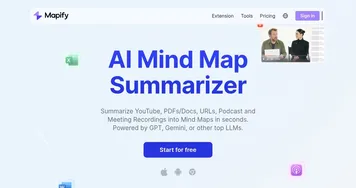
Mapify
Mapify - icon
Mapify
An AI-powered tool designed to enhance the efficiency of generating mind maps
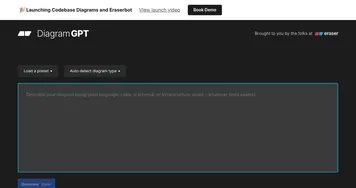
DiagramGPT
DiagramGPT - icon
DiagramGPT
Generates technical diagrams from natural language or code prompts.
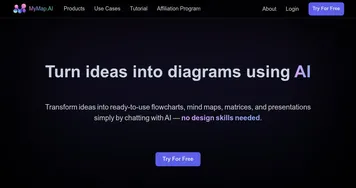
MyMap.ai
MyMap.ai - icon
MyMap.ai
Transforms ideas into visual diagrams via AI chat
Lucidspark
Lucidspark - icon
Lucidspark
A virtual whiteboard platform made to facilitate team collaboration and brainstorming
Boardmix
Boardmix - icon
Boardmix
An AI-driven online whiteboard designed to improve remote collaboration

Frequently Asked Questions

How do AI mind mapping tools work?
An AI mind mapping tool takes a topic, a block of notes, or a prompt and generates a visual map of connected ideas, with a central concept branching out into related nodes. You can then edit, rearrange, and expand the branches. The AI handles the first draft of structure, and you refine it into something that fits your thinking.
What is the best AI mind mapping tool?
The best one depends on your style. FigJam AI and Miro AI suit collaborative, freeform brainstorming on a shared whiteboard, while Napkin AI and Mermaid Chart shine at turning written text into clean, structured diagrams. If you mostly map alone from notes, a text-to-diagram tool is faster; for live team sessions, a whiteboard wins.
Can AI create a mind map from my notes?
Yes. Most of these tools accept pasted notes, an outline, or a short description and turn it into a branching map automatically. The AI groups related points and draws the connections, giving you a starting structure in seconds. You then tidy and reshape it, which is usually faster than building the whole map by hand.
Are AI mind mapping tools good for studying?
They can be, because turning a topic into a visual map forces you to see how concepts relate, which aids recall. The catch is that an auto-generated map skips the effort of building it yourself, and that effort is part of what helps learning stick. Use the AI map as a scaffold, then rework it in your own words.