Best AI Video Upscaling Tools

11 toolsRanked by traffic

AI video upscaling tools increase a video's resolution, enlarging it to HD or 4K while keeping the picture sharp. They reconstruct fine detail between the original pixels, so a small or old clip can fill a modern screen without looking blocky or soft. Tools built for this include Topaz Labs, VideoProc, Vmake AI, and GoEnhance.

Editors prepping footage for large displays, archivists modernizing old recordings, and creators standardizing mixed-resolution clips use upscaling to raise resolution specifically. This is a narrower job than general enhancement: the goal is more pixels and a sharper enlargement, not color or stabilization. When you're choosing, check the maximum target resolution and how the tool handles motion, since fast action can introduce artifacts. Upscaling adds plausible detail rather than recovering what was never recorded, so a clean low-resolution source upscales far better than a noisy one.

Runway
Runway - icon
Runway
Generates and edits AI-powered videos from text prompts
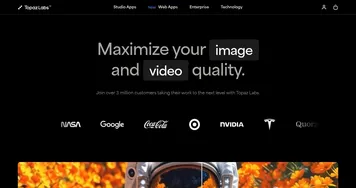
Topaz Labs
Topaz Labs - icon
Topaz Labs
An AI-powered photo and video enhancement software designed for professionals
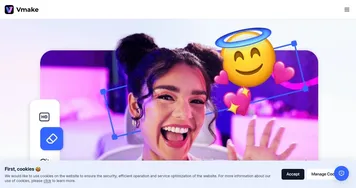
Vmake AI
Vmake AI - icon
Vmake AI
An AI-powered platform designed to enhance the online retail experience
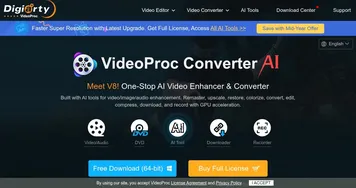
VideoProc
VideoProc - icon
VideoProc
Enhances, converts, compresses, and edits videos with AI and GPU acceleration
GoEnhance
GoEnhance - icon
GoEnhance
A powerful AI-driven platform designed to transform video and image editing
RecCloud
RecCloud - icon
RecCloud
An AI-powered platform that makes video creation and editing easy for virtually anyone
AVCLabs
AVCLabs - icon
AVCLabs
Provider of AI-powered software solutions designed to enhance and upscale videos and photos
UniFab
UniFab - icon
UniFab
A fancy service that can breathe new life into your videos, transforming them into masterpieces
EaseUS Fixo
EaseUS Fixo - icon
EaseUS Fixo
Repairs corrupted video, photo, and document files with AI-driven precision
AVC AI
AVC AI - icon
AVC AI
Use deep learning algorithm to improve and restore photo quality automatically and effortlessly

Frequently Asked Questions

What is the best AI video upscaler?
The best AI video upscaler depends on your source and target. Topaz Labs is the go-to for high-quality results up to 4K and beyond, VideoProc balances upscaling with broader editing, and Vmake AI and GoEnhance offer convenient web-based upscaling. Clean, low-noise footage upscales best regardless of which tool you pick.
How does AI video upscaling work?
AI video upscaling uses models trained on large video sets to predict and add realistic detail between the original pixels, enlarging a clip to a higher resolution. Instead of simply stretching the image, it reconstructs edges and texture so the result stays sharp. The added detail is plausible rather than the exact original.
Can AI upscale video to 4K?
Yes, many AI upscalers can take HD or even standard-definition video up to 4K, and some go higher. The result looks best when the source is clean, since the AI sharpens and enlarges existing detail rather than inventing missing footage. Noisy or heavily compressed clips upscale with more visible artifacts.
What's the difference between upscaling and enhancing video?
Upscaling specifically raises a video's resolution, making it larger and sharper, while enhancing covers broader quality fixes like color, stabilization, and noise reduction. Upscaling is one slice of enhancement focused on pixel count. If a clip is simply too low-resolution for your screen, upscaling is the targeted fix you want.