Best AI Copilot Tools

90 toolsRanked by traffic

An AI copilot is an assistant built into a specific app that helps you as you work inside it, suggesting, completing, and answering without you leaving the tool. It sits in context and follows along, which is why code editors and browsers were among the first to add one. Well-known copilots include GitHub Copilot in your editor, Cursor for coding, and Microsoft Copilot across Office apps.

The defining trait is that a copilot is embedded where you already are: it sees what's on your screen and helps with the task in front of you, rather than running off to do everything itself. Developers also use Windsurf for in-editor help. When you're choosing one, the key questions are which app it lives in, how well it understands your current file or document, and whether its suggestions are easy to accept, edit, or ignore.

Gemini
Gemini - icon
Gemini
Generates responses from text, images, audio, and video inputs using advanced multimodal AI
Cursor
Cursor - icon
Cursor
Supercharges coding with AI agents that build, edit, and review code autonomously.
Windsurf
Windsurf - icon
Windsurf
Empowers developers with AI-driven code generation and real-time collaboration.
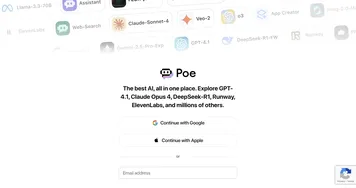
Poe
Poe - icon
Poe
Aggregates top AI models for seamless chatting and bot creation
Replit AI
Replit AI - icon
Replit AI
Transforms natural language prompts into fully deployable apps using AI agents
GitHub Copilot
GitHub Copilot - icon
GitHub Copilot
Enhances coding with AI-driven completions and chat assistance
Bing
Bing - icon
Bing
Empowers searches with AI-driven insights and creative generation
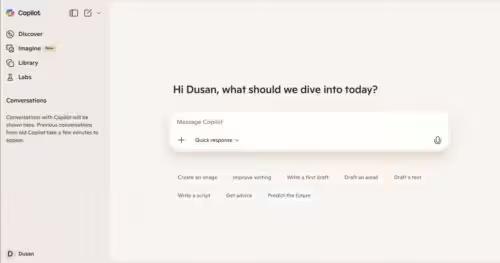
Microsoft Copilot
Microsoft Copilot - icon
Microsoft Copilot
Boosts productivity with AI-driven answers, writing, and image creation
Zendesk AI
Zendesk AI - icon
Zendesk AI
An AI tool built on billions of real customer service interactions that understands customer experience
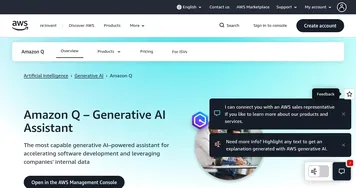
Amazon Q
Amazon Q - icon
Amazon Q
Your generative AI–powered assistant designed for work that can be tailored to your business
Amazon Q Developer
Amazon Q Developer - icon
Amazon Q Developer
Accelerates software development with AI code suggestions and task automation
Asana AI
Asana AI - icon
Asana AI
An AI helper built into the Asana platform to make managing projects and tasks easier
Manus
Manus - icon
Manus
An AI agent designed to handle complex tasks all by itself
Monica
Monica - icon
Monica
A browser extension powered by ChatGPT that acts as a chatbot assistant
JetBrains AI
JetBrains AI - icon
JetBrains AI
Deeply integrated, context aware AI assistant for coding, right in your IDE

Frequently Asked Questions

What is an AI copilot?
An AI copilot is an assistant built directly into an app that helps you as you work, offering suggestions, completions, and answers in context. It stays inside the tool you're using, whether a code editor, browser, or office suite, and assists with the task in front of you rather than going off to complete jobs on its own.
What's the difference between a copilot and an AI agent?
A copilot assists you inside an app while you stay in control, suggesting the next step and waiting for you to accept it, while an AI agent works autonomously, taking many steps to finish an entire task with little supervision. The copilot helps you do the work; the agent tries to do the work for you.
What is the best AI copilot for coding?
The best coding copilot depends on your setup. GitHub Copilot is the most widely adopted and slots into many editors, while Cursor and Windsurf are full editors built around AI with deeper project awareness. Developers often try a couple, since the right fit comes down to your language, codebase size, and how the suggestions feel.
How much does an AI copilot cost?
Most AI copilots cost around ten to twenty dollars a month per user, with free tiers or trials common for individuals. Office and enterprise copilots are often priced per seat and may require a business plan. Costs add up across a team, so it helps to confirm the value on the specific app before rolling it out.
Do AI copilots work in any app?
AI copilots work only in the apps they're built for or integrated with, not universally across your computer. A code copilot lives in editors, an office copilot lives in documents and email, and a browser copilot lives in your browser. Before choosing one, confirm it supports the exact app where you spend your time.