Best AI Podcast Tools

41 toolsRanked by traffic

AI podcast tools handle the production side of making a show: recording clean audio, editing out mistakes, transcribing episodes, writing show notes, and in some cases generating an entire episode from your source material. They cover the workflow from raw recording to a finished, publishable episode. Notable options include Descript for text-based editing, Riverside for remote recording, and NotebookLM for AI-generated audio overviews.

Solo podcasters and small teams use these to skip the parts of production that used to need an audio engineer. The most useful features are editing audio by editing a transcript, automatic removal of filler words, and one-click show notes. If you want a voiceover instead of recording yourself, a text-to-speech engine like Murf generates narration, though a real human voice still wins for building a connection with listeners.

ElevenLabs
ElevenLabs - icon
ElevenLabs
Generates lifelike, expressive AI voices for diverse applications
NotebookLM
NotebookLM - icon
NotebookLM
Transforms uploaded documents into interactive AI-powered research assistants
Streamlabs Podcast Editor
Streamlabs Podcast Editor - icon
Streamlabs Podcast Editor
A podcast editing solution that transcribes audio and video to text for easy edits and repurposing content
Descript
Descript - icon
Descript
Transforms video editing with AI-driven text-based tools and automated design
Riverside Audio & Video Transcription
Riverside Audio & Video Transcription - icon
Riverside Audio & Video Transcription
An AI service that generates high-accuracy audio and video transcription in multiple languages.
Murf
Murf - icon
Murf
Converts text to lifelike speech for various applications
Cleanvoice
Cleanvoice - icon
Cleanvoice
Removes filler sounds, mouth clicks, and background noise from podcast audio automatically
Play.ht
Play.ht - icon
Play.ht
A multilingual text-to-speech service for creating realistic voiceovers
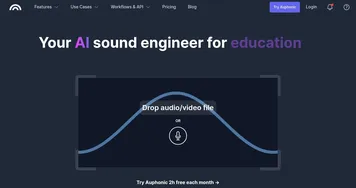
Auphonic
Auphonic - icon
Auphonic
Automates professional audio enhancement, leveling, noise reduction, and mastering for spoken content
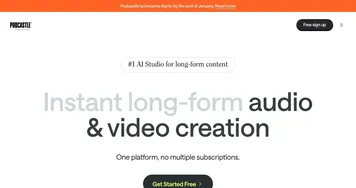
Podcastle
Podcastle - icon
Podcastle
Audio & video creation platform for the creation, editing, and distribution of podcasts
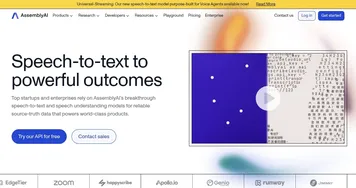
AssemblyAI
AssemblyAI - icon
AssemblyAI
A simple API for speech recognition, speaker detection, speech summarization, and more
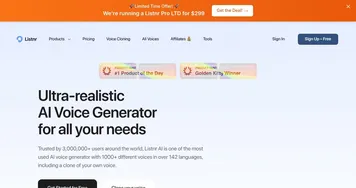
Listnr
Listnr - icon
Listnr
Create realistic Text to Speech (TTS) audio with some of the best AI voices
Audo AI
Audo AI - icon
Audo AI
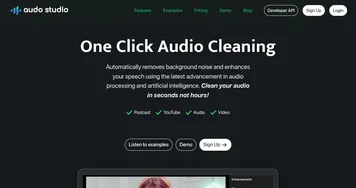
Automatically remove background noise and enhance your speech using the power of AI
Wondercraft
Wondercraft - icon
Wondercraft
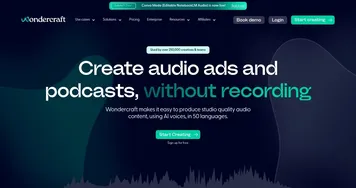
Turn existing content into captivating podcasts, effortlessly
Castmagic
Castmagic - icon
Castmagic
An AI tool that lets you upload your MP3 and download all your ready-to-post content

Frequently Asked Questions

What is the best AI tool for making a podcast?
The best AI podcast tool depends on your stage. Descript is excellent for editing, since you cut audio by deleting text and remove filler words automatically. Riverside captures studio-quality remote recordings, and NotebookLM can generate a conversational audio overview from documents. Many podcasters combine a recording tool with a separate editor.
Can AI edit a podcast for me?
Yes, AI editors transcribe your episode and let you edit the audio by editing the text, so deleting a sentence removes that audio. They also strip out filler words, long pauses, and background noise in one pass. You still make the creative calls about pacing and structure, but the tedious cleanup is largely automated.
Can AI write show notes and transcripts?
Yes, most AI podcast tools generate a full transcript and draft show notes, episode summaries, titles, and chapter markers from your recording. This saves the hour or two it usually takes to write them by hand. You review and tighten the draft, but the time-consuming first pass comes ready to edit.
Can AI generate a podcast episode automatically?
Yes, some tools generate a complete podcast-style episode from your documents or notes, producing two AI hosts discussing the material in a natural back-and-forth. It is useful for turning a report or article into listenable audio. The result sounds convincing, but it works best as a supplement to, not a replacement for, a hosted show.
Do I need expensive equipment to start a podcast with AI?
No, AI tools lower the bar to starting a podcast. A decent USB microphone and a quiet room cover the basics, and AI handles noise removal, leveling, and editing that once required a studio. You can record remote guests in the browser at high quality, so the main investments are a good mic and your time.